

Managing a project is like conducting an orchestra. Each section should know when and how to enter, how long to sustain, and when to transition. Done right, the result is a beautiful symphony enjoyed by many.
In project management, it’s essential to coordinate all moving parts to achieve a shared project goal, and this is where project timelines come into play. Thoughtfully designed, a project timeline outlines milestones, tasks, dependencies, and timings, to ensure every project team member moves in sync. It’s an essential for every successful project.
In this article, we’ll provide you with project timeline templates that can help you conduct your next project with confidence and efficiency.
Key Takeaways:
- A project timeline is a visual representation of tasks in chronological order.
- High-level project timelines are ideal for top management, while low-level timelines can support project teams and managers in keeping things on track.
- To create a project timeline, scope the project, plan the work, estimate tasks, and plot them chronologically. Project timeline templates can help you streamline the process.
- Monitor and update project timelines periodically.
What Is A Project Timeline
A project management timeline, also called a project timeframe or project schedule, is a visual representation of project tasks in chronological order. This tool indicates critical milestones, critical tasks, deadlines, along with start and end dates of activities, clearly illustrating a project’s duration.
A well-designed project timeline helps teams plan, organize efforts, track progress, and spot potential risks, bottlenecks, and delays before they happen. It’s useful for stakeholder communication, project planning, resource allocation (and resource management), visualization, tracking progress, and teamwork.
Key elements of a project timeline include:
- Tasks to complete: A list of activities in workflows identified to move the project plan forward
- Estimated task duration: How much time is needed for the tasks to be completed
- Task dependencies: Requirements needed before an activity can be done
- Milestones and deliverables: Project milestones and deliverables in your project timeline give stakeholders a view of the big picture that the team is working towards
Project timelines can be simple or elaborate, depending on project complexity and stakeholder needs.
Types of Project Timelines and Templates (Free)
Gantt Chart
A Gantt chart is a type of bar chart illustrating a project timeline. Horizontal bars represent task durations positioned against a linear time frame. This format has become the industry standard for sharing detailed project timelines with teams and stakeholders.

A Gantt chart is useful for turning complex project data into digestible information. This visual representation helps teams process and organize plans more effectively, while helping report project progress with stakeholders.
While incredibly effective for most projects, Gantt charts can become challenging to maintain as projects grow more complex. For these scenarios, specialized project timeline software or project management software such as Workamajig can provide the necessary functionalities and integrations to keep project Gantt charts accurate and updated throughout the project.
High-Level Monthly Milestones
For senior leaders and managers, detailed movements in a project might matter less than its strategic progression. Instead of sharing overwhelming granular task breadowns, high-level key milestone timelines can be more effective. Highlighting critical milestones, key features, and key deliverables in a digestible calendar, this format can help senior leaders maintain appropriate oversight on the entire project.
The high-level monthly milestones can also be repurposed for Sprint plans for Agile. Sprints are a short, fixed-length time periods (usually 1-4 weeks), so simply changing headers from months to Sprints can make the template more apt for an Agile team’s iterative cycles.
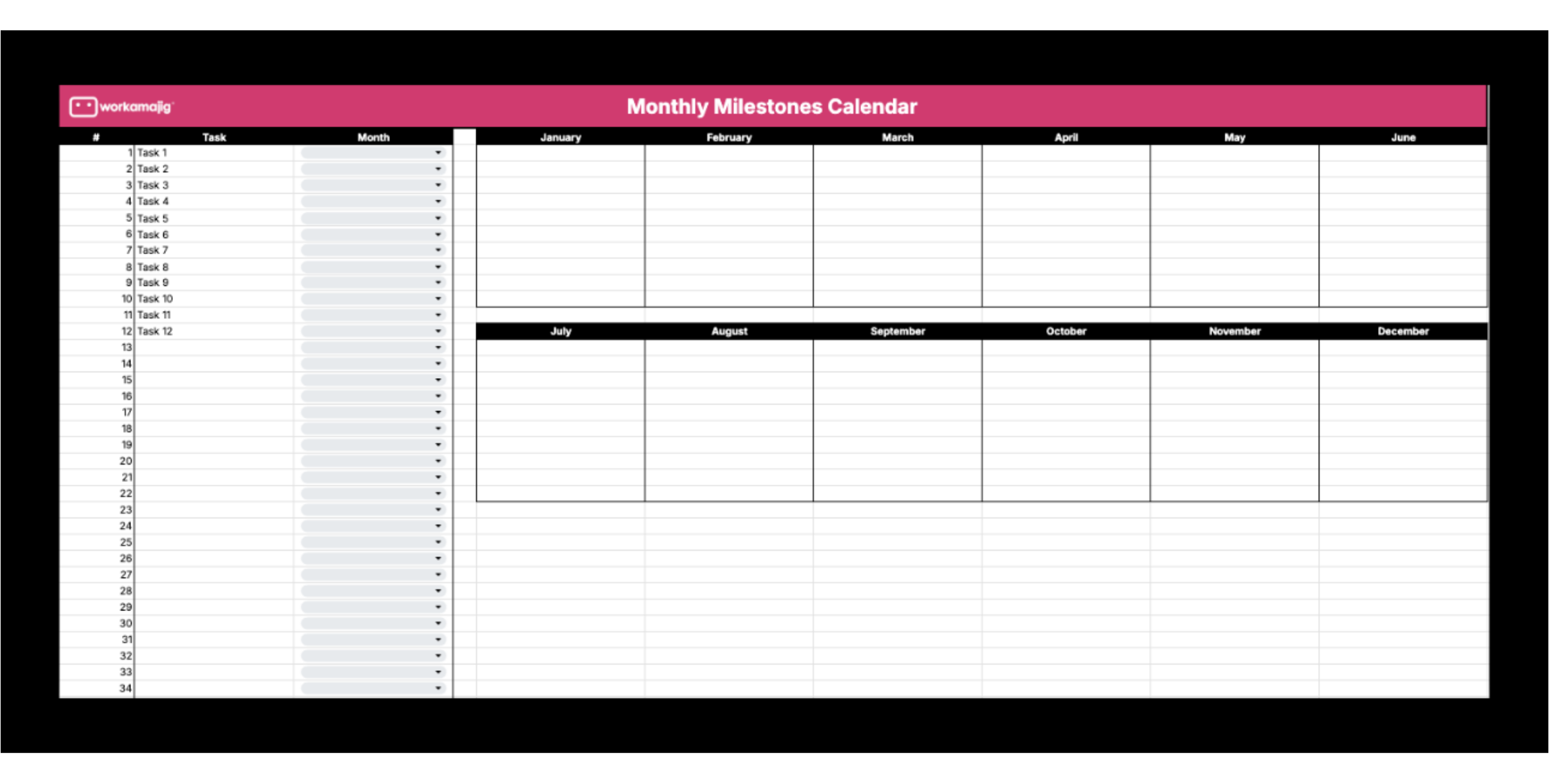
High-Level Monthly Milestones Dynamic Calendar
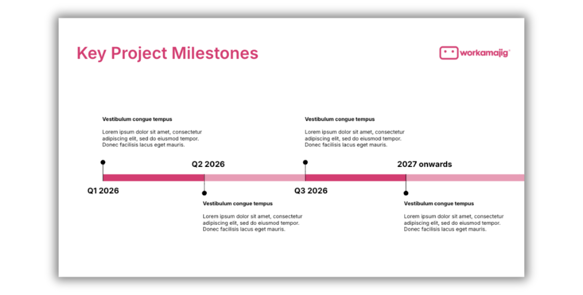
High-Level Quarterly Roadmap
For executive team presentations, a quarterly roadmap provides visibility on major key features and key deliverables of a long-term project. This can help decision-makers see the impact of the overall project as it makes significant progress, moving through the project phases.
When designed correctly as flexible, outcome-focused guides, not rigid plans, the roadmap can also be useful for Agile teams.
How to Create a Project Timeline
- Scope the Project: Start by thoroughly understanding the project’s goals, objectives, completion criteria, and project success criteria. Your project scope statement would provide a proper perspective and align stakeholders using the project timeline.
- Establish Key Checkpoints: Identify project milestones and deliverables based on stakeholder expectations and project requirements.
- Map the Work Structure: Create a list of all tasks, relevant subtasks, and their dependencies. Consider using a work breakdown structure (WBS) to organize this. Note important due dates when applicable.
- Estimate Task Durations: Collaborate with your team, analyze historical data from similar projects, or consult with subject matter experts to establish accurate estimates for each task.
- Assign Resources: Designate task owners and allocate necessary resources. This would help identify which tasks can proceed in parallel and which must follow a sequential path.
- Plot the Timeline: With all elements defined, create your visual timeline. It’s advisable to use a project management tool, such as Workamajig, which is equipped with the features and integrations you need to build your project timeline with ease.
- Monitor and Update: Throughout project execution, continuously monitor progress and update your timeline. Using a specialized tool like Workamajig can help you make this process more efficient, as it can automate real-time updates and streamline your process.
Wrapping Up
Project timelines are essential to project management as they transform abstract plans into actionable workflows. These visual guides don’t just track dates and deliverables; they also help coordinate collaborative efforts, maintain momentum, and ensure that all project components move in perfect synchronization towards project objectives.
By using project templates, teams can streamline project planning and significantly reduce setup time. But for complex projects, tools like Workamajig offer sophisticated capabilities needed to manage intricate timelines dynamically.