

When you’re browsing online for campaign management software, you’ll quickly notice that several tools fall under this umbrella — such as project management, social media management, CRM, email and SMS automation platforms, and analytics tools to report on the success of campaigns.
To make sense of it all, it helps to think of campaign management tools in three main categories:
-
Systems for managing the campaign strategy and development of campaign materials. These platforms include extensive project management features for creating project plans, assigning work, managing schedules, developing creative assets, and managing feedback loops. They also let you track timelines, budgets, and tasks with centralized, campaign-level dashboards.
-
Platforms for executing campaigns. These systems are used to take your campaigns live, such as publishing your ads, sending marketing emails or SMS, and uploading your posts to social media platforms. They include tools for scheduling content, targeting the right audiences, managing engagements, tracking performance, and more.
-
Campaign reporting and analytics tools. While most execution platforms include built-in analytics (showing metrics like email open rates, social impressions, conversions, and demographic breakdowns), standalone tools can give you a broader view. These aggregate data from all channels and reveal deeper insights to refine your strategy.
So when you’re looking for campaign management software, the key is to match the system to your needs. Do you need different tools to cover all fronts — from developing campaign materials to launching them and tracking results — or are you focused on just one area?
We wrote this guide to help you out here — it covers 15 solutions across all three categories, so you can compare options and find the right tools for your tech stack.
Our list includes:
-
The five best campaign management software to strategize and develop campaign materials, including Workamajig, Scoro, Teamwork, Asana, and Airtable.
-
Five systems for executing campaigns, including HubSpot, Brevo, SimpleTexting, Buffer, and Sprout Social.
-
Five popular campaign reporting tools, including Google Analytics, Microsoft Clarity, RB2B, HockeyStack, and AgencyAnalytics.
We kick off with a review of our solution, Workamajig, an all-in-one agency management platform with a complete toolset for planning and developing creative campaign materials.
To learn more about Workamajig after reading, request a free demo with our team.
5 Systems to Strategize & Develop Campaign Materials
The platforms in this section help agencies plan, organize, and develop campaign assets, ensuring every piece of work ties back to the broader campaign strategy.
1. Workamajig
Workamajig is a complete work management system designed to support the unique workflows of agencies and creative teams. Our platform enables teams to manage all aspects of developing campaign requirements, including tasks, budgets, resources, collaboration, billing, and reporting.
For over 30 years, Workamajig has been one of the top solutions for agencies and in-house teams looking to improve organization amongst their processes, people, and finances because our system lets you manage all workflows under one roof. Our toolkit includes:
- Centralized campaign management tools with campaign-level reporting
- Project management tools that support the entire lifecycle from project intake to delivery
- Collaboration tools to simplify feedback loops
- Tools to track campaign expenses at the project level and automate billing
- Financial reporting tools, including campaign P&L reports
- A native CRM for managing new leads all the way through to close
- A full GL-ready accounting software
Plus, every instance of Workamajig comes with a dedicated account manager, so every team understands how to leverage our system to operate more strategically. Account managers provide (free) personalized onboarding and training, ensuring that Workamajig reflects how your team works and that everyone feels empowered to use it.
We’ll take you over our core features in the following few sections, covering:
-
How to set up and manage campaigns using Workamajig’s centralized platform. Workamajig’s campaign management features let you build estimates and budgets, monitor campaign conversations, share files, and view schedules in one place.
-
How to plan and manage campaign projects in Workamajig. Projects in Workamajig are the building blocks for campaigns — it’s where teams build out tasks, outline dependencies, assign resources, input time, and manage feedback processes.
-
Workamajig’s other agency management features. Including our CRM, complete GL-ready accounting module, vendor management tools, and client portals.
You can also request a personalized demo to see Workamajig’s full campaign management capabilities.
Campaign Planning & Budgeting in Workamajig
In Workamajig, a campaign links multiple projects together — bringing everyone’s tasks, assignments, schedules, and expenses under a single umbrella — so you can track all campaign-related work with ease. They simplify asset development, scheduling, burn tracking, billing, and reporting, enabling you to track budgets and progress across the board and manage the bigger picture without losing sight of the finer details.
Setting up a campaign in Workamajig is really simple — you can either copy an existing campaign template or start from scratch.
For new campaigns, you’ll have to fill in some standard information, including the campaign name, description, objective, the client it’s for, and start and end dates:
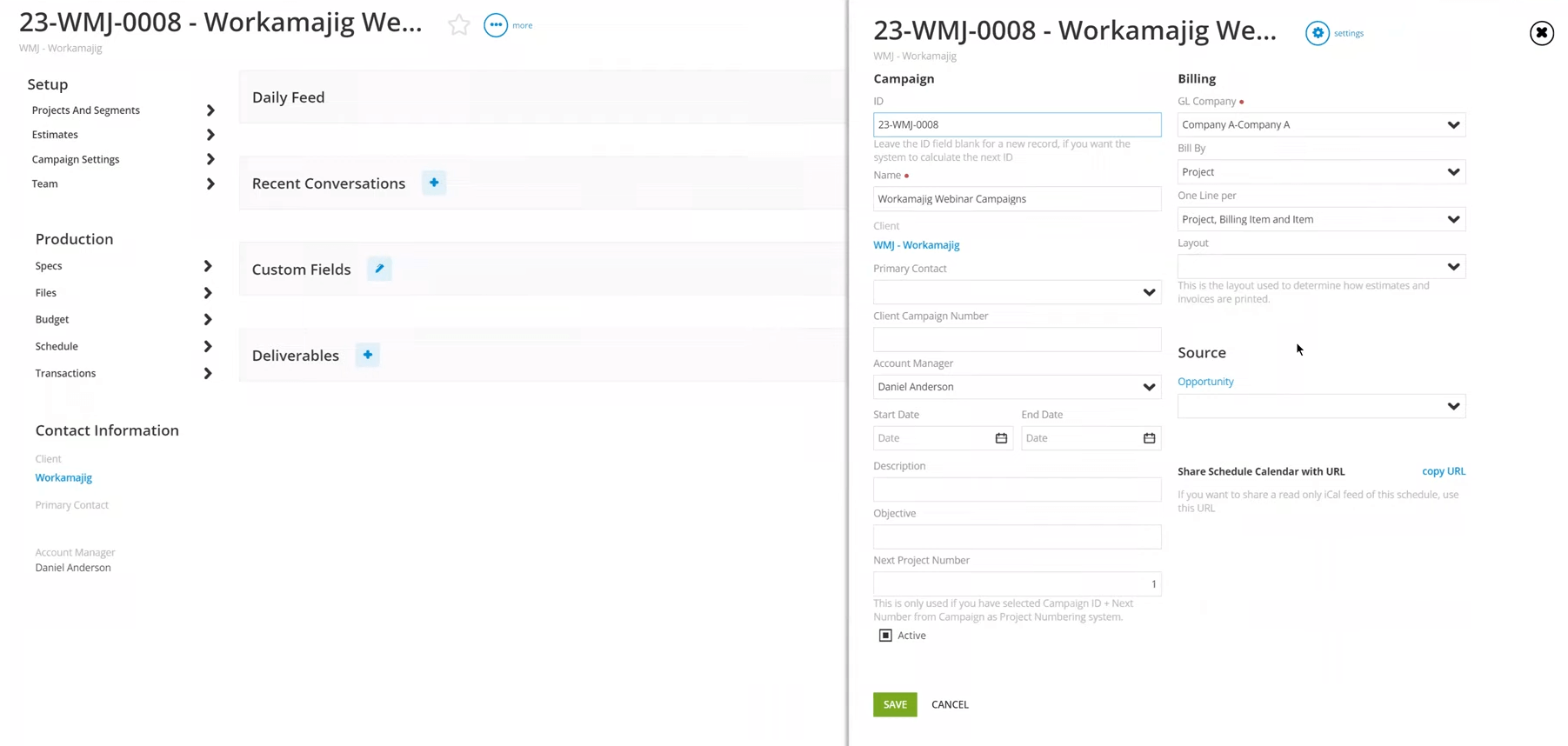
Next, you can add either new or existing projects to the campaign. When adding new projects, you can pull in templates or build new plans from scratch (more on that later).
After you’ve created a campaign and linked relevant projects to it, you can track all details from the centralized dashboard. You can also define deliverables, share files, or hold conversations at the campaign level, rather than limiting the flow of information to individual projects. These features help all stakeholders stay aligned on campaign-wide objectives.

Next, Workamajig’s custom segments give you the freedom to organize linked projects however makes the most sense for your agency. For example, some teams break things down by quarter to align with their reporting cycles, while others prefer categories like Media, Print, and Web to match service types.
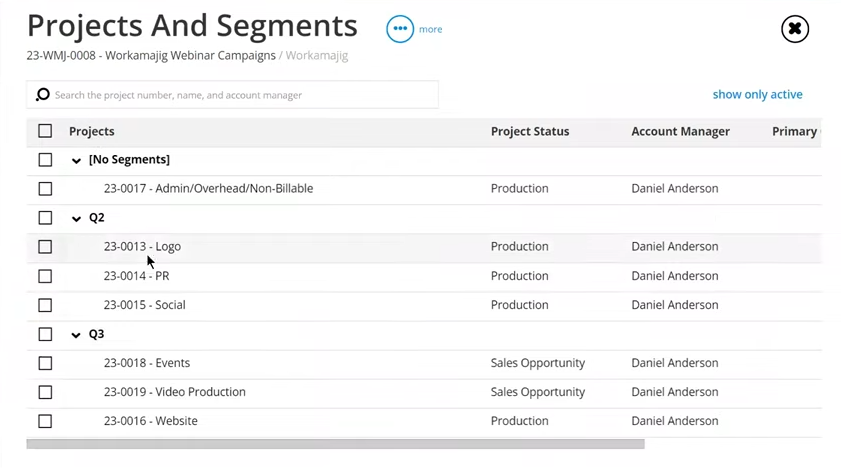
Organizing your campaigns into segments isn’t required, but it lets you group projects connected to a campaign into defined categories. It also simplifies reporting by sorting tasks, schedules, and budgets accordingly.
Up next, we’ll show you how to build out campaign estimates, track budgets, and set schedules.
Campaign Budgets & Monitoring
Workamajig lets you set up campaign budget estimates in one of two ways: (1) by pulling over all the estimates from every linked project, or (2) by setting a campaign-level budget from scratch.
There’s no “best” way to set up a campaign budget — it all comes down to factors like how much information you’ve got about the types of projects to add and how you want the financial reports to look.
Here’s more on each option.
Project-level budget
If you know all the projects that come under your planned campaign and have accurate estimates for each, then building a campaign budget using these individual estimates might be the way to go. All you need to do is select “new estimate” in the campaign dashboard and choose the “by project only” estimate type:
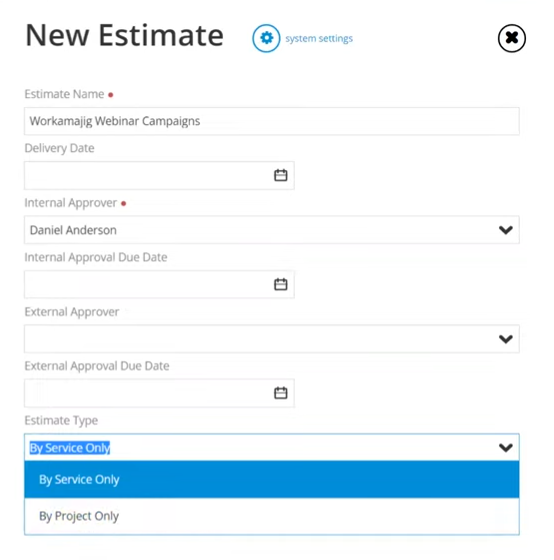
After the setup is complete, Workamajig displays all your linked projects and allows you to pull estimates from each, while the system builds out your campaign budget:
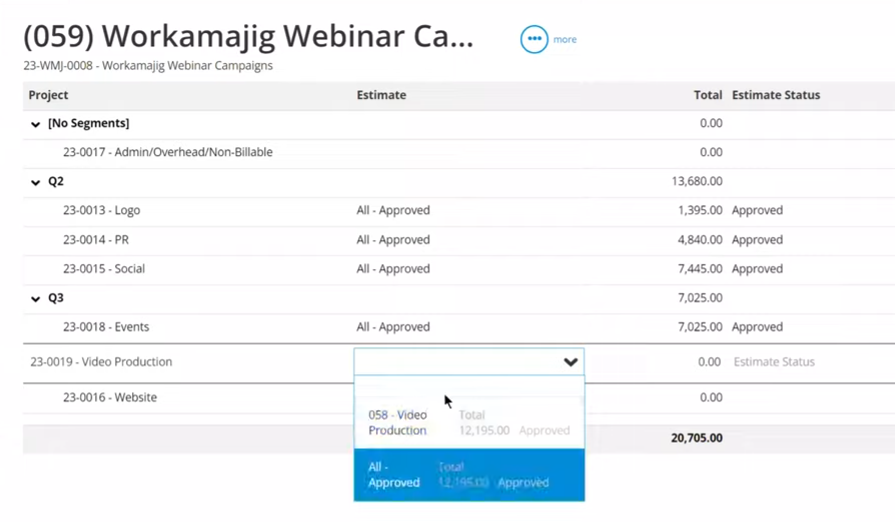
This leaves you with an accurate budget that’s aligned with the real work happening across all projects.
Service-level budget
Sometimes it makes more sense to estimate at the campaign level instead of the individual project level. Teams often choose Workamajig’s service-level budgeting option when:
- They don’t yet know which specific projects will fall under the campaign.
- Project‑level estimates aren’t available or reliable.
- They simply prefer to track budgets and manage reporting by service rather than by project.
With this approach, Workamajig builds out the campaign estimate around the services you’ve committed to deliver across the campaign. For example, you might budget 100 hours of copywriting and 200 hours of design work, even if you’re not sure how those hours will be divided across SEO, PR, and paid media projects.
To create estimates at the campaign level, choose the “by service only” estimate type when creating a new estimate:
Next, you’ll see an overview of all the services you offer with the hourly rates on the right-hand side. Any campaign segments you’ve created will be displayed on the right-hand side under “labor breakout.”
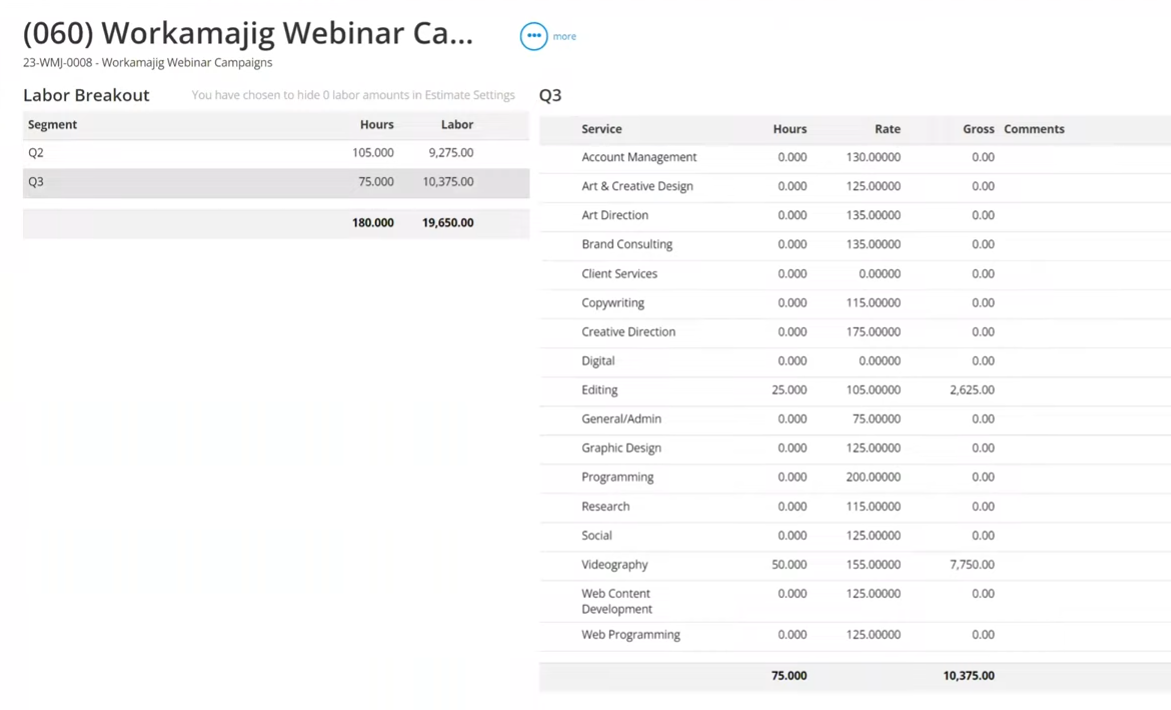
As you add hours for each service, Workamajig automatically calculates the campaign‑level estimate using your labor rates. The labor breakout view offers additional clarity, showing how the estimate breaks down by segment, such as by quarter.
Campaign Schedules
Workamajig’s campaign scheduling dashboard makes managing complex campaigns feel effortless. Instead of juggling multiple project timelines, you get a clean, visual Gantt chart that shows how every project connects to the bigger campaign picture.
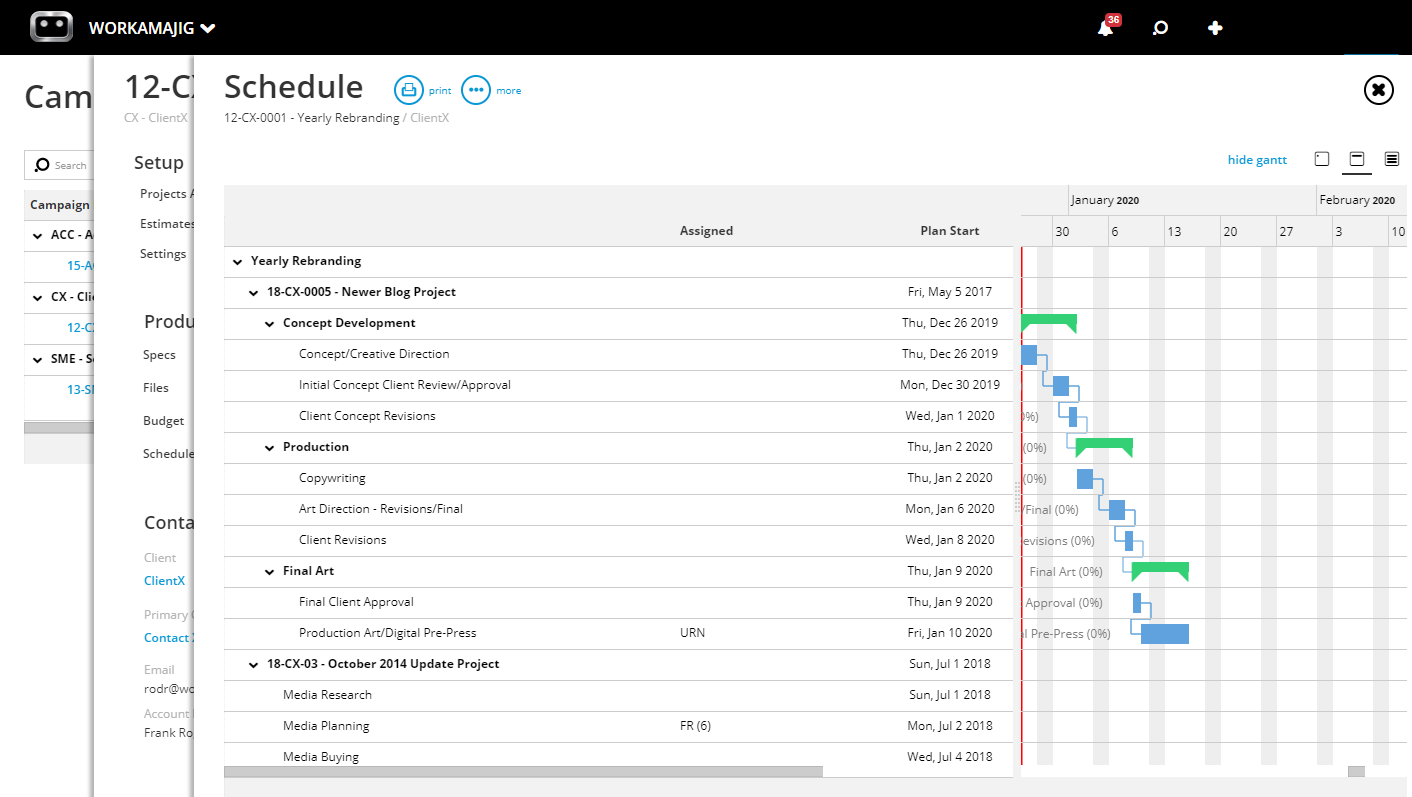
From here, you can:
✅ Dive deeper into the details for specific projects — just click the relevant project name or number to jump straight to it.
✅ Easily edit tasks from across the entire campaign — with the same flexibility you’d have inside an individual project’s schedule.
Managing Asset Development for Your Campaigns
While the campaigns feature in Workamajig provides centralized planning and campaign management tools, projects are where you assign tasks, build out resource schedules, track time, and manage collaboration with internal and external stakeholders.
Build Out Project Plans
Workamajig offers a complete set of project planning tools to structure the work you’ll be doing for each campaign.
As mentioned above, there are two ways to initiate projects in Workamajig.
-
You can use templates with pre-defined tasks, dependencies, milestones, workflows, timelines, and resource requirements. You can see the standard process per project, assign start and due dates, allocate time to keep projects on track, and make any final adjustments before kicking off.
-
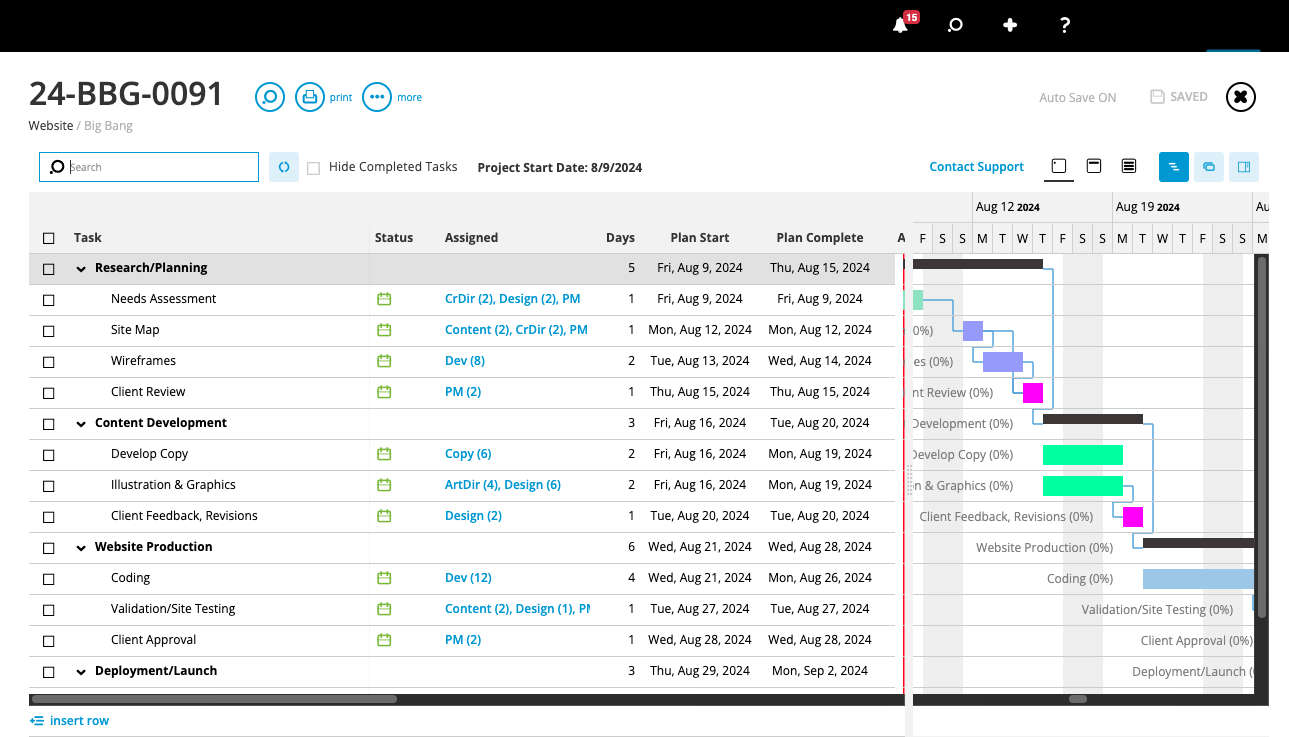
Our task management tools let you map out individual project activities, dependencies, budgets, and timelines with precision, thanks to real-time and historical data on schedules, resources, and financials.
Assigning Resources & Managing Schedules
While project managers can assign resources when building project plans, our system also provides a centralized staff scheduling dashboard to track assignments, monitor workloads, and share calendars. This helps managers ensure that all campaign activities are covered and that materials are delivered on time.
![Workamajig: Staff Schedule and Scheduling [GIF]](https://www.workamajig.com/hs-fs/hubfs/Workamajig%20Staff%20Scheduling%20Dashboard%20%5BGIF%5D.gif?width=1920&height=930&name=Workamajig%20Staff%20Scheduling%20Dashboard%20%5BGIF%5D.gif)
As you can see above, our staff scheduling dashboard provides an overview of all available resources, their capacity (total and remaining hours), weekly allocations, and the percentage of time they are utilized. The dashboard updates automatically as managers assign tasks and employees log their hours, so it’s always up to date.
This dashboard gives managers clear visibility across staff schedules. It lets them zoom in on individual users' workloads, enabling them to make informed decisions when assigning or reassigning tasks, determining whether to outsource resources, and planning realistic project timelines. And our integrations with calendar systems let managers double-check availability to avoid scheduling conflicts.
Time Tracking in Workamajig
![Workamajig - Today - Creatives - Tasks - New Time Entry for Projects [GIF]](https://www.workamajig.com/hs-fs/hubfs/Workamajig%20-%20Today%20-%20Creatives%20-%20Tasks%20-%20New%20Time%20Entry%20for%20Projects%20%5BGIF%5D.gif?width=1352&height=1436&name=Workamajig%20-%20Today%20-%20Creatives%20-%20Tasks%20-%20New%20Time%20Entry%20for%20Projects%20%5BGIF%5D.gif)
Instead of guesstimating how much time employees spend and on what, Workamajig’s native time tracking tools let teams track the actual hours spent on each task. Users can automatically record time on task cards (by manually entering hours or using timers) or add hours from their calendars.
Collaborating with Internal & External Stakeholders
As mentioned above, Workamajig brings all stakeholders under one roof. Our system also offers several tools to support team collaboration, including:
-
Campaign-level files repositories. Creating a campaign-level files repository ensures assets flow seamlessly across all linked projects.
-
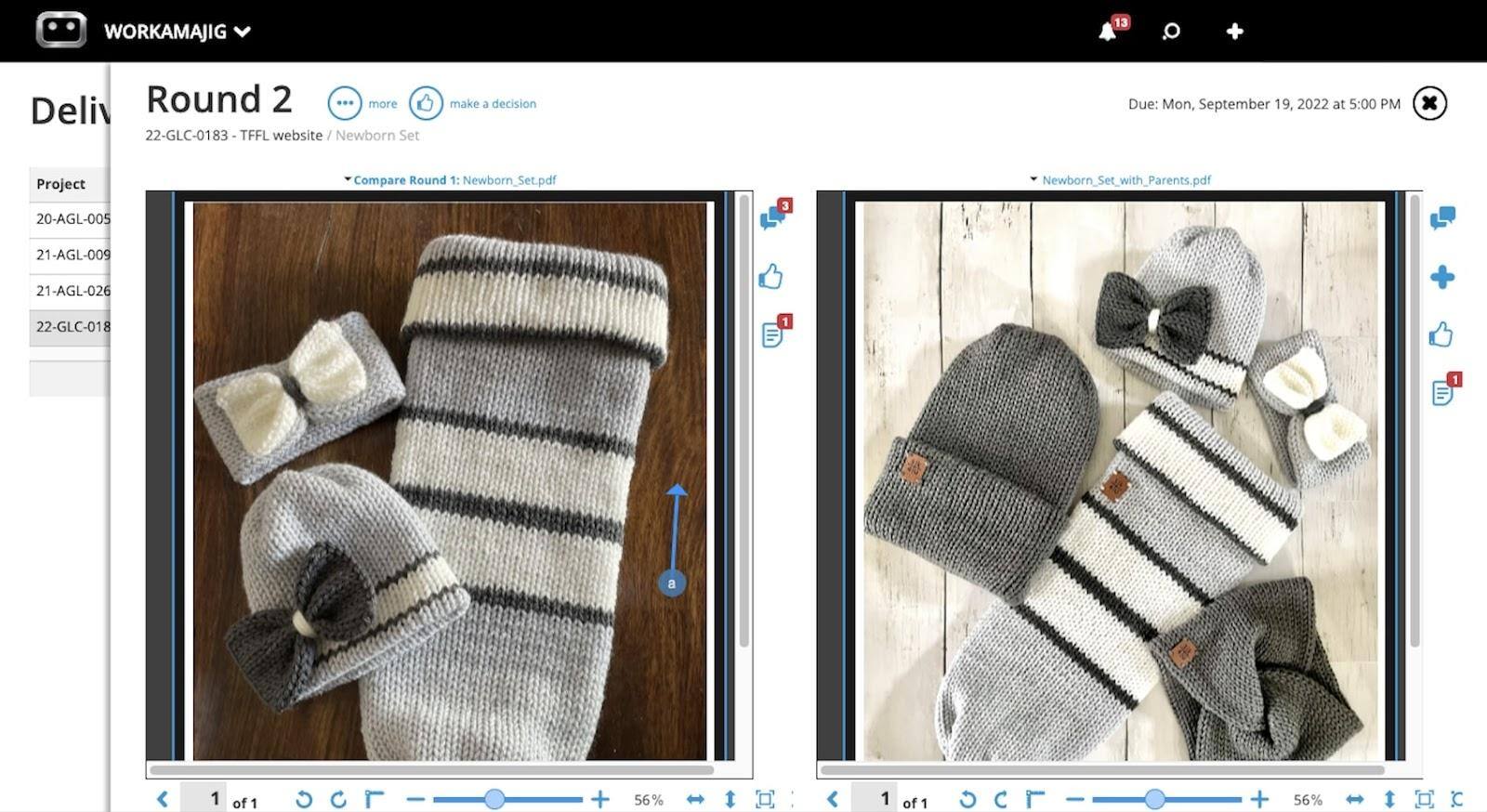
Built-in proofing tools. Teams can preview content and leave annotations, and editors can see the feedback as they make changes and upload new versions. With version history automatically stored, it’s easy to revisit past content, compare changes, and keep creative work moving forward without losing momentum.
-
Conversations and feedback management. If employees need more context after project kickoff, they can easily tag managers and teammates in the comments. When it’s time to loop stakeholders in for feedback and approvals, users can attach files or website links to task cards, and Workamajig automatically notifies the right people.
After campaign deliverables receive the final thumbs-up from clients, project managers can send them via email or make them available in client portals so clients can easily access them anytime.
Monitoring Project Timelines & Budgets
![Workamajig Projects Overview Status [V1]](https://www.workamajig.com/hs-fs/hubfs/Workamajig%20Projects%20Overview%20Status%20%5BV1%5D.png?width=1995&height=918&name=Workamajig%20Projects%20Overview%20Status%20%5BV1%5D.png)
You can track the status of your campaign’s tasks using Workamajig’s project monitoring tools. The Projects dashboard displays a snapshot of all your projects with customizable Gantt charts.
You can see each project and timeline, with a black progress bar showing how far along they are. You can even color-code project phases to gauge where each one stands easily.
Next to the Gantt charts, on the left-hand side of the dashboard, you’ll find detailed status breakdowns and health monitors that show the percentage of a project that's complete, the time spent on it, and whether it’s still within planned budgets and timelines.
We also use color-coding in these columns to visualize project health at a glance — green means they’re on track, yellow signals they’re at risk of overruns, and red means they’re delayed or over budget. Our system sends proactive risk alerts about any project in the yellow so you can course-correct before it falls into the red.
Campaign Billing & Financial Reporting
Below, we’ll take you through how to manage campaign billing in Workamajig — plus the financial reports that our customers find the most useful.
Billing in Workamajig
Workamajig lets you bill campaigns by an overall campaign budget or using individual project budgets, depending on your specific arrangement and needs. We explain how each option works below.
By Project Budget
As the name suggests, this option automatically generates a billing worksheet based on all the individual projects linked to the campaign. It also applies each project’s respective billing method — such as fixed fee, retainer, time & materials, or media.
Billing worksheets are routed to the appropriate managers for approval. Then the billing team can generate a single invoice based on this master billing worksheet.
By Campaign Budget
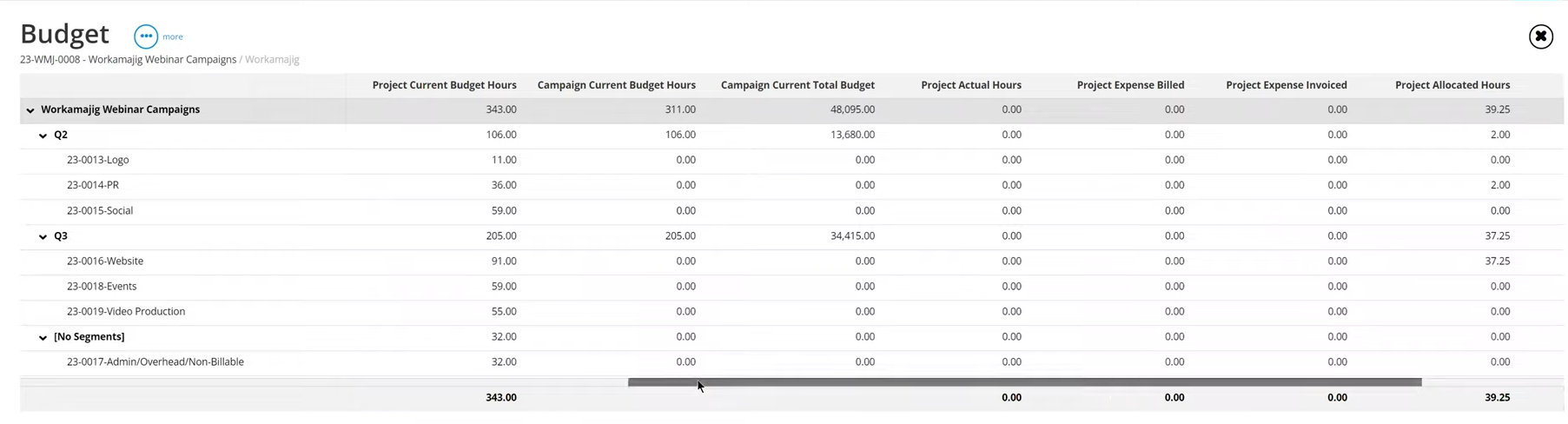
This setting automatically generates a single invoice against the campaign’s allocated budget. It doesn’t matter how you built that estimate — whether by adding estimates from individual projects or by directly adding a dollar value — the invoice just takes the final value.

Financial Reporting in Workamajig
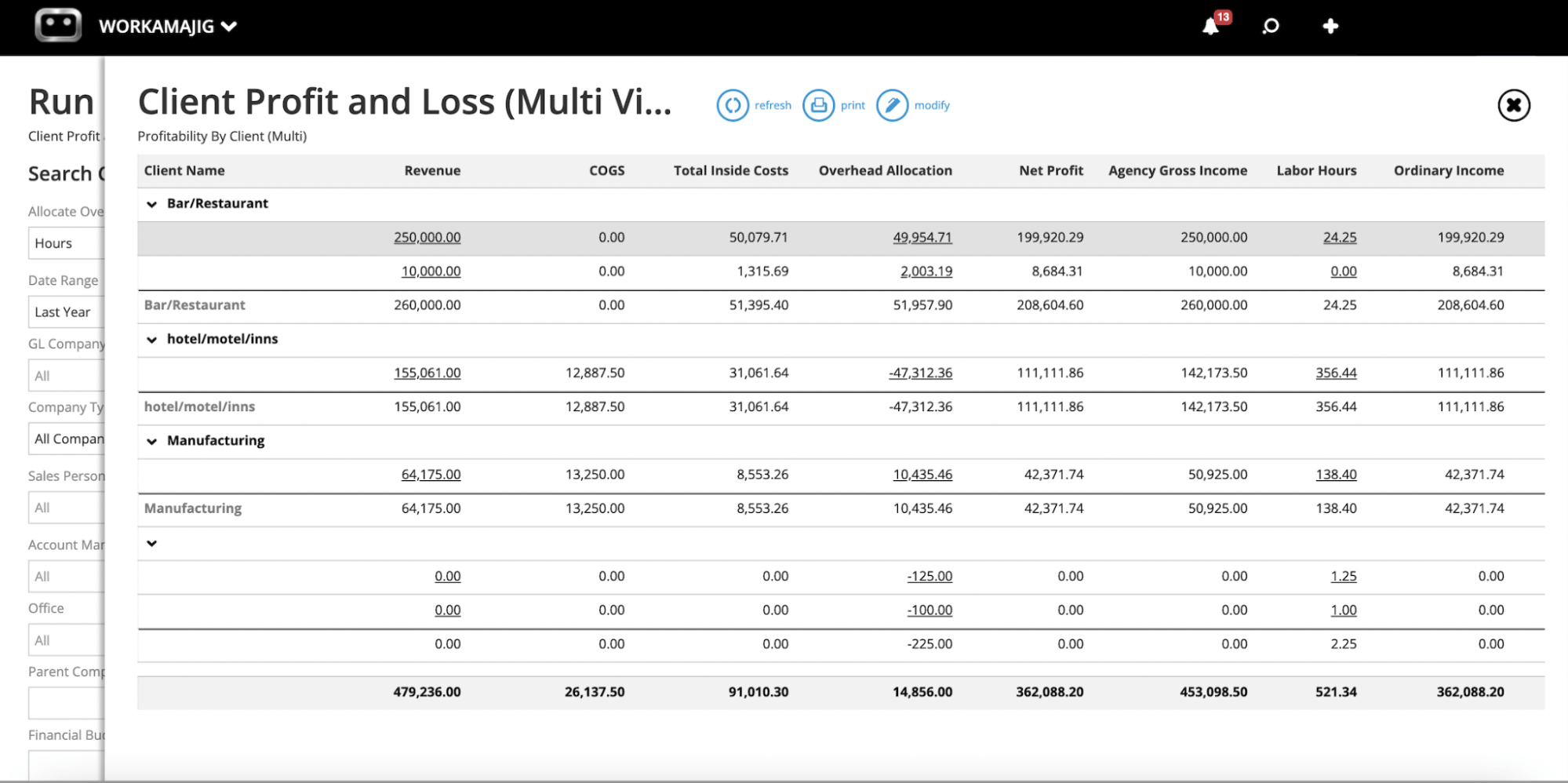
Workamajig’s financial reporting dashboard provides granular insights into cash flow and profitability, offering both out-of-the-box reports and customizable reporting tools.
Some of the most popular financial reports include:
- Profit-and-loss (P&L) reports at the project, campaign, or client level
- Cash projections
- General ledger (GL) reports to measure cash flow
- Project budget analysis
- Revenue forecasting
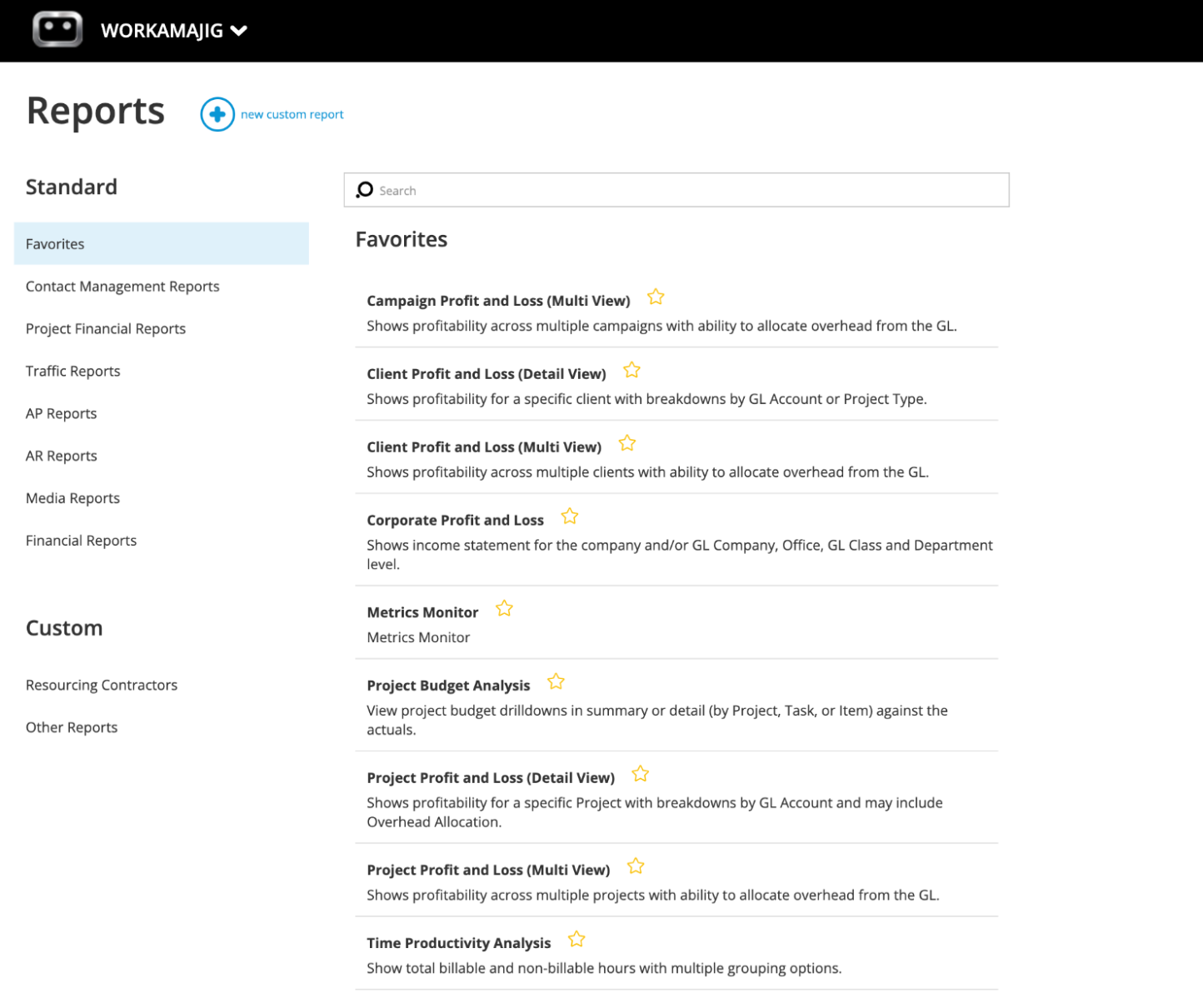
You can also favorite your most-used reports to create a central reports dashboard and easily access the most important data.
Support All Your Agency Processes and Operations with Workamajig
Workamajig doesn’t just support campaign and project management. Our system’s all-in-one feature set includes everything agencies and creatives need to manage all core processes and operations in one place. These include:
- Client portals
- Vendor management tools
- CRM
- Accounting software
Client Portals & Vendor Management Tools
Workamajig offers several tools to manage all your client and vendor relationships without leaving the platform.
Setting up a dedicated portal for each client improves their visibility and helps your teams collaborate more effectively. Clients can send in project requests, track project progress, provide feedback, access deliverables, and view invoices — all in Workamajig.
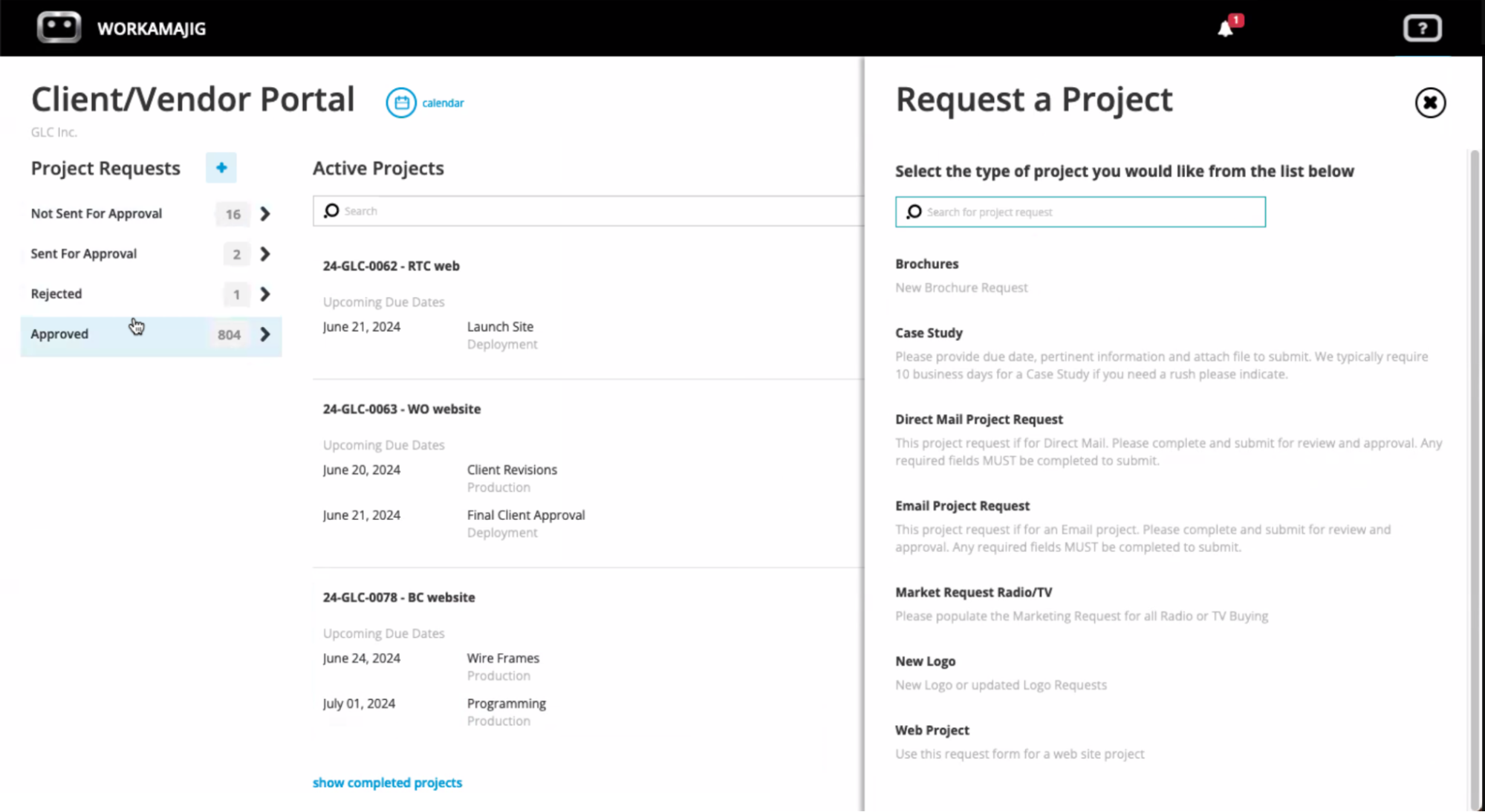
Workamajig’s vendor management tools let managers send quote requests, review and compare bids, assign work to contractors, and generate POs for production vendors.
Then, (as with client portals), managers can create dedicated portals per vendor. Our system tracks all interactions and communications, keeping a comprehensive work history, so managers can easily reference past projects and see the types of requests each vendor has fulfilled.
Workamajig also supports vendor invoice management; accounting teams can store vendor invoices in our system to reconcile them against work orders, approve them, and initiate payment.
This also helps teams assess vendor reliability by comparing vendor bids against actual costs. Do any of them have a history of going over budgets or delivering late? If so, maybe it’s time to reconsider those relationships.
CRM
Workamajig’s native CRM can integrate with your existing CRM (e.g., HubSpot) or function as a standalone system.
Our CRM stores all details for new leads, including names, email addresses, phone numbers, and business information. Sales teams can qualify leads and convert the ones they want to pursue into Opportunities.
They can track each Opportunity's status and work it through to close using a drag-and-drop, Kanban-style interface. Our CRM also displays projected earnings per opportunity to help teams prioritize the most profitable work.
![Workamajig: Sales Dashboard and Opportunities [GIF]](https://www.workamajig.com/hs-fs/hubfs/Workamajig%20Sales%20Dashboard%20and%20Opportunities%20%5BGIF%5D.gif?width=1920&height=1050&name=Workamajig%20Sales%20Dashboard%20and%20Opportunities%20%5BGIF%5D.gif)
As teams continue to nurture new leads, conversations are stored in the CRM. When a new opportunity is won, Workamajig automatically converts it into a new campaign or project and transfers all relevant details, including saved activities, schedules, conversations, shared files, and spec sheets.
Our CRM also includes a variety of sales reports that help teams identify opportunities to improve their sales process. They can:
- Review lost deals
- Track win/loss rates
- Hone in on individual rep performance
Accounting Software
Workamajig stands out as the only system on our list with a complete, native GL-ready accounting software. This means you can manage campaign finances directly within project workflows, offering tighter control over costs and greater financial visibility.
Our accounting system provides all the necessary features for managing project expenses and supports standard accounting processes. It’s also GAAP, GDPR, and HMRC-compliant — meeting the needs of enterprise and global teams.
Our system includes:
- Chart of accounts setup and management
- Vendor invoice processing and accounts payable
- Credit card integration to pull in expenses
- Receipt tracking
- Expense reporting
- Reimbursement workflows
- Automated billing and invoicing that pulls all costs from projects, based on billing method (time & materials, fixed fee, media, retainer)
Read more about our full suite of accounting tools here:
Best Accounting Software for Advertising Agencies
Getting Started with Workamajig
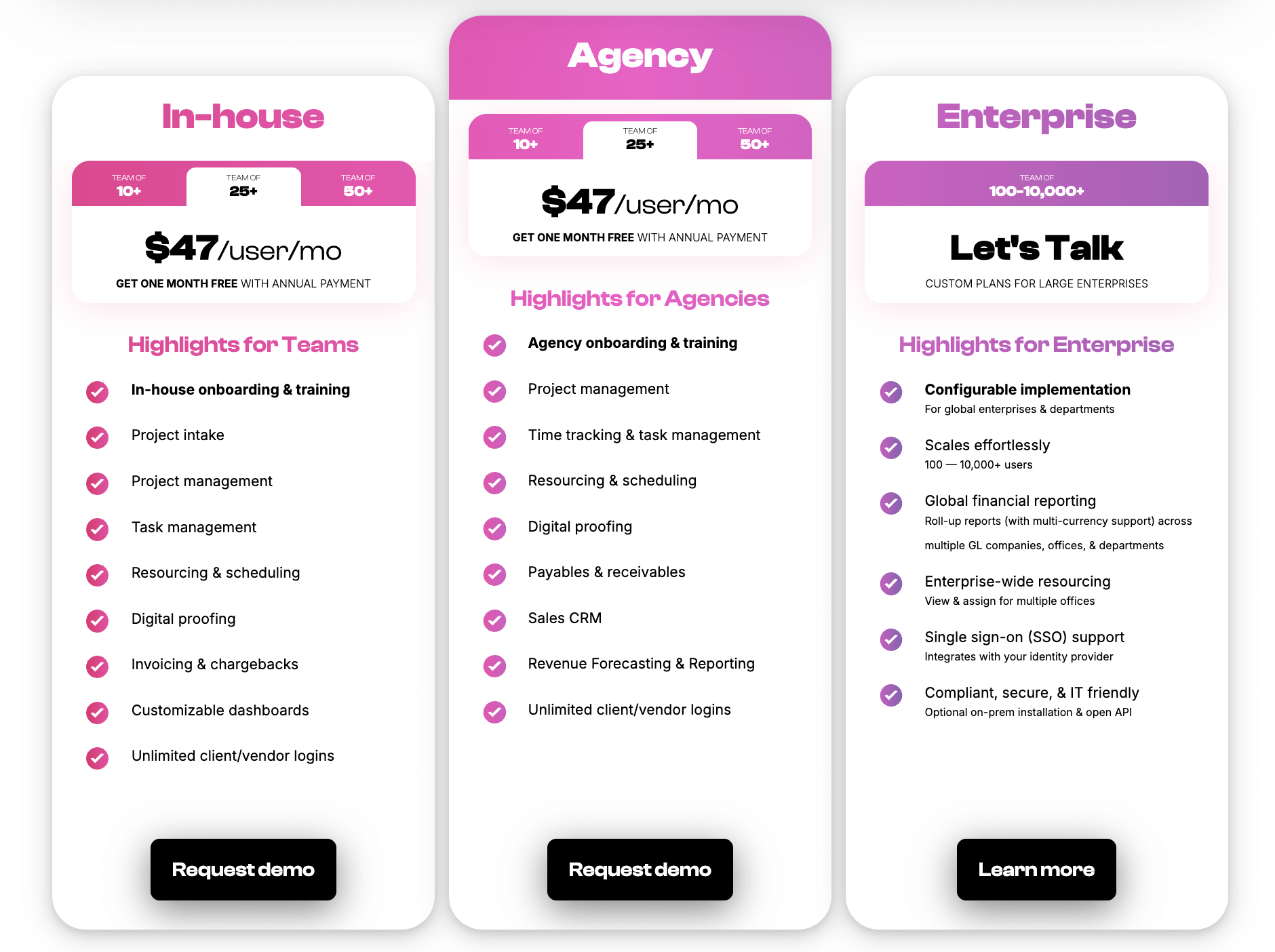
We offer tailored solutions for both agencies and in-house creative teams. Packages are based on team size and the number of seats you choose.
Packages also come with:
- All Workamajig features
- Guided onboarding and training
- A dedicated account manager who supports your success in our system
Check our rates out below:
Request a personalized demo to see why countless creative teams choose Workamajig to manage their campaign deliverables.
2. Scoro
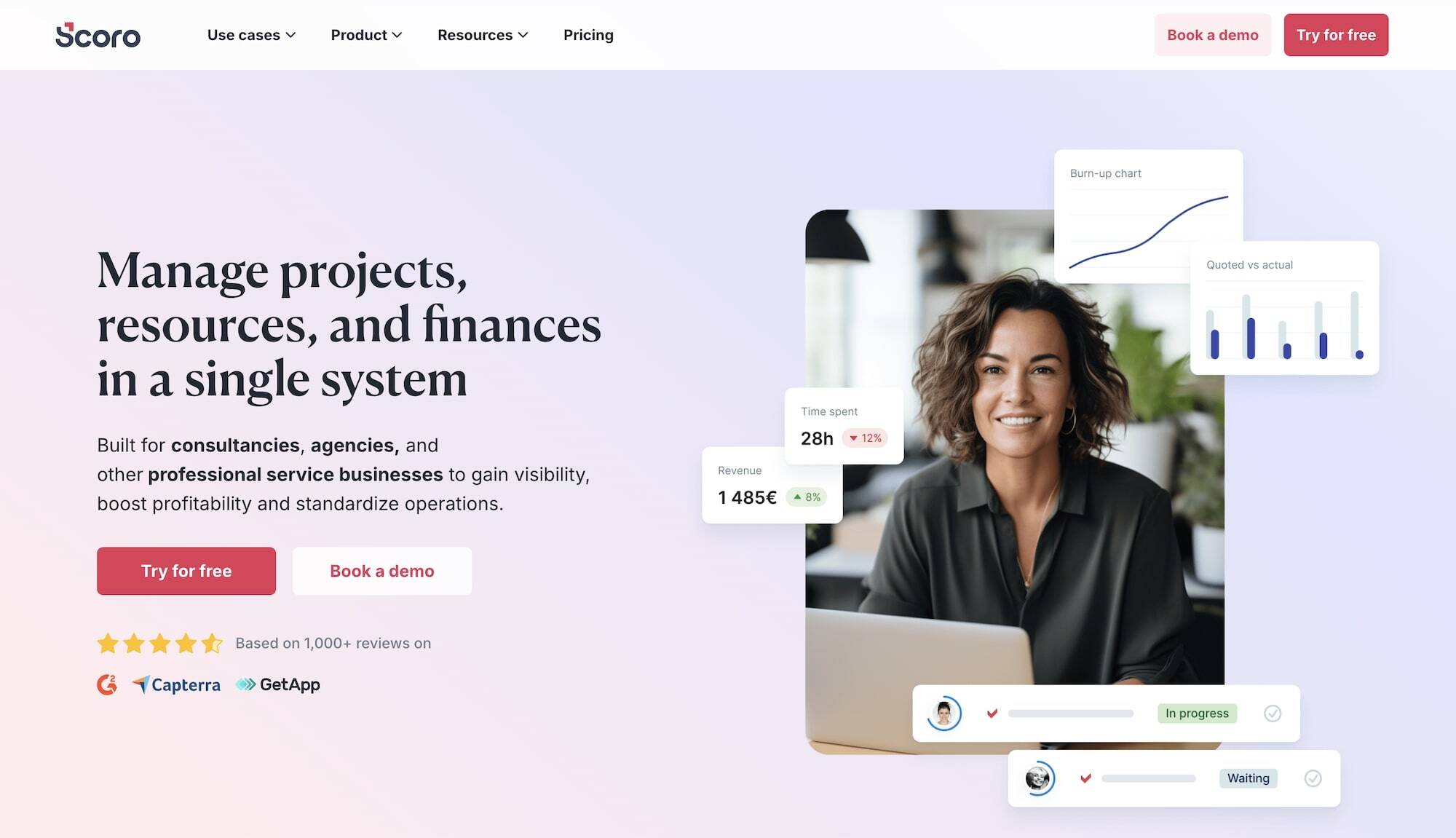
Scoro is a campaign and agency management system that manages projects, resources, finances, and clients on one platform. It lets you build out campaign projects, define tasks, assign them to team members, share files, manage feedback loops, monitor workloads, and generate invoices.
Each project in Scoro has a customizable “summary bar” that displays real-time insights, project progress, and trends at a glance. You can specify which metrics to track and set up “watchdogs” to get automatic email alerts when key financial or operational thresholds are reached. Scoro also provides a range of out-of-the-box and customizable reports covering productivity, utilization, revenue, profitability, and more.
Users praise Scoro for its scalability and comprehensive feature set. However, users also mention that integrating Scoro with third-party software (and maintaining integrations) can pose challenges.
Features
- Project management
- Resource planning
- Time tracking
- Collaboration tools
- Quoting & budgeting tools
- Invoicing
- Cost management
- Retainers
- Sales CRM
- Reporting
Pricing
Scoro has a per-user pricing model and offers three main plans. It provides a 14-day free trial to test the platform. Scoro’s plans include:
-
Core ($23.90/user/month): An entry-level plan that lacks several essential features, including project templates and budgets.
-
Growth ($42/user/month): Although this plan unlocks retainers and more, it lacks many essential features for agencies, including scheduled invoicing & bills, revenue recognition & forecasting, timesheet views, and more.
-
Performance ($59.90/user/month): Scoro recommends this package because it unlocks the platform’s entire suite of features.
Read more: Best Scoro Alternatives for Agencies
3. Teamwork
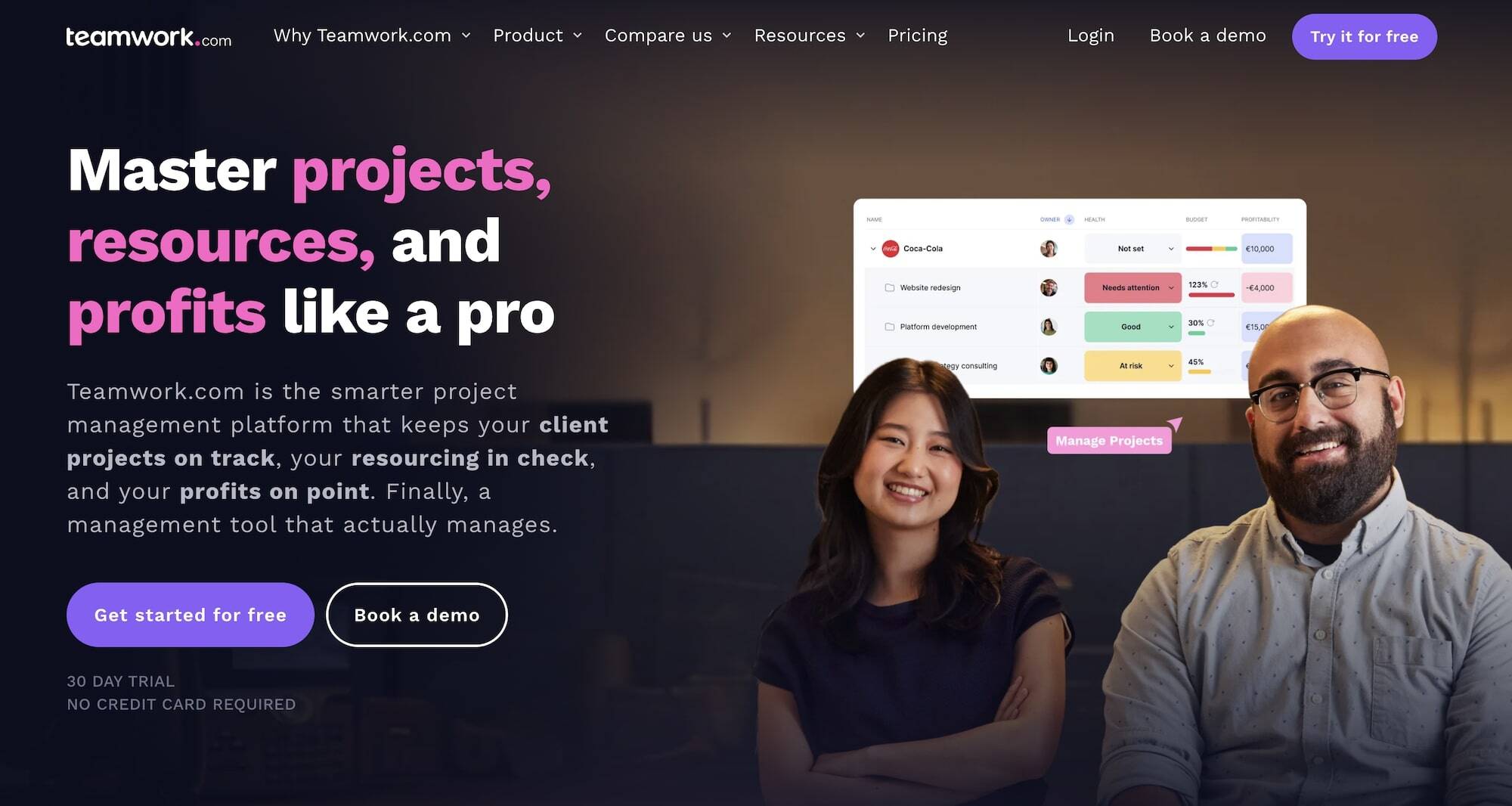
Teamwork is a project management platform built for agencies, offering tools to manage tasks, resources, files, and client collaboration. Its intuitive interface makes it easy for creative and marketing teams to collaborate on campaign materials without losing track of revisions or approvals.
You can create separate projects for your campaigns and then connect them to track everything with a visual, Kanban-style view using Teamwork’s “portfolio boards.” These boards can be tailored to your needs, and you can link a single project to multiple boards.
Users praise Teamwork for its ease of use and ability to manage multiple client projects simultaneously, noting that it helps agencies keep campaign development organized and easily update internal and external stakeholders.
While many users praise Teamwork’s intuitive design and sleek interface, others highlight issues with the app glitching, especially when working with large datasets, attachments, or bulk actions.
Features
- Portfolio view to connect multiple campaigns into one dashboard
- Project intake forms and project planning
- Project management
- Project monitoring
- Resource and workload management
- Time tracking
- Internal proofing and collaborative tools
- Workflow automation tools
- Client management
- Expense management
- Budget tracking
- Invoicing
- Reporting
- Integrations and API
- Mobile apps (for iOS & Android)
Pricing
Teamwork has three pricing tiers with different feature sets and custom plans for enterprises. It also offers a free trial to test the platform out.
-
Deliver: $13.99/user/month, requiring a minimum of three users. It’s Teamwork’s basic plan that offers limited features.
-
Grow: $25.99/user/month, requiring a minimum of five users. This tier unlocks more advanced tools, including advanced budgeting, time reminders, company timesheets, workload management, and custom reporting.
-
Scale: $69.99/user/month, requiring a minimum of five users. This plan is Teamwork’s recommended package for agencies and provides access to the complete feature set.
Read more: Best Teamwork Alternatives for Creatives & Agencies
4. Asana
Asana is a popular project and work management platform built to help teams organize, track, and collaborate on projects. For campaign development, Asana makes it easy to break down complex initiatives into manageable tasks and subtasks, assign responsibilities, and set deadlines. Each task can hold creative assets, drafts, and comments, so conversations and feedback loops stay tied to the work itself rather than scattered across emails.
Asana’s portfolio features support centralized campaign management and reporting. You can connect multiple projects to a portfolio and track their progress, seeing which ones are on track and where your attention is needed. Customizable portfolio dashboards let you visualize stats like incomplete tasks and employee workloads, and you can share updates with just a few clicks.
While many users praise Asana’s ease of use and project management capabilities, others highlight limitations with the platform’s project grouping and collaboration features.
Features
- Portfolios and multi‑project views
- Project templates
- Task management
- Timeline, calendar, Kanban views
- File attachments and asset management
- Comments and feedback loops
- Resource management
- Project and productivity reporting
- Automation rules
Pricing
Asana has a per-user pricing model with monthly and annual billing options. Its plans include:
-
Personal: A free plan for up to 2 users with unlimited tasks and projects, list, board, and calendar views, basic search, and over 100 free integrations.
-
Starter ($13.49/user/month): It adds Timeline and Gantt views, workflow builder, forms, custom fields, dashboards, unlimited automations, admin console, private teams/projects, and more.
-
Advanced ($30.49/user/month): It adds goals, portfolios, proofing, native time tracking, extra security, and reporting.
-
Enterprise and Enterprise+: Custom pricing. It adds advanced compliance (SSO, DLP, SIEM, EKM, data residency, HIPAA for eligible customers), audit logs, more admin controls, 24/7 support, custom branding, and more.
5. Airtable
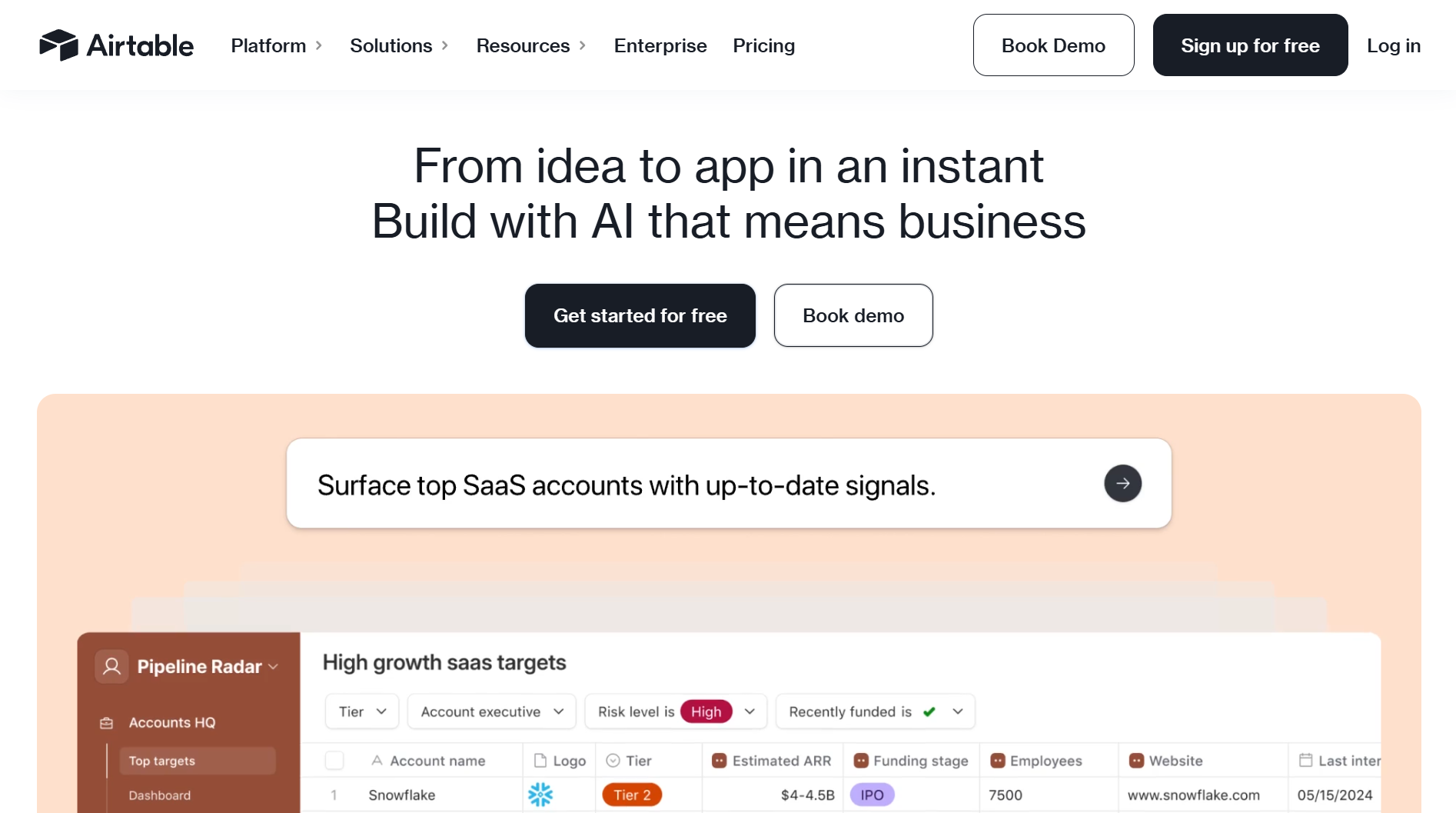
Airtable is a customizable project management platform that combines the simplicity of a spreadsheet with the power of a database. It lets you build project plans, assign resources, automate repetitive tasks like handoffs and approvals, track each project’s status, and switch between different project views (grid, Kanban, calendar, etc.).
The platform also features extensive asset management features — you can create a centralized repository, control precisely who has access, maintain updated versions across all locations, and add as much descriptive information (or metadata) to your assets as you want. Files can be attached directly to records, and comments keep feedback loops tied to specific assets.
Users praise Airtable for its flexibility, powerful customizations, and automation capabilities. However, several users also note that the platform has a steep learning curve, making it challenging for non‑technical users to adopt.
Features
- Bases (databases) for organizing campaign tasks, assets, and timelines
- Linked records to connect projects into a single multi‑project view
- Custom fields and views
- Asset management with customizable metadata
- Comments and feedback loops
- Task segmentation
- Automation workflows
- Collaboration tools
Pricing
Airtable offers a limited free plan for individuals and small teams to test the platform. Its paid plans are charged per user with monthly and annual billing options. Here’s an overview of all of Airtable’s plans:
-
Free: For individuals/light teams. Includes limited records (1,000/base), 1 GB attachments, basic automations, and history.
-
Team ($24/seat/month): Includes up to 50k records/base, 20 GB attachments/base, 25k automations/month, 1-year revision history, Gantt and timeline views, more permissions, and customizations.
-
Business ($54/seat/month): Offers up to 125k records/base, 100 GB attachments, 100k automations/month, 2-year revision history, advanced sync, admin controls, an app sandbox, SSO, and more.
-
Enterprise Scale: These custom plans offer higher limits (up to ~500k records/base), 3+ year revision history, org-level admin, more security, and more support.
5 Systems for Executing Marketing Campaigns
These tools bring your campaigns to life by publishing ads, sending emails or SMS, and scheduling social posts — giving you the power to reach the right audiences, manage engagement, and track performance in real time.
1. HubSpot

HubSpot is a comprehensive CRM platform with modules for different needs — such as HubSpot Service Hub and HubSpot Content Hub. We’re reviewing HubSpot Marketing Hub, which helps businesses execute their marketing campaigns across multiple channels and measure performance.
HubSpot Marketing Hub lets users design and send personalized email campaigns, build landing pages with drag‑and‑drop editors, manage social media posts and conversations directly from the platform, and automate workflows that nurture leads through the funnel. Its marketing automation features allow teams to set up drip campaigns, trigger actions based on user behavior, and deliver tailored content across different channels at the right time.
HubSpot’s native reporting and analytics let you track campaign performance across channels, measure conversions, and attribute revenue to specific marketing efforts. Users emphasize that HubSpot’s reporting is powerful and easy to customize, though some note that advanced reporting may require higher‑tier plans. Many small businesses also find HubSpot’s pricing expensive, with many features locked behind costly add-ons.
Features
- Email marketing tools: Design, personalize, and automate email campaigns
- Landing page builder: Drag‑and‑drop editor for campaign‑specific pages
- Social media management: Schedule and monitor posts across platforms
- Marketing automation: Workflows, drip campaigns, and behavioral triggers
- Lead nurturing: Personalized sequences and automated follow‑ups
- CRM integration: Connect marketing campaigns directly to sales pipelines
- Ad management: Integrate with Google Ads, Facebook Ads, and LinkedIn Ads
- Reporting dashboards: Track KPIs like conversions, ROI, and campaign attribution
- Custom reports: Tailor analytics to specific goals and client needs
- Revenue attribution: Connect marketing activity to pipeline and closed deals
Pricing
HubSpot Marketing Hub offers a free plan that includes lead capture forms, email automation, and live chat. It has three paid tiers:
-
Starter: $20/month per seat. You can set up CTAs, display multiple currencies, and remove HubSpot’s branding.
-
Professional: $890/month with three user seats included. This tier unlocks content personalization, search optimization, and custom agent features.
-
Enterprise: $3600/month with five user seats included. This plan unlocks revenue tracking, A/B testing, customer journey mapping, and more.
2. Brevo (formerly Sendinblue)
Brevo is a marketing automation and customer engagement platform best known for its email and SMS marketing capabilities. Unlike HubSpot, a modular platform with multiple product suites, Brevo focuses on executing campaigns across email, SMS, and chat. It also includes tools for managing transaction emails and sales pipelines.
Marketers can design and launch personalized campaigns, automate sequences, and even launch loyalty programs with targeted offers and points-based rewards. Its SMS tools allow businesses to reach audiences with promotions or alerts, while its integrated chat features support real‑time engagement.
Brevo also includes reporting dashboards to track your campaign metrics, including open rates, click‑throughs, deliverability, and conversions. While users overwhelmingly praise Brevo’s ease of use and customer support, some note that its analytics and customization options are limited.
Features
- Email marketing: Design, personalize, and automate campaigns
- SMS marketing: Send promotional or transactional texts globally
- Marketing automation: Workflows, triggers, and drip campaigns
- Transactional email management: For order confirmations, receipts, etc.
- Live chat: To engage visitors in real time
- Segmentation: Target audiences based on behavior or demographics
- CRM lite: Manage contacts and track interactions
- Reporting dashboards: Monitor campaign KPIs like opens, clicks, and conversions
Pricing
Brevo has five different plans and separate add-ons. Pricing for each tier depends on the selected monthly email volume, rather than the number of contacts. Brevo’s plans include:
-
Free: Users can send up to 300 emails a day and have up to 100k contacts. The plan includes one user seat, and basic email/SMS automation and reporting features.
-
Starter: Starting from $9/month with tiers for 5k–100k emails/month. This tier removes the daily send cap, adds AI content, forms, advanced segmentation, etc. Users have to pay extra to remove Brevo’s branding or to access the Sales Essentials suite of tools.
-
Standard: starting from $18/month with tiers up to 1 million emails/month. This tier unlocks more users (via add-ons), unlimited automation contacts, A/B testing, AI send-time, better reporting, landing pages, etc.
-
Professional: Starting from $499/month. It includes 150k–10M emails per month, up to 10 users, advanced personalization, AI recommendations, WhatsApp, analytics studio, more landing pages, and premium support.
-
Enterprise: Custom pricing. Custom plans offer unlimited users, custom email volumes, advanced data/warehouse features, SSO, SLA, dedicated CSM, etc.
Brevo’s Sales Essentials and Sales Advanced suites are available as paid add-ons.
3. SimpleTexting
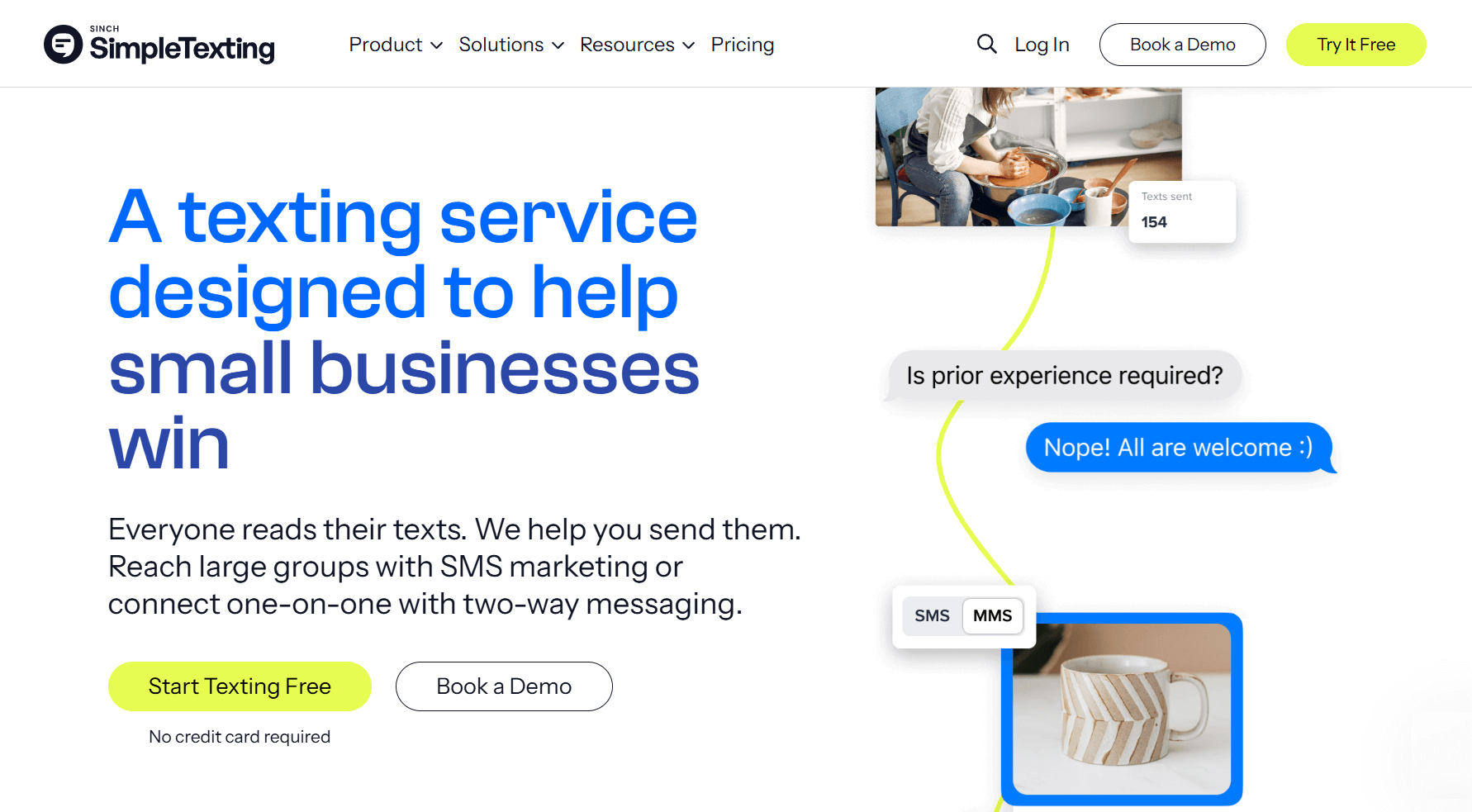
Unlike Brevo, which blends email, SMS, and live chat, SimpleTexting is a dedicated SMS marketing platform designed to help businesses connect with audiences quickly and directly.
You can build and maintain contact lists, send bulk SMS blasts, set up automated drip sequences, and run two‑way conversations with customers. It’s widely used for promotions, reminders, alerts, and even customer service. Reviewers highlight its simplicity and reliability, noting that it makes SMS marketing accessible even for small teams.
SimpleTexting’s collaboration tools let you add team members, give everyone their own number, or unify all conversations in one inbox. You can assign conversations, leave comments on them, and schedule texts. Reporting in SimpleTexting lets you track the performance of your SMS campaigns with metrics such as subscribers gained, delivery rates, open rates, link click-throughs, opt-outs, and the number of messages you’ve sent and received.
Features
- Bulk SMS campaigns: Send promotions and alerts to large contact lists
- Automated drip campaigns: Nurture leads with scheduled texts
- Two‑way messaging: Engage in real‑time conversations with customers
- MMS support: Send images and rich media via text
- Segmentation: Target campaigns by audience groups
- Opt-in tools: Including web forms, text-to-join, text-to-win, and text-to-vote
- Team collaboration tools: Assign conversations, save replies, multi-number support, conversation filters, and more
- Reporting dashboards: Track delivery, response, and several other metrics
- Integrations: Connect to over 1000 apps, including CRMs and marketing tools
Pricing
SimpleTexting offers all core features in its plans — its pricing varies depending on the number of texts per month, plus user and number charges. For example, 500 messages per month will cost around $29/month (toll-free) and around $39/month for a local number.
Additional team members cost $20/month/user, and additional numbers cost around $10/month/user. SimpleTexting offers a free 14-day trial to try the platform, including a text-enabled number and 50 free messages.
4. Buffer
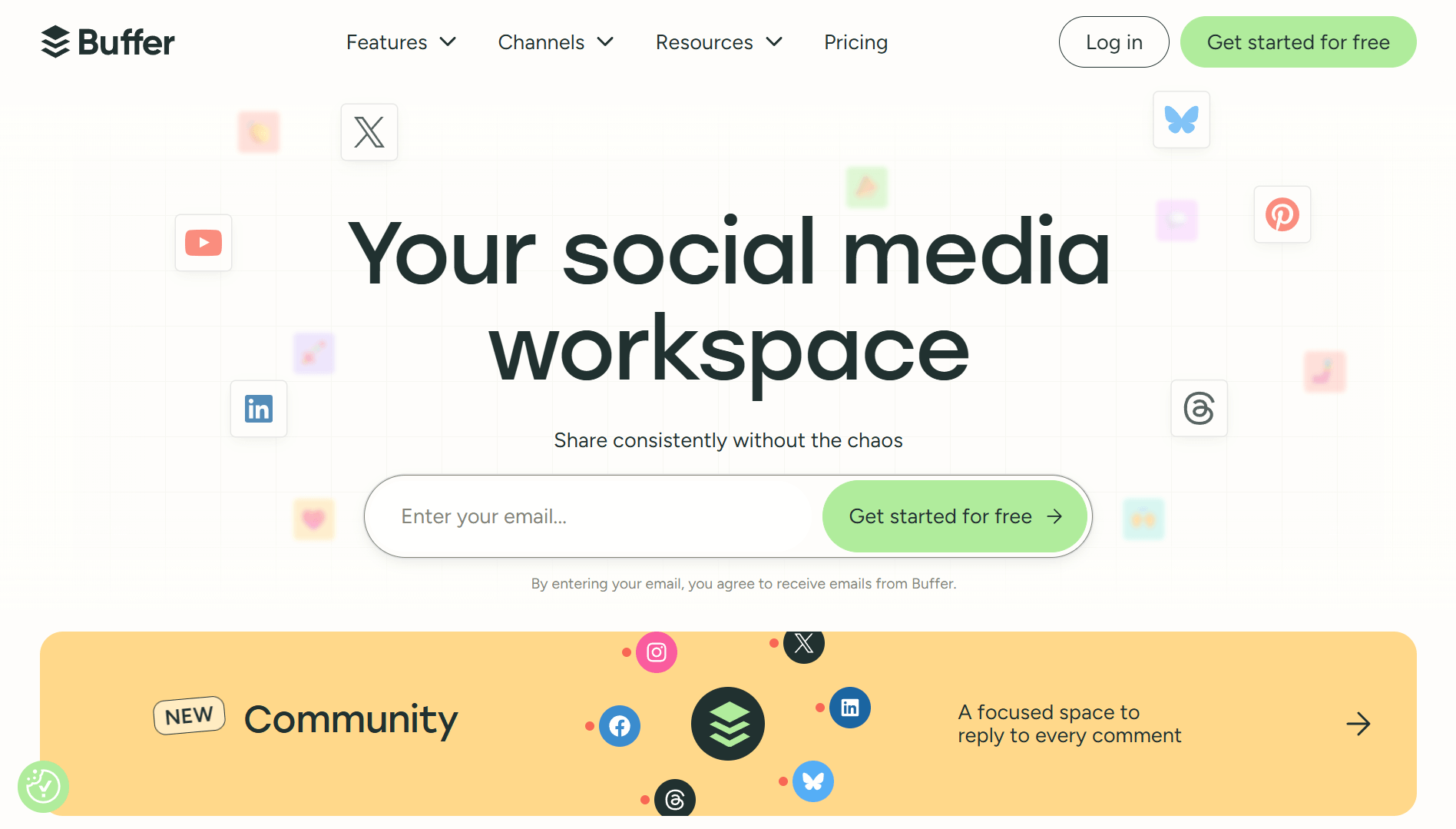
Buffer is a social media management tool designed to simplify scheduling, publishing, and analyzing content across multiple platforms without requiring you to be chronically online.
When you first connect Buffer to your social media accounts, it pulls all the past content from your company accounts and displays it in a calendar view. You can also import media assets directly from Google Drive, Dropbox, Canva, and other sources for publishing and organizing them in Buffer.
Users can plan posts (including adding hashtags, captions, and thumbnails), schedule them across networks like Facebook, Instagram, LinkedIn, and X (formerly Twitter), and collaborate with team members on content calendars.
Buffer offers basic analytics that show content performance, individual post analytics, hashtag performance, audience growth, Instagram Stories analytics, and more, as well as custom and exportable reports.
Users praise Buffer’s intuitive interface, affordability, and seamless integrations with social media accounts. Some cite limited analytics features and engagement tools as drawbacks.
Features
- Social media scheduling: Plan and publish posts across platforms
- Content calendar: Visualize campaigns and posting schedules
- Content library: To manage and organize all content assets in one place
- Team collaboration: Assign roles and manage approvals
- Engagement tracking: Monitor likes, shares, and comments
- Basic analytics: Measure post performance and audience growth
- Browser extension & mobile app: Schedule content on the go
- Start pages: Design fully customizable link-in-bio pages
Pricing
Buffer offers a generous free plan that’s popular amongst small businesses. It gives you access to the core content creation, management, and publishing features with a limit of 10 scheduled posts per channel. The vendor also has two paid tiers:
-
Essentials: $6/month per channel (or $60/year per channel on annual). The plan includes unlimited scheduled posts per channel, first-comment scheduling, hashtag manager, advanced analytics & reporting, UTM parameters, and more. It limits you to 1 user seat.
-
Team: $12/month per channel (or $120/year per channel). It offers the same core features as the Essentials plan but unlocks unlimited users and team collaboration and approval features.
You can test the Essentials and Team plans out for free via Buffer’s 14-day trial.
5. Sprout Social
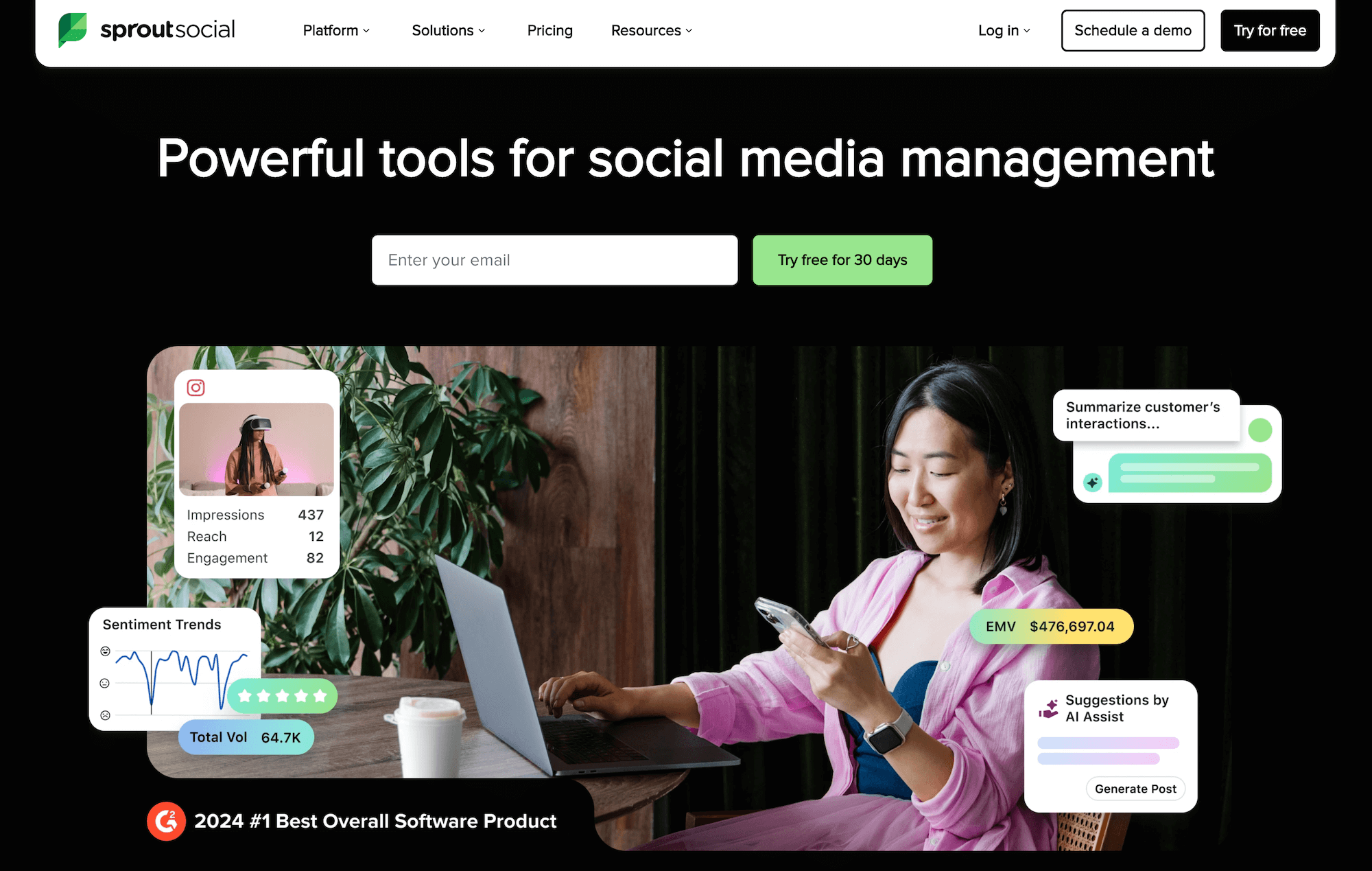
Sprout Social is a premium social media management and analytics platform that supports deeper audience engagement and reporting.
Unlike Buffer, which focuses on scheduling and offers lightweight analytics, Sprout Social also provides advanced analytics, social listening, influencer marketing, and engagement tools. Marketers can not only schedule posts but also monitor brand mentions, track sentiment, and manage customer interactions across social channels.
Sprout Social’s reporting features cover engagement, audience demographics, campaign ROI, and even competitive benchmarking. Combined with its listening tools, it helps brands understand not only how their content performs but also how audiences feel about them. You can check all of Sprout Social’s features out via the platform’s live product tour.
While users praise Sprout Social’s robust scheduling and analytics features, many cite the vendor’s high pricing as a downside.
Features
- Social media scheduling & publishing: Manage posts across multiple platforms
- Advanced analytics: Track engagement, paid performance, competitor performance, and more
- Data visualization: Visualize performance with interactive charts and graphs
- Custom reporting: Tailor dashboards to specific KPIs
- Social listening: Monitor brand mentions and sentiment, capture audience reactions to marketing campaigns, track industry trends, and more
- Customer engagement inbox: Manage conversations across networks
- Team collaboration: Assign tasks and manage workflows
- Influencer marketing: Use AI to discover best-fit influencers and manage outreach, contracting, and all campaign elements in one place
- Employee advocacy tools: Empower your workforce to become brand ambassadors
- Integrations: Connect with CRMs, help desks, and marketing tools
Pricing
Sprout Social offers three main public tiers with per-user pricing, plus custom Enterprise plans. The vendor charges separately for add-ons, including Social Listening, Employee Advocacy, and Influencer Marketing. You can also try Sprout Social out for free, thanks to its 30-day trial — no credit card necessary.
Its plans include:
-
Standard: from $199 per seat/month (annual). This tier includes up to 5 social profiles, a unified inbox, content calendars, publishing tools, and basic reporting.
-
Professional: from $299 per seat/month (annual). The tier unlocks unlimited social profiles, competitive reports, advanced analytics, and higher-end collaboration tools.
-
Advanced: from $399 per seat/month (annual). The tier adds advanced automation, helpdesk integrations, sentiment features, and more sophisticated reporting.
-
Enterprise: custom pricing. It offers everything in the Advanced plan, plus white-glove onboarding, enterprise support, and negotiated contract terms.
5 Campaign Analytics & Reporting Tools
Reporting platforms consolidate data across channels, turning raw metrics into actionable insights. They help agencies measure ROI, understand audience behavior, and refine strategies for smarter, more effective campaigns
1. Google Analytics
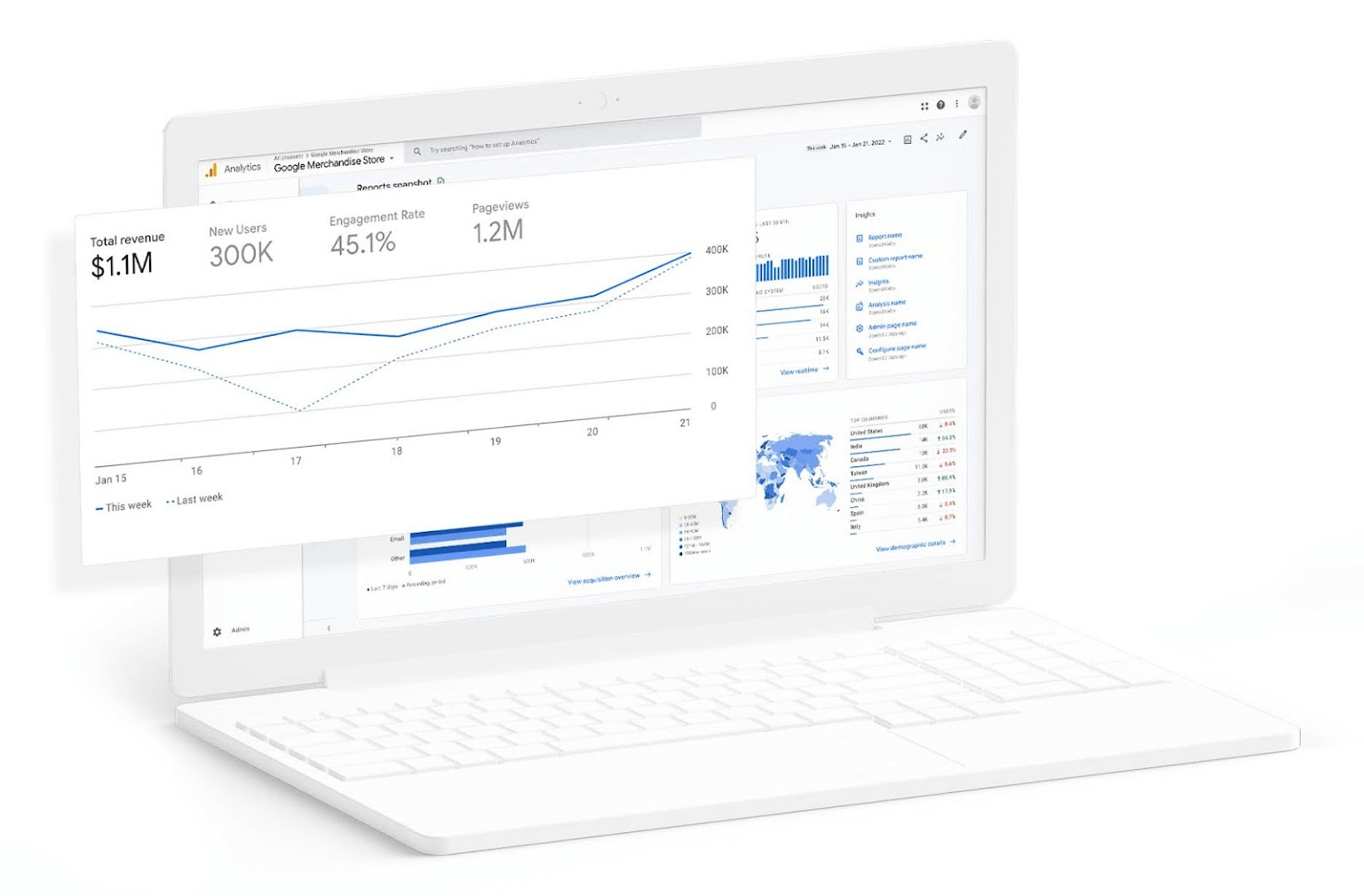
Google Analytics is a powerful, free web analytics platform that helps marketers track, measure, and optimize their campaigns by turning raw data into actionable insights.
Google Analytics collects data from websites and apps to generate detailed reports on traffic sources, user behavior, and conversion paths. You can see which channels drive the most engagement, track performance and conversions across paid and organic campaigns to prove ROI, and identify bottlenecks in the customer journey.
Many users praise its seamless integration with other Google products (like Search Console and Google Ads), customizable reports tailored to specific KPIs, and comprehensive analytics features. Its steep learning curve and intuitive interface are frequently cited as drawbacks.
Google Analytics’ multi-channel attribution reports show how different touchpoints contribute to conversions, rather than just last-click results. You can also connect Google Analytics to Looker Studio — Google’s free data visualization tool — to visualize performance trends and combine GA data with other sources (e.g., social media ads, YouTube, Google Ads, CRM data).
Features
- Real-time reporting: Monitor live user activity on your site or app
- Audience insights: Demographics, interests, devices, and geographies of visitors
- Acquisition reports: Track traffic sources (organic, paid, referral, social, etc.)
- Behavior reports: Analyze page views, navigation paths, and site search usage
- Conversion tracking: Measure goals, ecommerce transactions, and campaign ROI
- Multi-channel attribution: Understand how different channels contribute to conversions
- Custom dashboards and reports: Tailor analytics to specific KPIs and campaign needs
- Predictive analytics: Machine learning models to predict user behavior, such as purchase likelihood
- Automated insights: Proactive notifications on trends, anomalies, and growth opportunities
- Integration with Google Ads & BigQuery: Connect ad spend and advanced data analysis
- Cross-device and cross-platform tracking: Unify web and app performance data
- Event tracking: Measure specific user interactions like clicks, downloads, or video plays
Pricing
Google Analytics is completely free to use.
2. Microsoft Clarity
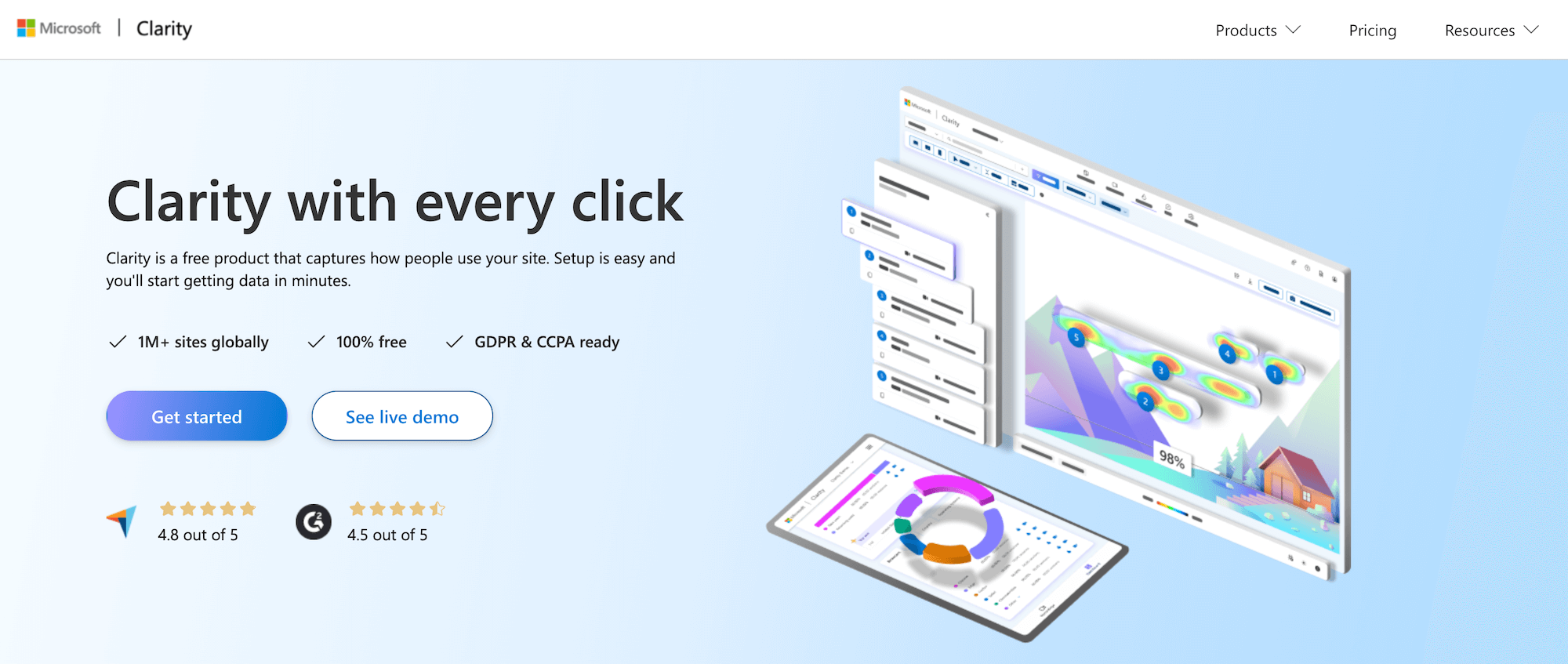
Microsoft Clarity is a free behavioral analytics tool that helps teams understand how users interact with their websites through intuitive reporting features.
Clarity’s standout capabilities include heatmaps, which show how users interact with your web pages, including where they click and scroll the most, and session recordings that let you replay real user journeys to spot friction points. These features help you understand how visitors coming from your different campaigns behave once they land on your site.
You can set up custom events to track specific behaviors, build segments to simplify reporting, and even design funnels to visualize how users move through critical paths, such as sign-ups or purchases. This makes it easier to identify where campaigns succeed, where users drop off, which channels are top performers, and which design or messaging changes could improve conversions.
Unlike more complex analytics platforms, Clarity is praised by users for its ease of adoption, with its simple, intuitive, and highly customizable interface. It also seamlessly integrates with Google Analytics and lets you toggle between GA insights and Microsoft Clarity dashboards.
You can check out a live demo of Microsoft Clarity here.
Features
- Heatmaps: Visualize clicks, scroll depth, and ignored areas on pages
- Session recordings: Replay real user journeys to identify friction points
- Custom events: Track specific user behaviors tailored to your site goals
- Segments: Group users by behavior, demographics, or campaign source for easier reporting
- Funnels: Visualize conversion paths and drop-offs across key workflows
- Real-time reporting: Monitor live user activity and traffic trends
- Unlimited data capture: Free forever, with no traffic limits
Pricing
Microsoft Clarity is entirely free to use.
3. RB2B
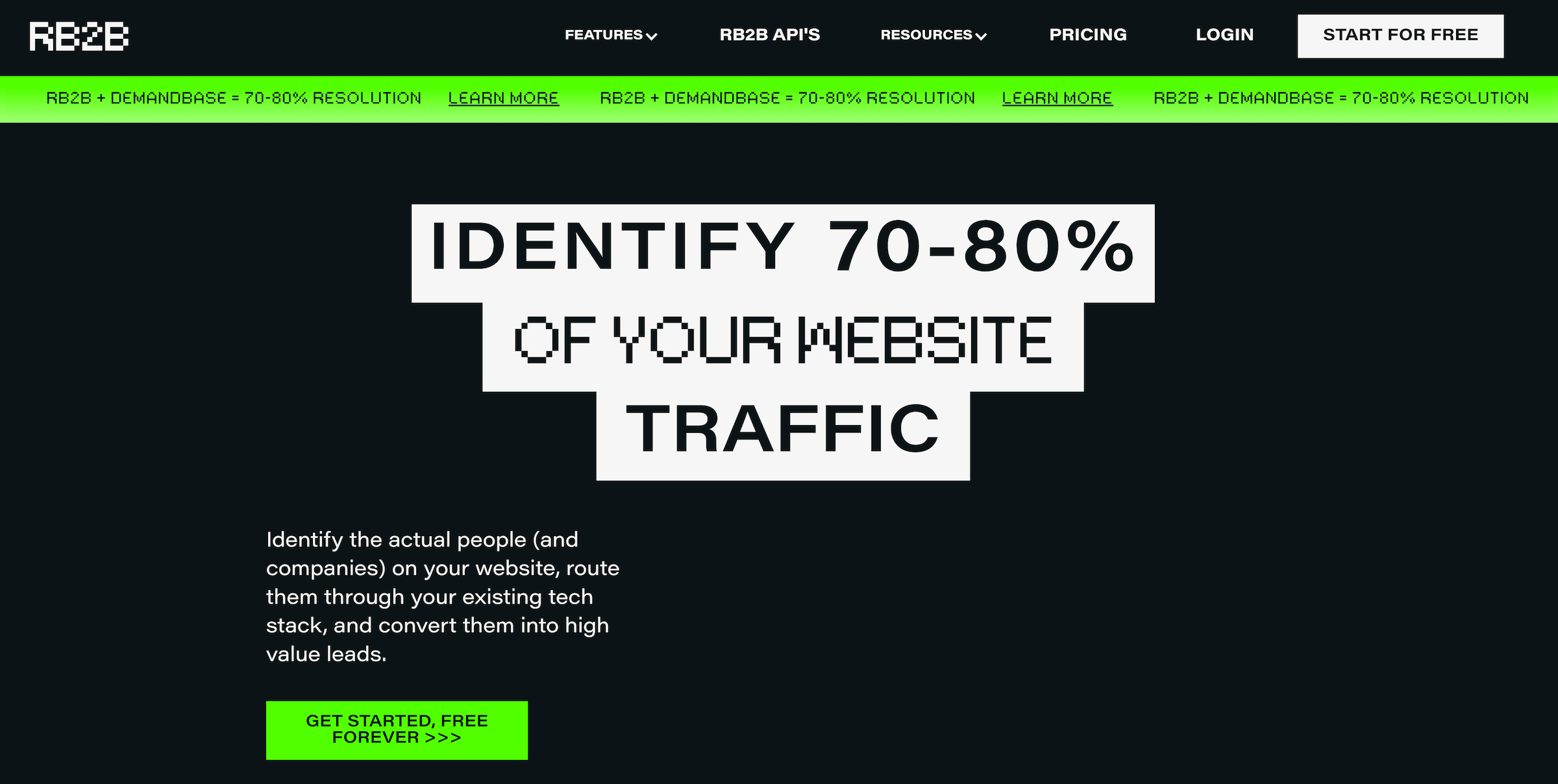
RB2B is a person-level website visitor identification tool (specifically for U.S. traffic): it identifies who is on your site, pushes them into Slack and your CRM, and helps you prioritize visitors most likely to convert.
Unlike traditional IP-based tools that only identify companies, RB2B goes deeper by providing person-level visitor identification — including LinkedIn profiles, business emails, and full names of decision-makers browsing your site.
As soon as someone is identified, RB2B posts their profile to Slack so reps can reach out while the visitor is still engaged. The platform also offers several customization features and automated alerts — Hot Pages flags visits to high-intent pages like pricing, demos, or case studies, while Hot Leads automatically tags visitors that match your ICP filters.
Marketers value RB2B’s reporting because it directly links website engagement to pipeline activity. By tracking visitor behavior — such as page views, visit frequency, and campaign source — you can identify high-intent prospects, measure campaign effectiveness, and optimize outreach timing.
Features
- Person-level visitor identification: Typically identifies around 70–80% of U.S. visitors (40–45% at the person level plus company-level backfill)
- Real-time lead delivery: Send visitor data instantly to Slack, CRM, or sales tools via integrations
- Behavioral tracking: Monitor page views, visit frequency, and engagement patterns
- Custom segments: Group visitors by behavior, demographics, or campaign source for simplified reporting
- Real-time Slack alerts: As soon as a visitor is identified
- Funnels & reporting: Visualize conversion paths and campaign performance
- Integrations: Connect with marketing automation and CRM platforms
- Lead enrichment: Provide context for sales teams to craft tailored messaging
- Exclusions to filter results: Including URL and domain exclusions
Pricing
RB2B uses a credit-based pricing model with unlimited seats across all plans and a short Pro trial. Official pricing is updated frequently. RB2B gives you a 7-day Pro trial on signup, after which you can pay to stay on, or swap over to the free tier indefinitely.
-
Free plan: With a limit of 150 unique visitors identified at the person-level in a 30-day window. It includes person-level profiles, with LinkedIn pushed to Slack in real time, and basic features such as page-view history, repeat-visitor tracking, and an AI support agent. However, it lacks more advanced features, including ICP filtering tools, CRM integrations, CSV exports, exclusions,
-
Pro / Pro+: from $149/month, or ~$129/month if you pay annually, for 300 credits/month. Higher tiers scale credits (e.g., 600, 1,000, 2,000+ credits per month) with corresponding price increases. This plan unlocks ICP-filtered leads and clear visibility into who’s coming in from your campaigns. It includes Hot Pages and Hot Leads, the traffic insights dashboard for segmenting visitors and tracking campaign performance, exclusions, all major integrations, and company-level resolutions for global company IDs.
-
Custom / Enterprise: custom quotes. These plans are for when you need 2,000+ credits per month or higher-volume use cases. It includes credits and overage pricing, negotiated contract markups, and uptime SLAs, with annual billing and unlimited users. Consists of all Pro features plus the ability to tune the contract to your legal, security, and volume needs.
4. HockeyStack
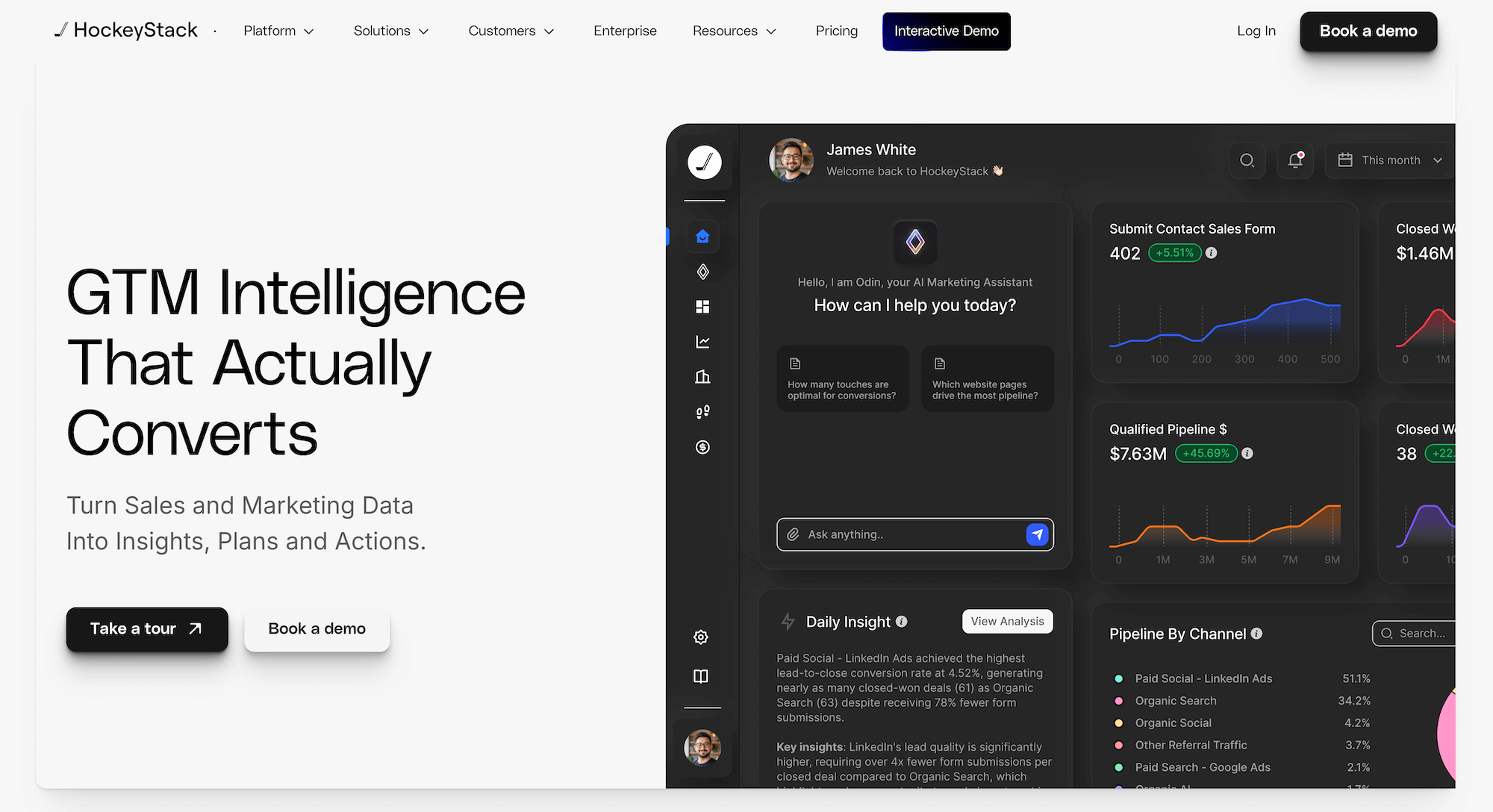
HockeyStack is an enterprise B2B marketing analytics and revenue attribution platform for tracking the impact of all your marketing and sales activities on business outcomes.
The platform supports end-to-end revenue reporting and shows how campaigns, channels, and touchpoints contribute to the pipeline and closed deals. It combines data from your CRM with third-party behavior and intent to help you uncover opportunities, and automates account and contact research with AI tools.
You can then sync your data to other systems — such as ad platforms or sales outreach tools — to improve personalization and targeting.
HockeyStack offers out-of-the-box dashboards for live reporting, detailed multi-channel attribution reporting, funnel analysis, and cohort tracking — mapping the entire buyer journey from first interaction to final conversion.
HockeyStack’s AI assistant, Odin, can even answer questions about campaign performance directly, including funnel trends, campaign lift, and paid social performance, providing instant insights and recommended actions.
While users praise HockeyStack’s ease of implementation and powerful analytics, some cite a steep learning curve that makes adoption difficult.
You can check out HockeyStack’s features in this live demo.
Features
- Revenue attribution: Connect marketing activity directly to pipeline and closed deals
- Multi-touch attribution models: Understand the whole customer journey across channels
- Funnel reporting: Visualize conversion paths and drop-offs by persona, campaign, or stage
- Cohort analysis: Track performance over time across different customer groups
- Heatmaps & journey mapping: Analyze how users interact with campaigns and content
- AI-powered insights (Odin): Answer questions about trends, lift, and attribution with instant visual reports
- Custom reporting: Build reports tailored to your GTM motion, with filters for product, geo, channel, ACV, persona, and more
- Predictive analytics: Forecast campaign impact and optimize spend
Pricing
HockeyStack provides custom plans and quotes, segmented mainly by employee count and the products you choose, rather than public per-seat or flat-rate plans. Their G2 listing mentions that plans start at $2,200 per month.
5. AgencyAnalytics
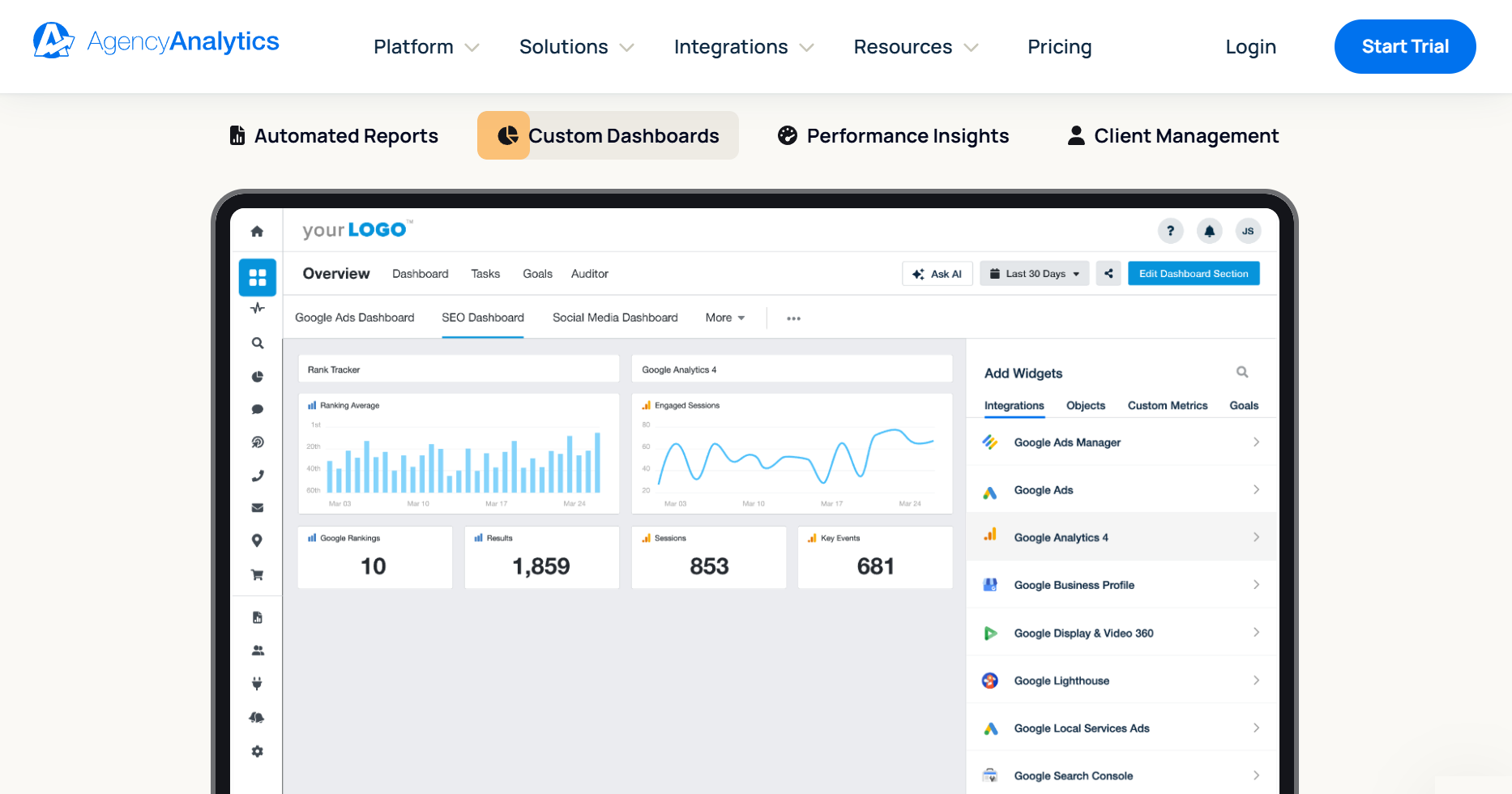
AgencyAnalytics is an enterprise-grade analytics and reporting tool for agencies that centralizes data from all your marketing platforms, monitors results, visualizes performance, and communicates value to clients. It supports white-label branding and provides tools for collaborating with clients (including dedicated portals).
The platform lets you build dashboards that reflect each client’s funnel or channel mix, pulling from 80+ native integrations (SEO, PPC, social, email, etc.). You can quickly build out reports with templates and out-of-the-box data visualizations. The drag-and-drop editor lets you quickly build or tweak reports and dashboards around the KPIs that matter for each client.
AgencyAnalytics includes several tools for monitoring performance, including goal and budget tracking, alerts when key metrics move unexpectedly (e.g., CPL spikes, conversion drops), and the ability to create and track custom metrics.
The platform’s optimization tools go beyond just reporting numbers to helping you understand why results look the way they do and what to do next. These features include AI analysis to surface trends, benchmark comparisons, detect anomalies, and forecast trends to predict future results based on historical data.
Many users praise AgencyAnalytics’ ease of use and detailed reporting. Some cite issues with integrations and data discrepancies.
Features
- Automated reporting: Schedule and send client‑ready reports automatically
- White‑label branding: Add logos, colors, and domains for a polished client experience
- Drag‑and‑drop editor: Build custom dashboards and reports quickly
- Report & dashboard templates: Professionally designed layouts for fast setup
- SEO tools: Keyword rank tracking, backlink monitoring, and site audits
- PPC reporting: Integrate Google Ads, Facebook Ads, and other paid channels
- Social media analytics: Track engagement across major platforms
- Email marketing platform integrations: Monitor campaign performance from tools like Mailchimp
- Multi‑channel dashboards: Consolidate SEO, PPC, social, and email data in one view
- Presentation mode: Share reports live in full‑screen format
- Client access portals: Let clients log in to view KPIs directly
- Custom KPIs & segments: Tailor reporting to each client’s goals
- Smart reports: Surface key insights and trends automatically
- Third‑party integrations: Connect with 70+ marketing platforms
Pricing
All plans are billed annually by default, include a 14-day free trial (with no credit card required), and let you add extra clients for an additional monthly fee per client.
-
Freelancer: $59/month (billed annually). It includes five clients ($20/month per additional client), unlimited reports and dashboards, 80+ data integrations, client access portals, and report scheduling.
-
Agency: $179/month (billed annually). This tier includes 10 clients ($20/month per additional client) and all the features in the previous tier, plus unlimited staff users, custom metrics, alerts and goals, AI tools, task management, and complete white-label branding.
-
Agency Pro: $349/month (billed annually). It includes 15 clients and everything in the Agency plan, plus benchmarks, forecasting, anomaly detection, bulk operations (like scheduling), metric insights, and API access.
-
Enterprise: Custom pricing. Custom plans offer custom client volumes and data limits, a dedicated success manager, concierge implementation, priority support, ongoing training, database connectors (e.g., BigQuery, Redshift, MySQL), MFA & SSO enforcement, and other enterprise-grade controls.
Optional add-ons (available with any plan):
-
Rank Tracker: Paid add-on to track desktop/mobile rankings for SEO campaigns (priced per block of keywords).
-
Database Connectors & Concierge Implementation: Available as add-ons on some tiers; included by default for Enterprise customers.
Which Campaign Management Software Is Right for You?
The three categories of campaign management tools we’ve covered all cater to different needs — some are ideal for strategizing and developing campaign materials, others excel at executing campaigns across various marketing channels, and analytics tools provide detailed data and deep reporting to refine your strategies.
The key is to identify where your team needs the most support. If you need a solution to manage all aspects of developing campaign materials, then Workamajig’s top-rated campaign management software is the best choice for agencies.
Workamajig’s centralized campaign management tools let you manage projects, tasks, resource schedules, creative assets, client feedback, budgets, billing, and reporting in one place. The result is smoother workflows, greater organization, and improved profitability.
Request a personalized demo today to see how Workamajig ensures your campaigns have everything they need to go live on time.