

Agencies need a reliable customer relationship management (CRM) system to capture leads, develop opportunities, track client communications, measure sales performance, and facilitate smooth handoffs to project teams.
There are typically two types of solutions here:
- Agency management software with built-in CRM (like Workamajig!)
- Standalone CRM systems (like HubSpot, Zoho, and Salesforce)
Agencies that prioritize pipeline management and seamless workflows often choose option A because it connects sales opportunities directly to project execution within a single system. This eliminates duplicate data entry, provides real-time visibility into resources, and offers unified reporting across business development and delivery.
Option B supports agencies with sophisticated marketing needs. Dedicated CRM software provides lead-nurturing automation, advanced segmentation, multi-channel campaign management, and detailed reporting to measure marketing ROI precisely.
Workamajig offers the best of both worlds. Our solution includes a native CRM with Kanban boards and sales reports to manage your pipeline, client acquisition, and project handoff; and it integrates with all major CRM systems to support more advanced marketing efforts.
But to help you find the right solution, we’ve reviewed 11 popular systems across both categories, with more details on how to choose the right CRM for your agency's specific workflows.
To learn more about Workamajig CRM after reading, request a free demo.
Workamajig
All-in-one agency management system to elevate operations & drive profits
Workamajig is an all-in-one agency management solution with everything agencies need to run a successful operation: CRM and client management, vendor management, project management, resource planning, time tracking, financial management, and accounting.
Our unified solution brings everyone across all departments under one roof — centralizing processes, improving organization, and supporting seamless handovers between sales and project teams.
By unifying all your business data, Workamajig offers deeper insights to make more strategic decisions. For example, teams can:
-
Refer to project data during negotiations. When sales reps are developing new opportunities, they can refer to past project data in Workamajig — including resources and budgets — to provide accurate estimates and timelines. These insights can inform pricing decisions and contract terms for upcoming jobs.
-
Optimize profitability by tracking billable hours across projects and accounts. When teams spend more time than budgeted for on specific projects, profit margins take a hit. Workamajig makes it easy to spot these issues early, quantify the financial impact, and share professional reports with clients to renegotiate terms and compensation.
-
Uncover opportunities to boost your bottom line. Sales teams can sharpen their lead generation by building a precise ideal customer profile (ICP) using insights from Workamajig. By analyzing patterns — such as the types of projects clients request, their engagement frequency, and the accounts that deliver the highest profit margins — reps can identify the most profitable kinds of leads to pursue.
Agencies also like Workamajig because our system consolidates their tech stack and reduces software costs. Not only does Workamajig include a native CRM, but it also boasts a complete GL accounting system (to replace standalone systems like QuickBooks or Xero). Teams can shed the extra software and manage the entire client journey in Workamajig with a single subscription.
All our plans include:
-
Personalized onboarding, training, and ongoing support to help you maximize your benefits and ROI. You’re paired with a dedicated account manager who serves as your strategic partner to ensure the software is set up correctly (integrating outside CRM if you’re using one) and continuously optimizes the system as your agency evolves.
-
Flexible per-user pricing designed to scale from boutique agencies to enterprise organizations. Workamajig grows alongside your business and helps you reach new heights.
The following sections will discuss our CRM and client management tools in more detail. If you’re interested in a guided walkthrough after reading, request a free demo with our team.
Workamajig CRM Solution
Workamajig's CRM helps you turn leads into clients with simple tools that show your entire sales pipeline, highlight your most profitable opportunities, and keep your team’s schedule consistently filled with quality work.
Capturing and Managing Leads
Workamajig makes it easy to consolidate all your leads from different sources, so you can engage and qualify them in one place. You can:
- Connect our system to your website's contact form to pull in new inquiries as leads.
- Connect Workamajig to other systems (e.g., CRMs) via APIs or Zapier to pull in leads.
-
Import lead lists from .csv files — e.g., if you have a list of event attendees — or even add leads manually.
All the leads you capture feed into our centralized Leads Dashboard:
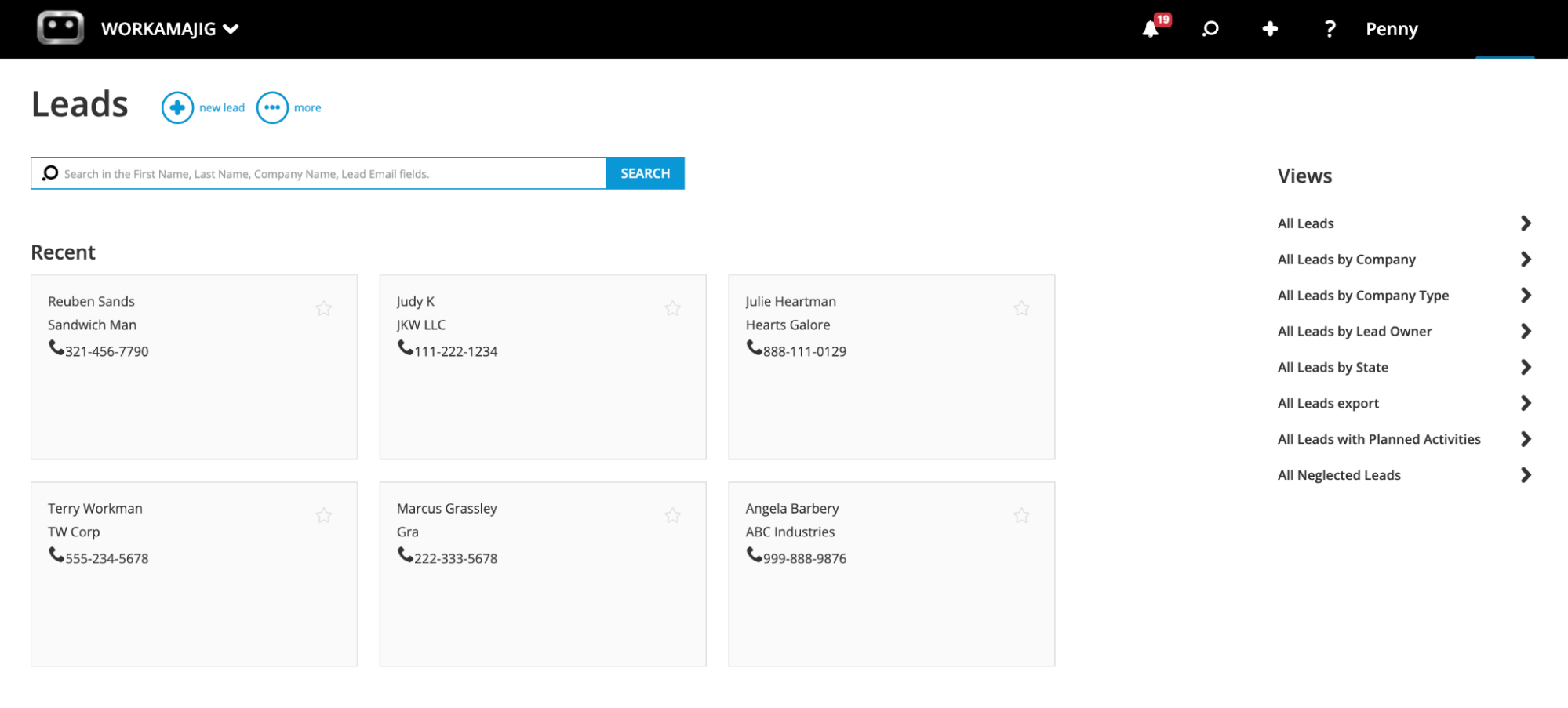
Then, you can use different views — such as company, lead owner, state, and custom fields (e.g., source) — to find the exact leads you’re looking for.
“Neglected leads” and “Neglected opportunities” are two of our most popular default views. These dashboards highlight leads and opportunities that haven’t had any activity within a specified date range — so you can plan follow-ups and keep them engaged.
From this dashboard, you can engage with and qualify leads, and keep track of all interactions using the “Conversations” feature.
Conversations in Workamajig are a powerful tool for documenting the various touchpoints for leads, opportunities, and clients. For example, holding a phone call, sending a resource, emailing a lead, and follow-ups are all Conversations you can track.
Any notes or Conversations your team has in our system are automatically saved, so managers and other sales reps can quickly reference past interactions and gauge how much a specific lead has already been nurtured. Our system integrates with email accounts — Gmail and Outlook — to facilitate and save all email conversations.
After a lead is qualified, you can convert it into an opportunity (linking the contact to an existing company or creating a new entry), which automatically moves it to the Opportunities Dashboard so you can continue developing it.
Developing Opportunities and Tracking Pipeline
Workamajig’s Opportunities Dashboard (shown in the screenshot below) provides a visual, Kanban-style overview of your pipeline, so you can see each opportunity's status at a glance. The drag-and-drop interface also lets you easily move opportunities between stages.
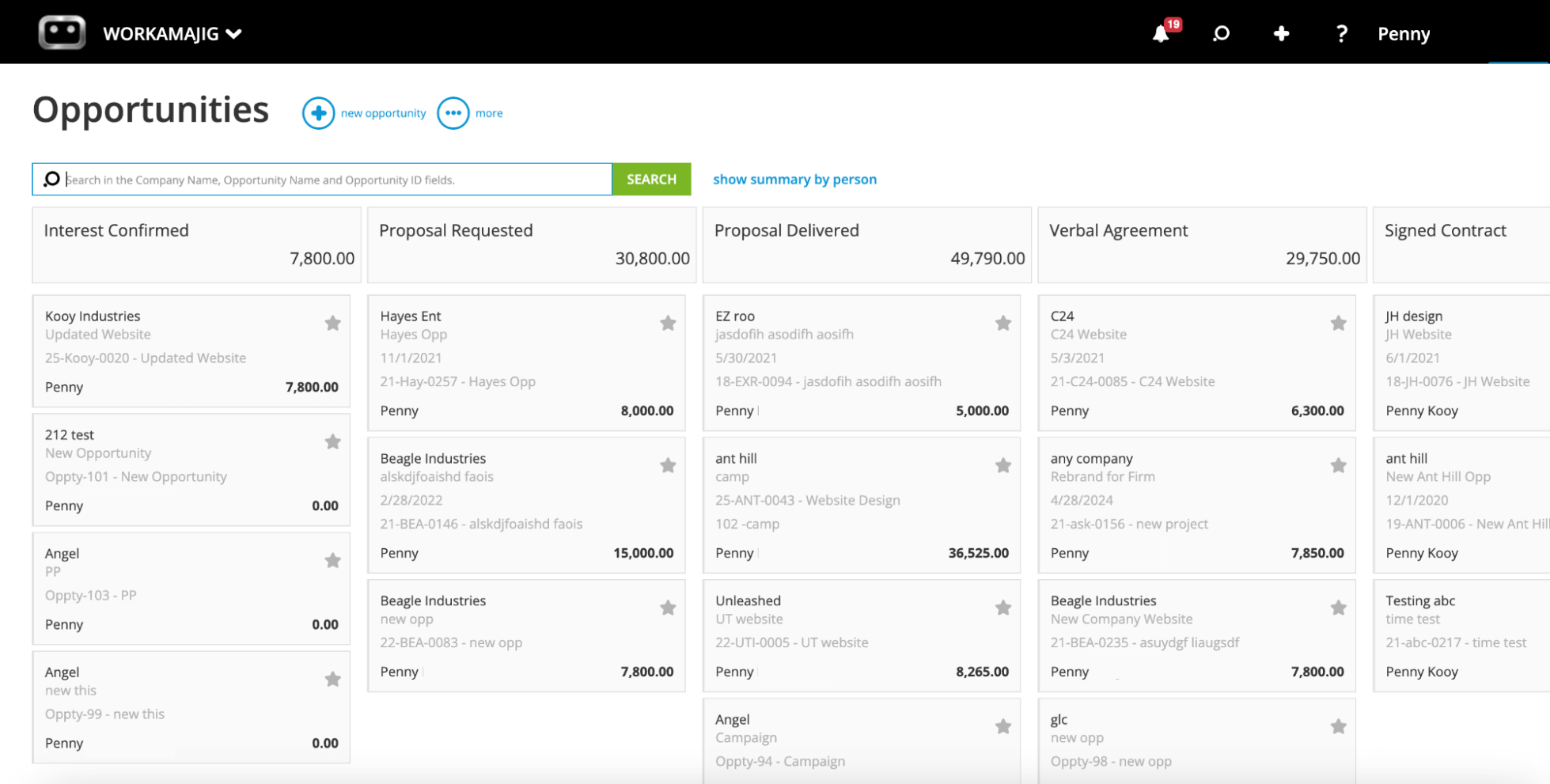
In the screenshot, you’ll notice specific stages outlined in the pipeline, such as “Proposal Requested” and “Signed Contract.” These can all be tailored to match your agency’s unique processes and workflows. You can create as many sales pipelines in Workamajig as you need.
If you’re added as a sales manager in Workamajig, you can assign opportunities to specific reps, add detailed context for the owner working the opportunity, and set appropriate stages and statuses.
Our system also provides several tools to help develop opportunities:
-
Forecasting and estimating tools: As you gather more information about an upcoming job, Workamajig enables you to forecast resource needs and build precise estimates. You can use these insights to set realistic expectations with prospects and share accurate quotes.
-
Opportunity overviews: Our system displays critical big-picture details on each opportunity card, such as age, timeline, and potential profit, so you can prioritize opportunities accordingly.
-
Sales Conversations within the opportunity: You’ll find all the Conversations you’ve had here, including those from when the opportunity was a lead. You can see how they’ve already been engaged — maybe you’ve called them before or sent them a resource — and plan the next steps.
As you gather more information about an opportunity and engage with it further, you can add more details to improve reporting:
- Probability: The expected likelihood of the opportunity closing
- Revenue: The projected amount if the opportunity converts to a deal
- Production and media costs: With your margins
- Forecasted close date
- Months: The number of months you expect to bill off the job if the opportunity closes
- Outcome: You select this status when an opportunity is won (awarded), lost (to a competitor), or cancelled (you can also specify a reason for the outcome
All this data feeds into your revenue forecast and other reports. For example, the data from outcomes flows into our win/loss reports, so you can look back and see the different reasons for winning or losing opportunities.
After you win an opportunity, you can convert it into a new project or campaign — with Workamajig automatically transferring all saved details and attachments mentioned above. This creates a smooth handoff from sales to project teams by providing project managers with all the information they need to quickly kick off planning and scheduling.
You can also choose to transfer the hours you’ve logged against the opportunity to the project. This doesn’t mean those hours have to be billed — they can be written off — but carrying them forward ensures they’re tracked as an expense.
Overall, Workamajig CRM delivers transformative, time-saving, revenue-boosting benefits for your sales team.
In the next sections, we’ll show you how our comprehensive dashboards and sales reports give teams clear visibility into sales performance and pipeline health.
Today & Sales Dashboards
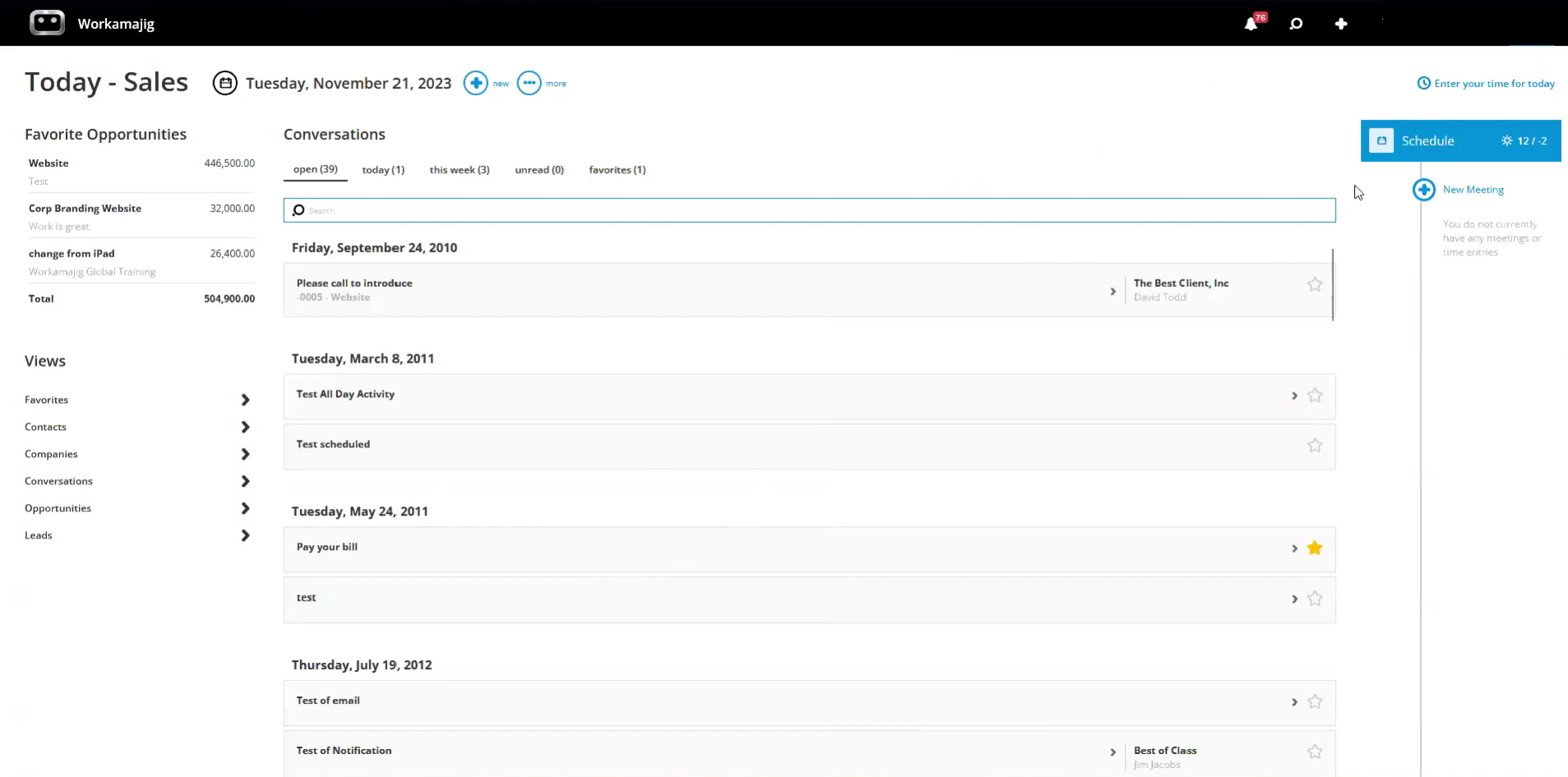
Workamajig’s Today - Sales Dashboard is the personalized command hub that helps you stay organized, manage leads and opportunities, and plan out your week ahead. It brings together:
-
Open activity Conversations, so you can reference previous interactions and plan follow-ups.
-
Meetings and scheduling, with meetings displayed in blue and time entries in green. You can access your full calendar from here and create new meetings.
-
Time tracking to submit timesheets and log hours against projects, tasks, or services.
-
Favorited items, including opportunities, leads, and Conversations.
Meanwhile, you can pull up leads, contacts, companies, conversations, opportunities, and favorites using “Views” (located in the bottom-left corner of the dashboard).
After selecting any of these fields, you can organize the results using the typical fields included in the Leads and Opportunities dashboards — such as All, Neglected, Owner, etc.
In addition to the Today view, Workamajig’s Sales Dashboard provides a visual overview of your sales performance and lets you easily generate reports.
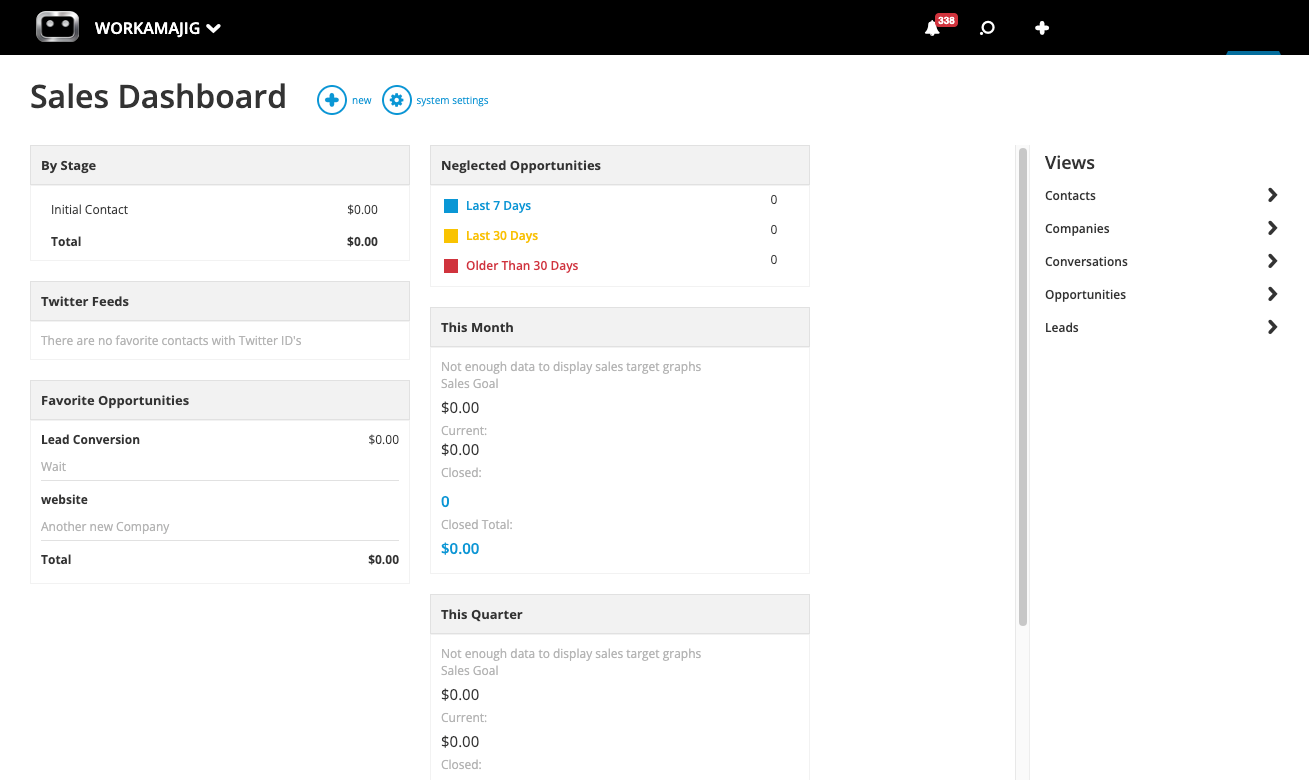
As shown in the screenshot above, the dashboard provides a snapshot of:
-
All active opportunities in the system and their respective deal stages, so you can see what’s in the pipeline at a glance.
-
Neglected opportunities, with a breakdown of when they were last engaged, so you can follow up before they’re lost.
-
Sales performance for the month, quarter, and year, including how much you’ve closed so far.
-
Any items (opportunities, Conversations, etc.) that you’ve saved as Favorites.
Then, you can click on specific items — like your Favorites or a specific deal stage (such as “Signed Contract”) — to pull up an overview of all the related details and drill down into the specifics.
Sales Reports
Workamajig also includes a robust CRM reporting suite, with out-of-the-box and custom reports, to measure sales performance. With our reports, you can:
- Learn more about the types of leads you attract
- Monitor deals as they move through various sales stages
- Analyze earned vs. lost opportunities (over a variety of categories and timeframes)
- See where leads drop off and dig into what happened
- Identify commonalities between earned (and lost) opportunities to understand where you’re successful (and identify improvement areas)
We provide a range of Contact and Opportunity reports, including our popular Win/Loss Analysis, Quarterly Performance Comparisons, and Sales Rep Activity Summaries.
Plus, you can create custom reports with various CRM-related datasets (e.g., Company, Contact, Opportunity, Activity data) using our intuitive drag-and-drop report builder.
Workamajig’s reporting suite also includes snapshot reports to assess what's current with your sales teams. At a glance, you can see:
- Number of clients and prospects in each sales funnel stage
- Current opportunities and their projected revenue
- Team activity metrics, follow-up schedules, and response time analytics
- Resource needs (based on pipeline data)
- Comparison reports showing performance against previous periods and annual targets
Your account manager will walk you through our system’s reporting dashboard and custom reporting tools to ensure you’re tracking the most important KPIs for your agency's objectives.
CRM Integrations
As we mentioned above, Workamajig integrates with all major CRM software, including HubSpot, Zoho, Salesforce, Zendesk, Pipedrive, and more via Zapier or APIs. These integrations allow you to pull qualified leads or opportunities, along with all associated details, into Workamajig.
Our team will discuss your current tech stack and connect integrations during setup and onboarding so you can hit the ground running.
Additional Client Management Tools
Workamajig also includes a host of tools to manage and strengthen new client relationships after you win their business and launch projects.
-
Client Portals: Create dedicated workspaces for each client, giving them 24/7 access to project information. Clients can check real-time status updates, participate in feedback discussions, download approved deliverables, request new work, and view project progress — all in one secure hub. You can create (unlimited) portals at no additional charge.
-
Email Notifications: Saving client information (like email addresses) in Workamajig’s CRM ensures they receive notifications when they're tagged in discussions, deliverables are ready for review, or there are critical project updates. Thanks to these smart notifications, clients know exactly when projects require their attention and where their input is needed, helping your teams maintain momentum and prevent costly bottlenecks.
-
Collaborative Workspace: Workamajig's comprehensive collaboration tools unite all internal and external project stakeholders in a single, intuitive environment. The platform includes commenting, secure file sharing, built-in proofing tools with markup capabilities, side-by-side file comparisons, and detailed version history. This collaborative environment helps teams fine-tune deliverables while maintaining a complete record of all decisions and changes throughout the project lifecycle.
Workamajig’s All-in-One Solution
Workamajig packs in a whole range of solutions to support all your agency operations. In addition to our CRM and client management tools, Workamajig includes:
-
A complete project management software with everything you need to plan and monitor projects: templates, intake forms, task management, advanced project monitoring dashboards with customizable Gantt charts, milestone tracking, and helpful real-time alerts to course-correct projects at risk of exceeding timelines or budgets.
-
A user-friendly resource planning hub where you can schedule your team, see who's available, check workloads at a glance, and review productivity reports to make sure everyone's using their time well.
-
Native time tracking that lets all your teams log project hours directly in Workamajig, connect time to specific project tasks, and track real-time labor costs to manage project budgets. As mentioned above, sales reps can also tie the hours spent developing an Opportunity to its project when the deal closes.
-
A straightforward vendor management module to assign work to freelancers, track outside purchases, evaluate vendor reliability, and manage all your external partners in the same place you manage your internal teams.
-
Professional accounting software to manage all standard accounting processes (e.g., handling vendor bills, tracking expenses, processing reimbursements, and managing payments). Workamajig also includes an invoicing tool that supports all standard agency billing types and improves the accuracy of client invoices.
-
Powerful financial dashboards with profit and loss reports (across various categories), customizable key metrics monitors, revenue forecasting, detailed project budget breakdowns, and custom reports that align with your agency’s needs.
Our comprehensive approach brings countless benefits for our agency clients. Our users say Workamajig has transformed their operations in a variety of ways:
-
Eliminates communication gaps by connecting sales, creative, and finance teams in one platform, ensuring everyone has access to the same client and project information.
-
Accelerates client intake and onboarding through seamless transition from sales to project kickoff, automatically transferring all opportunity details to new projects without duplicate data entry.
-
Increases forecast accuracy by linking pipeline data to resource availability, empowering agencies to make more informed decisions and confidently predict revenue.
-
Reduces administrative overhead by automating routine, repetitive tasks — such as time tracking, approvals, and status updates — freeing teams to focus on more value-adding work.
-
Strengthens client relationships through convenient and straightforward communication, dedicated client portals, and professional project management.
-
Grants visibility into agency processes with advanced but user-friendly reporting dashboards that connect the dots between sales success, project profitability, and time productivity.
-
Supports and streamlines growth with a scalable platform that accommodates additional team members, new service offerings, and evolving business needs.
Hear what our clients have to say about Workamajig in the video below:
Read more about what agencies have achieved with Workamajig:
- How Ten Adams Uses Workamajig to Drive Business Insights & Profitability
- How Toolbox Creative Increased Project Profitability by 937% with Workamajig
- Ayzenberg Group’s Average Workflow Takes 25% Less Time with Workamajig
Workamajig Packages & Getting Started
Workamajig offers dedicated solutions for agencies and in-house creatives. Pricing is per-user and by team size:
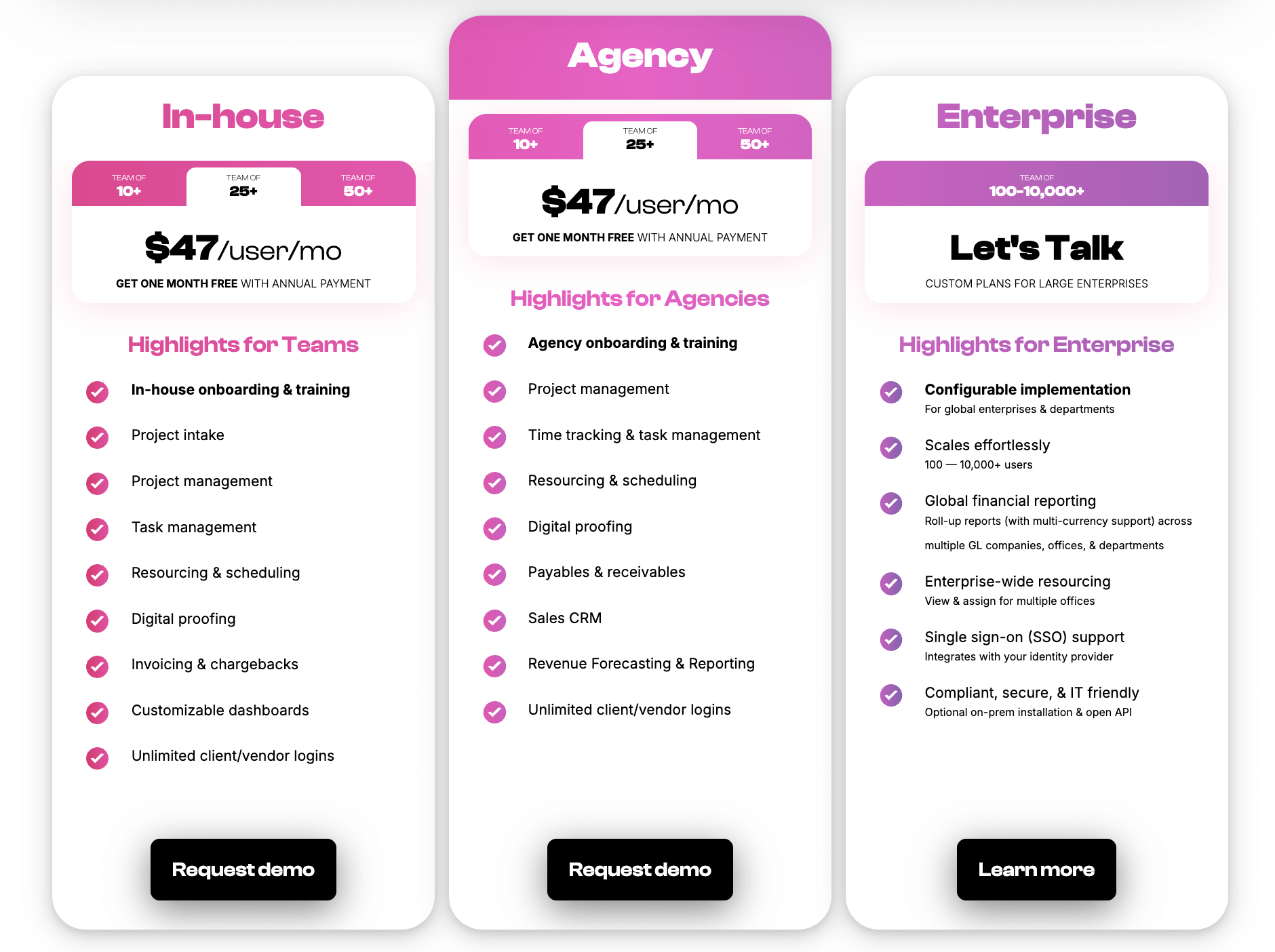
We also offer enterprise packages that can accommodate thousands of user seats.
All Workamajig plans include:
-
Full access to the Workamajig platform and features, including the CRM, sales reports, integrations, and our complete agency management suite.
-
A dedicated account manager who provides personalized onboarding and training. You’ll learn the “Workamajig way” to manage agency processes and projects, and see how our features support our best practices.
-
Ongoing support. Your account manager can answer questions, consult with you on process or resource optimization, and help solve other agency challenges.
Request a free demo to see how Workamajig can support your agency operations!
Alternative Agency Management Systems with Native CRM
The systems below all receive positive user reviews and offer comprehensive toolsets to support agency operations.
But when you’re searching online, you may also come across names like FunctionFox and ManyRequests that refer to their client management suite — which includes client profiles, portals, invoicing tools, and features to link projects (and hours) to clients — as agency CRMs. These tools lack core CRM capabilities, such as lead management, sales pipeline visualization, team management, and advanced reporting, which is why they’re not included on our list.
If you’re looking for a true agency CRM that supports your entire sales pipeline, it’s important to look under the hood and compare each system’s toolset in detail.
Function Point
-3.png?width=874&height=583&name=Untitled%20design%20(21)-3.png)
Function Point is an all-in-one agency management system with a user-friendly CRM that connects sales teams and creative workflows. It offers essential features, with a focus on sales pipeline management and client communication tracking.
Like Workamajig, Function Point’s CRM integrates with all of the system’s other modules. So while sales teams are developing opportunities, they can leverage tools such as resource forecasting, rate cards, and estimating. This improves accuracy when creating proposals and pitching to potential clients.
End-to-end agency management tools also allow managers to follow the client journey through projects and see what happens after prospects become clients.
Function Point’s core CRM features include:
- Sales pipeline management
- Estimating
- Lead and opportunity tracking
- Contact management
- Proposal creation
- Team collaboration tools
- Resource management forecasting
Function Point also integrates with external CRM software, allowing agencies to expand on the software’s capabilities while maintaining the valuable connection between sales and project execution.
Find more Function Point reviews here.
Platform Features
- Client management tools, including estimates, proposals, change orders, revision tracking, and job request portals
- CRM and email integrations
- Project templates
- Project management dashboards
- Project monitoring (choose Gantt charts or a Kanban board view)
- Team collaboration, including file sharing and commenting
- Resource management
- Time tracking
- Financial management, including expense tracking
- Billing and invoicing
- Business intelligence reports, including profitability reports and custom reporting
- Integrations with accounting systems like QuickBooks and other business applications
Pricing
Function Point offers two packages for smaller and mid-sized teams, as well as custom enterprise packages for agencies with 29 or more users. All packages include full feature access. Its standard plans are:
- Standardize ($58/user/month): Supports 5–9 users
- Optimize ($68/user/month): Supports 10–29 users
Read more: Function Point Reviews & Alternatives
Productive
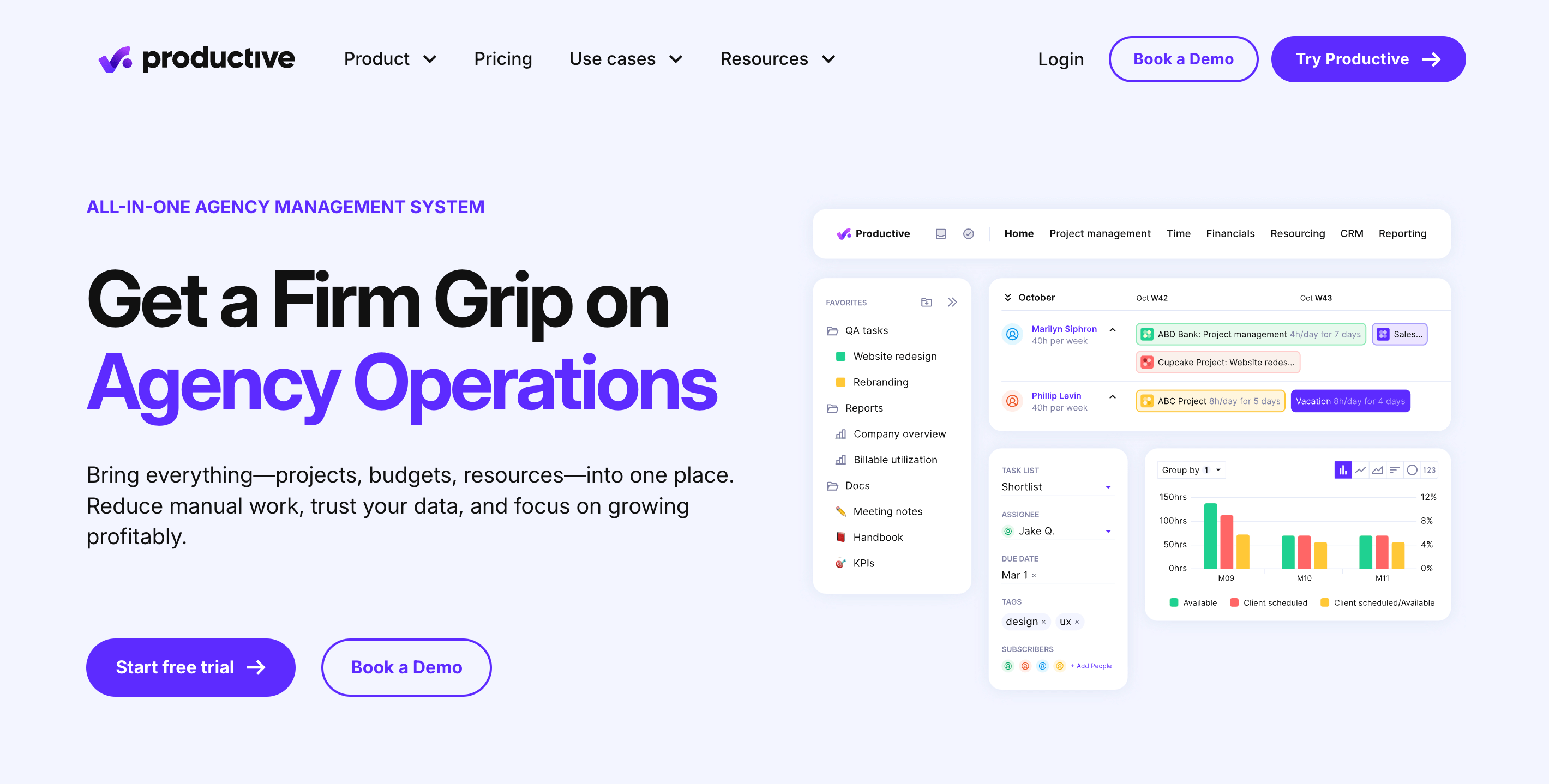
Productive CRM is designed for creative agencies and professional service companies (such as IT teams, software developers, and consulting firms). The platform delivers a streamlined sales management solution that integrates with its project management tools, creating a unified workflow from lead capture to project delivery.
The CRM features intuitive Kanban boards for visual pipeline management, enabling teams to track leads and opportunities as they move toward closure. It also offers tools to create and manage multiple sales pipelines, to accommodate different service offerings or client segments.
Users also like that Productive’s advanced reporting suite provides valuable insights to track sales KPIs and refine acquisition strategies.
The CRM’s key features include:
- Sales pipeline management
- Proposal creation
- Estimating and rate cards
- Resource forecasting
- Conversion of won deals directly into projects
- Sales performance reporting
- Email integrations
- Client management tools
- Integrations with outside CRM software
Read more Productive reviews here.
Platform Features
- Project intake and sales CRM
- Project management
- Resource management
- Time tracking and timesheets
- Documents (to create shared docs and enable team collaboration)
- Financial management
- Billing and invoicing
- Budget and expense management
- Real-time profitability tracking
- Reporting
- Integrations with QuickBooks, Xero, Sage, SAP, Justworks, ADP, Slack, HubSpot, Google, Microsoft, and Jira
- Open API
- Mobile app (for iOS & Android)
Pricing
Productive offers three packages and scalable enterprise plans at custom pricing:
-
The Essential plan ($11/month/user): Includes basic features such as budgeting, project and task management, time tracking, expense management, and reporting. While CRM features aren’t highlighted separately, the platform’s sales pipeline and deal-tracking capabilities are integrated and available for managing client relationships and sales leads.
-
The Professional plan ($28/month/user): Unlocks up to 3 sales pipelines, advanced task and time-off management, billable time approvals, expense approvals, rate cards, and more.
-
The Ultimate plan ($39/user/month): Offers more advanced features such as custom fields, advanced reports, and HubSpot integration (only available in Ultimate). This plan enhances CRM capabilities with advanced forecasting, custom sales pipelines, and superior sales team performance tracking.
Read more: 8 Best Productive Alternatives for Agencies
Scoro
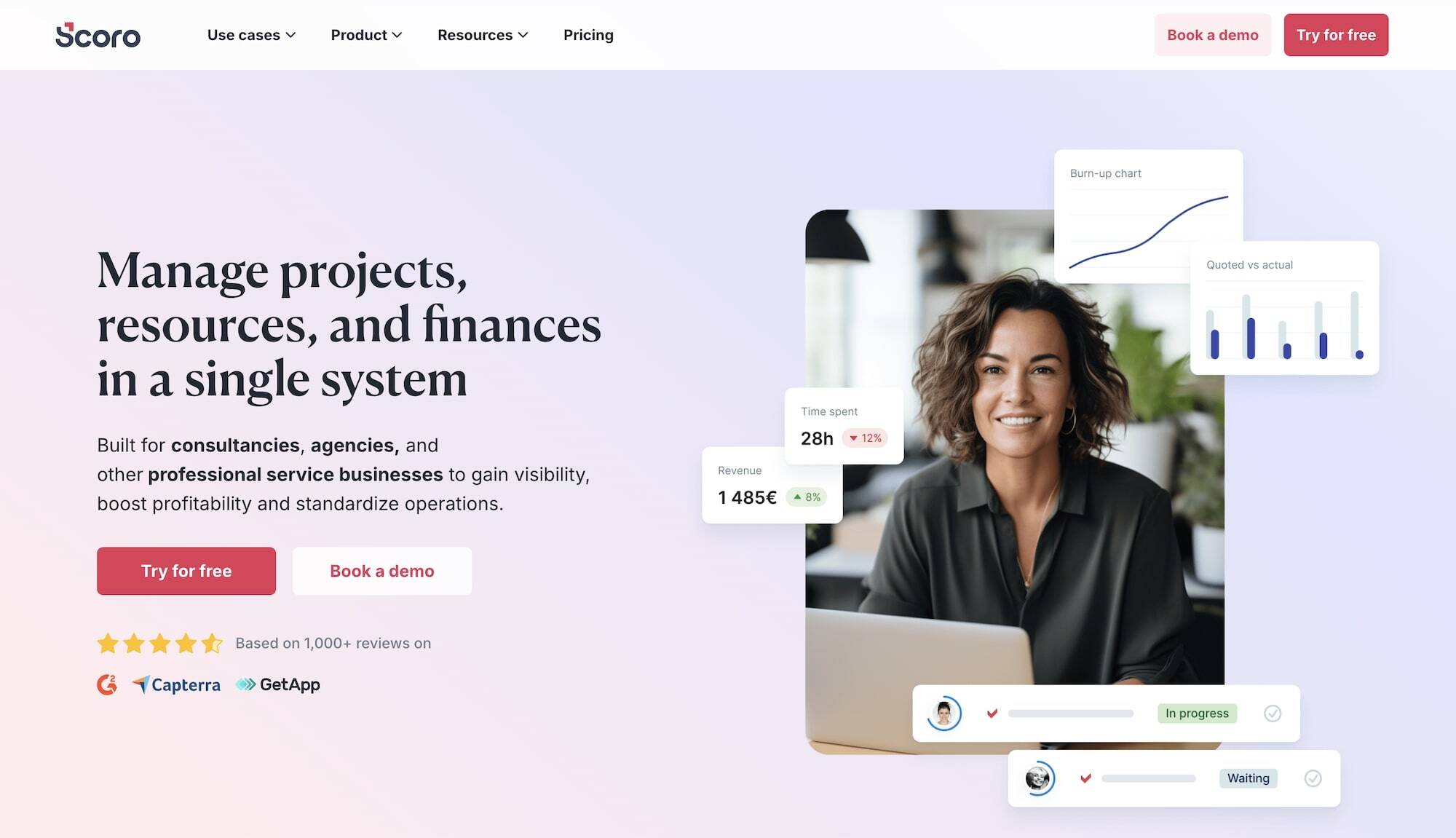
Scoro made our list because it’s one of the few agency management tools that includes a native CRM system. However, the CRM is only available in Scoro’s top-tier (most expensive) package, so it’s not the most cost-effective option in our guide.
Scoro's CRM is designed to help agencies track their sales pipeline and manage client relationships within its broader business management system. The platform provides instant notifications when deals move through the pipeline, enabling teams to respond quickly to high-value opportunities as they develop or close.
One of Scoro's most useful CRM features is its detailed client profiles. This feature allows users to attach files, add activity reminders, and link invoices and quotes directly to customer records, consolidating all relevant customer data. This centralized approach makes it easier for sales teams to access critical information during client interactions and throughout the sales process.
Scoro's key CRM features include:
- Sales pipeline management
- Client relationship tracking
- Proposal creation
- Estimating
- Sales forecasting
- Deal notifications and alerts
- Sales target tracking for individuals and teams
- Integration with Scoro’s project management module for easy handoff
While users appreciate Scoro's capabilities as an all-in-one platform, one review suggests it may not be the best CRM solution for agencies with complex sales processes: "Its limitations to work as a sales CRM forced us to be creative in how we record data and push that data down the pipeline."
Platform Features
- Project management
- Resource planning
- Time tracking
- Collaboration tools
- Quoting and budgeting tools
- Invoicing
- Cost management
- Retainers
- Sales CRM
- Reporting
Pricing
Scoro offers three standard packages, but only the Performance plan offers its sales pipeline and reporting tools — the Core and Growth plans only offer contact management. Its plans are:
-
Core ($23.90/user/month): Lacks several essential features across all modules.
-
Growth ($38.90/user/month): Includes additional project, resource, and financial management tools, but doesn’t support essential sales workflows.
-
Performance: ($59.90/user/month): Unlocks Scoro’s full business management suite and essential agency capabilities, including sales pipelines and reports, price lists, cost and profit forecasts, revenue recognition, and more.
Scoro also offers custom enterprise plans for teams with specialized requirements.
Read more: 6 Scoro Alternatives for Agencies
Bonsai
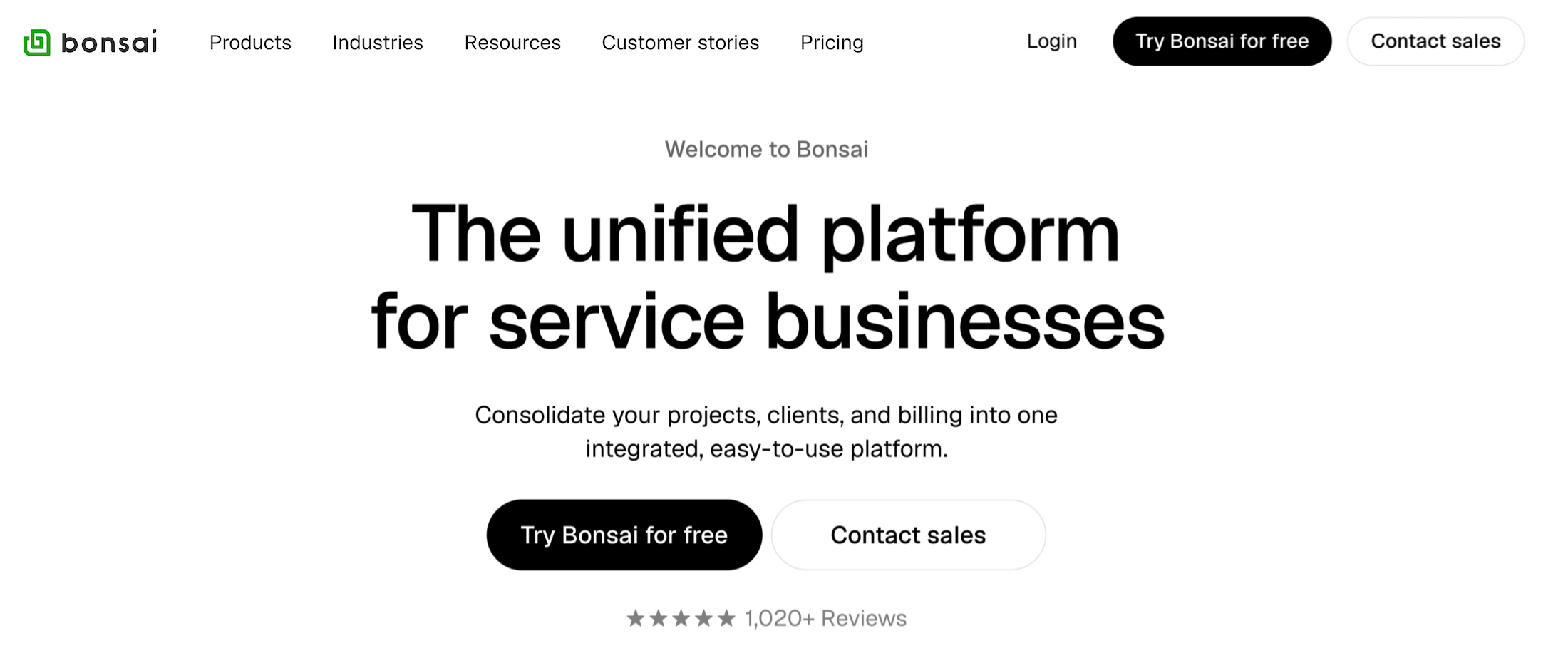
While Bonsai offers a complete stack of tools to manage essential agency operations — including a CRM, project management, time tracking, financial management, bookkeeping, and meeting scheduling — it's primarily geared toward freelancers and smaller agencies. To quote one user: “If you need heavy-duty CRM or full accounting features, you will still pair it with other tools. But for everyday operations, it delivers a smooth, streamlined experience.”
Bonsai’s lightweight CRM includes contact, lead, and pipeline management tools, but lacks features for managing sales reps and activities, engaging opportunities, and measuring performance.
The system also facilitates smooth handover from sales to project teams. When a deal closes, client details automatically flow into the project management module, along with contracts and invoicing, without any duplicate data entry.
Bonsai’s client management tools receive widespread praise from its users. Through its branded client portals, users can give clients secure access to their projects, invoices, agreements, and communications. The platform also helps teams build out and send contracts, proposals, invoices, and agreements by pulling in relevant data (client information, project estimates, etc.) directly from Bonsai’s system.
Find more Bonsai reviews here.
Platform Features
- Contact and lead management
- Visual pipeline management
- Client intake
- Proposal tools and contract builders
- Client communication tools
- Project and task management
- Project budget tracking and forecasting
- Resource allocation
- Resource planning with capacity and margin tracking
- Time tracking
- Expense management
- Invoicing
- Meeting scheduling and calendar integrations
- Reporting
Pricing
All four of Bonsai’s standard packages include its agency CRM:
-
Basic ($15/user/month): Includes project and task management, CRM, time tracking, and unlimited clients.
-
Essentials ($25/user/month): Everything in the Basic plan, plus invoices & payments, expense & income tracking, proposals & contracts, forms & questionnaires, and client portals.
-
Premium ($35/user/month): Unlocks project insights, workload management, custom fields, profit & productivity reports, and more.
-
Elite ($59/user/month): Everything in Premium plus custom permissions, timesheet locking, the option to markup expenses, custom data imports, and integration with Xero.
Read more: Bonsai Software Reviews & Alternatives: Buyer's Guide
Dedicated CRM Systems
While agency management solutions with built-in CRM offer numerous benefits, agencies also use standalone CRM platforms that specialize in marketing, sales, and customer lifecycle management. These systems typically offer more advanced tools for lead generation, campaign automation, and customer journey analytics.
The tools we’ve reviewed below each offer unique advantages. For example, many of them specialize in marketing functionality, supporting agencies that manage multi-channel campaigns for clients or simply have more complex marketing needs. Others are strong in sales automation and reporting.
The following sections will discuss six popular CRM systems (many of which you’ve probably heard of) and highlight their respective strengths.
HubSpot
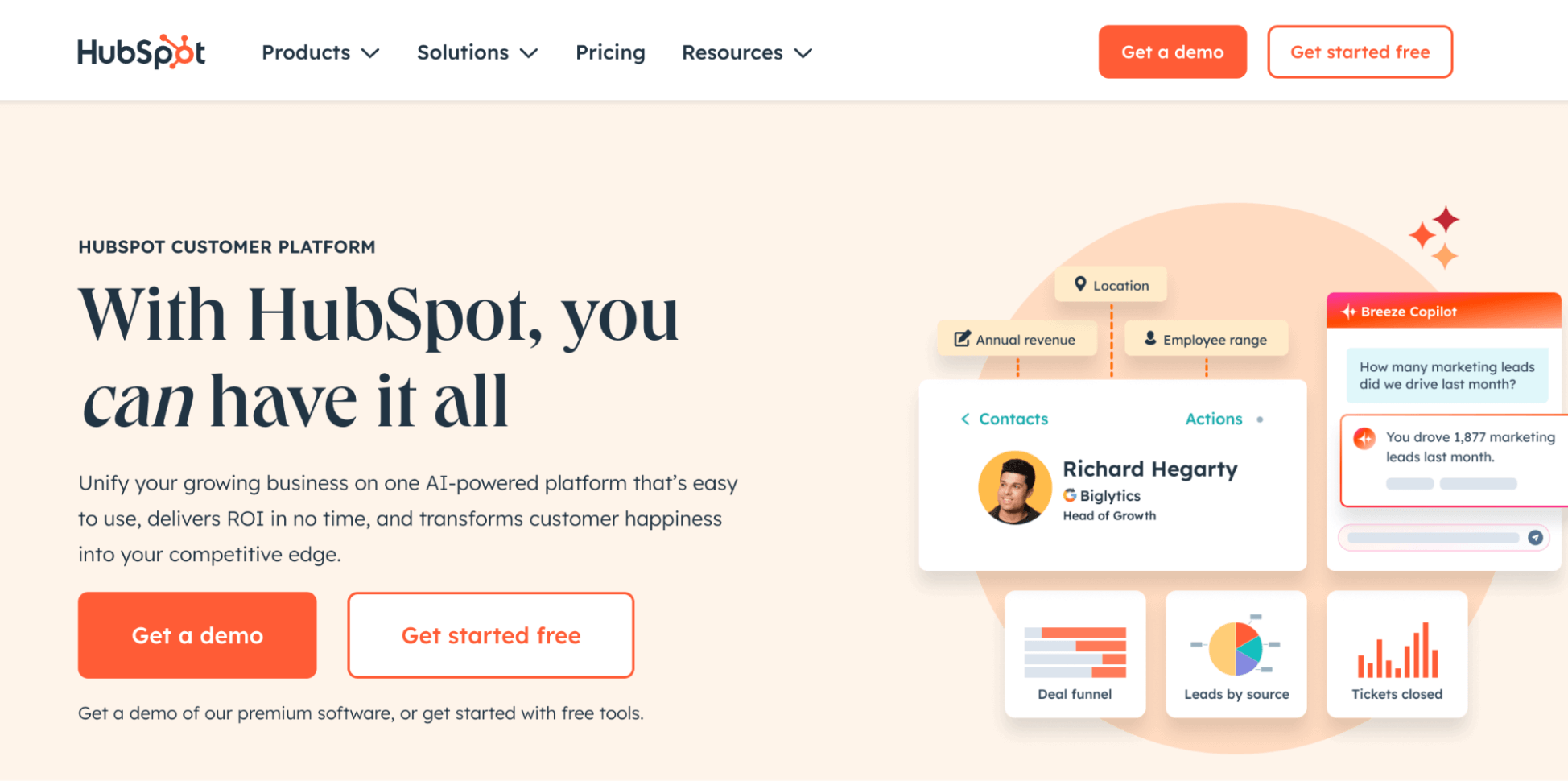
HubSpot is one of the most popular CRM platforms, particularly known for its strength in inbound marketing and content-driven lead generation. It offers a comprehensive suite of tools that supports agencies at all growth strategies: from small businesses to enterprise organizations.
HubSpot's primary advantage is its exceptional marketing automation capabilities. The platform provides powerful lead-nurturing features, including email automation, contact management, and sophisticated segmentation, helping agencies deliver more personalized marketing campaigns.
It also includes a user-friendly content management system (CMS) with tools to create landing pages, blogs, and marketing assets that integrate seamlessly with your lead generation efforts.
HubSpot's analytics and reporting stand out for agencies managing complex marketing campaigns. The platform provides detailed insights into campaign performance, website traffic, email engagement, and conversion rates, helping you demonstrate concrete ROI to clients.
HubSpot's core CRM features include:
- Contact and company management
- Visual sales pipeline and deal tracking
- Email marketing automation and sequences
- Social media management
- Marketing automation workflows
- Campaign analytics and reporting
Another significant advantage of HubSpot is its strong integration ecosystem. The platform connects with numerous third-party systems (including Workamajig), making it easier to integrate HubSpot into your existing tech stack and client workflows.
Find more HubSpot reviews here.
Platform Features
- Complete contact management and segmentation
- Visual pipeline management
- Email marketing tools, such as templates for email campaigns
- Marketing automation and workflows
- Content management and blog tools
- Social media scheduling and monitoring
- SEO recommendations and content strategy tools
- Landing page and form builders
- Blog and content tools
- Conversation routing and live chat
- Live chat and conversational bots
- Customer service ticketing
- A/B testing capabilities
- Integration with 1,000+ business applications
Pricing
HubSpot CRM offers a range of pricing plans to suit agencies of all sizes, including a free basic plan and scalable enterprise packages. However, its Professional and Enterprise packages require you to purchase at least three and five seats, respectively.
Check out HubSpot’s packages below:
-
The Free plan: Includes essential CRM tools, like contact management, forms, and landing pages. It supports up to 1 million contacts and 2 users.
-
The Starter plan ($15/user/month): Unlocks email marketing automation, ad management, and basic reporting.
-
The Professional plan ($890/month with three core seats): Adds advanced automation, custom reporting, and omnichannel marketing tools.
-
The Enterprise package ($3600/month with five core seats): Includes features such as custom objects, predictive AI, and advanced permissions.
Salesmate
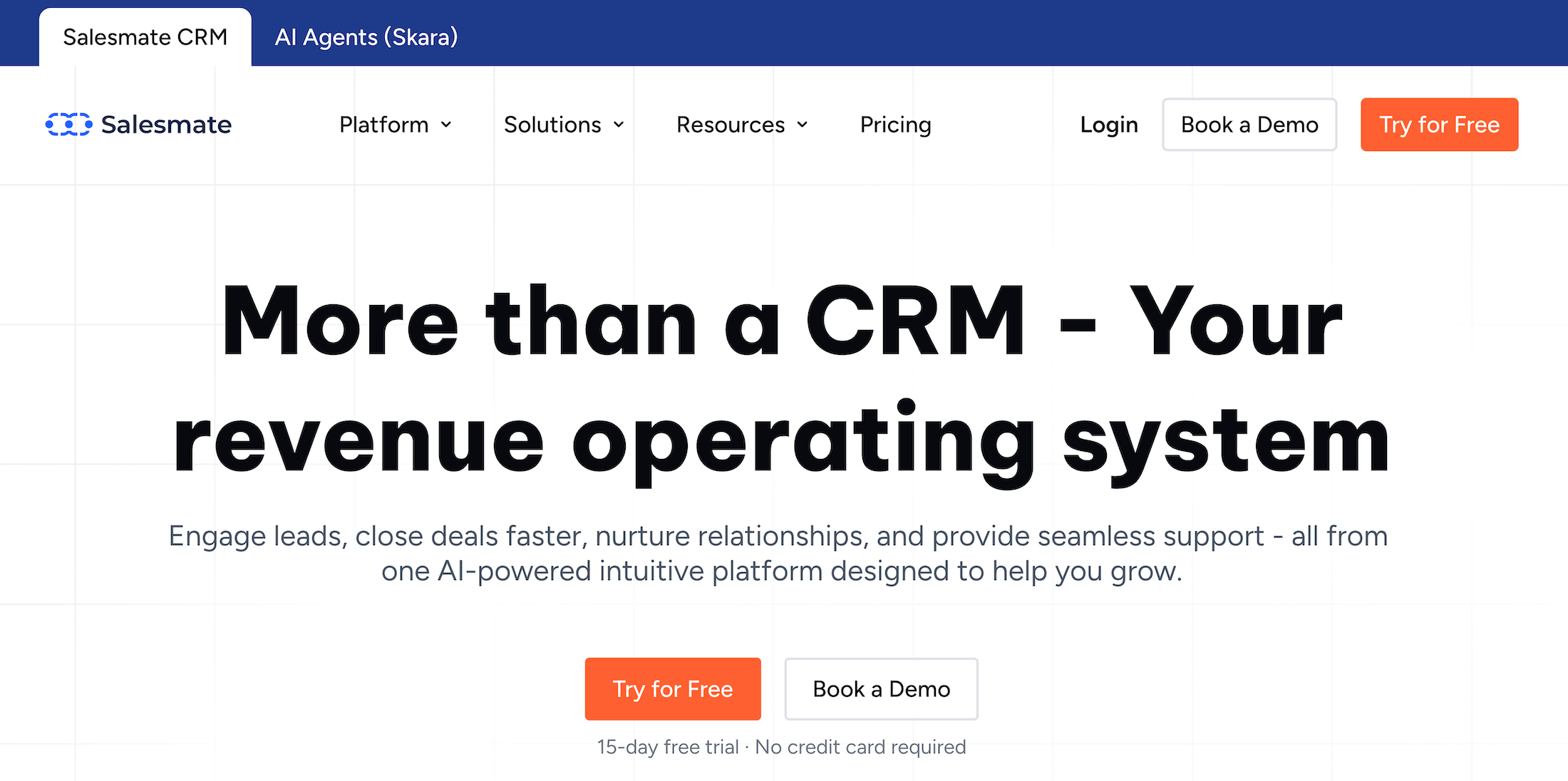
Salesmate CRM includes three different modules: sales management, marketing automation, and a complete customer support suite.
Its feature set rivals that of major CRM players like HubSpot, making it suitable for teams of all sizes, including large enterprises. However, it’s particularly popular amongst small and medium-sized businesses because it provides core CRM features at an affordable rate.
Users praise Salesmate for its ease of use, intuitive interface, and automated workflows that help teams streamline the entire sales process. For example, after the CRM automatically captures leads from web form submissions, your pre-defined nurturing workflows and smart routing options (rules for assigning leads to reps) kick in.
You can also set up custom scoring rules that are automatically applied to qualify leads based on their attributes and the interactions reps have with them. Then, Salesmate can flag high-intent prospects so reps can follow up immediately. Meanwhile, the system also tracks all email engagements and alerts reps when their emails are opened.
Salesmate has also gone all-in on AI. The CRM’s co-pilot, Sandy AI, assists reps by:
-
Answering research questions about specific leads
-
Anticipating lead behavior, identifying patterns, and providing smart recommendations for engaging them
-
Automating repetitive tasks, such as manual data entry (like when you need to update lead information)
While Salesmate’s a well-rounded solution overall, it’s not always the best choice for large or fast-growing teams because:
-
Costs add up as you scale. Salesmate offers features such as a centralized conversations inbox, dedicated IP addresses, and separate paid add-ons for calling and texting.
-
It can struggle to keep up with more demanding workflows. Many users report that the system can lag or glitch when handling large numbers of contacts, performing bulk actions, or running workflows that rely on integrations.
Check out more Salesmate reviews here.
Platform Features
- Conversations
- Multi-channel campaigns
- Sales pipelines
- Sales automation
- Email marketing & sequences
- Smart emails
- Calling & text messaging
- Meeting scheduler
- Web forms
Pricing
Salesmate offers four main CRM plans.
-
Basic ($29/user/month): This plan includes core CRM features such as contact & company management, activity and task tracking, calendar sync, deal pipeline management, email sync with templates & tracking, meeting scheduler, standard dashboard & reports, web forms, custom fields, and limited smart flow automation credits (5K/month).
-
Pro ($49/user/month): Everything in Basic, plus sales automation features like sequences, product & quote management, ticket management, team inbox, team management, custom dashboards, Sandy AI, and increased smart flow credits (10K/month).
-
Business ($79/user/month): Includes all Pro features plus advanced capabilities such as deal credit split, custom modules (objects), custom duplicate management rules, surveys, service level agreements (SLAs), advanced goal management, calculated fields, power dialer, voicemail drop, and more smart flow credits (15K/month).
-
Enterprise (Custom pricing): Customizable enterprise plan with everything in Business plus audit logs, dedicated onboarding consultation, custom validation rules, a dedicated account manager, IP restriction options, quarterly business reviews, dedicated IP, and 24/7.
Insightly
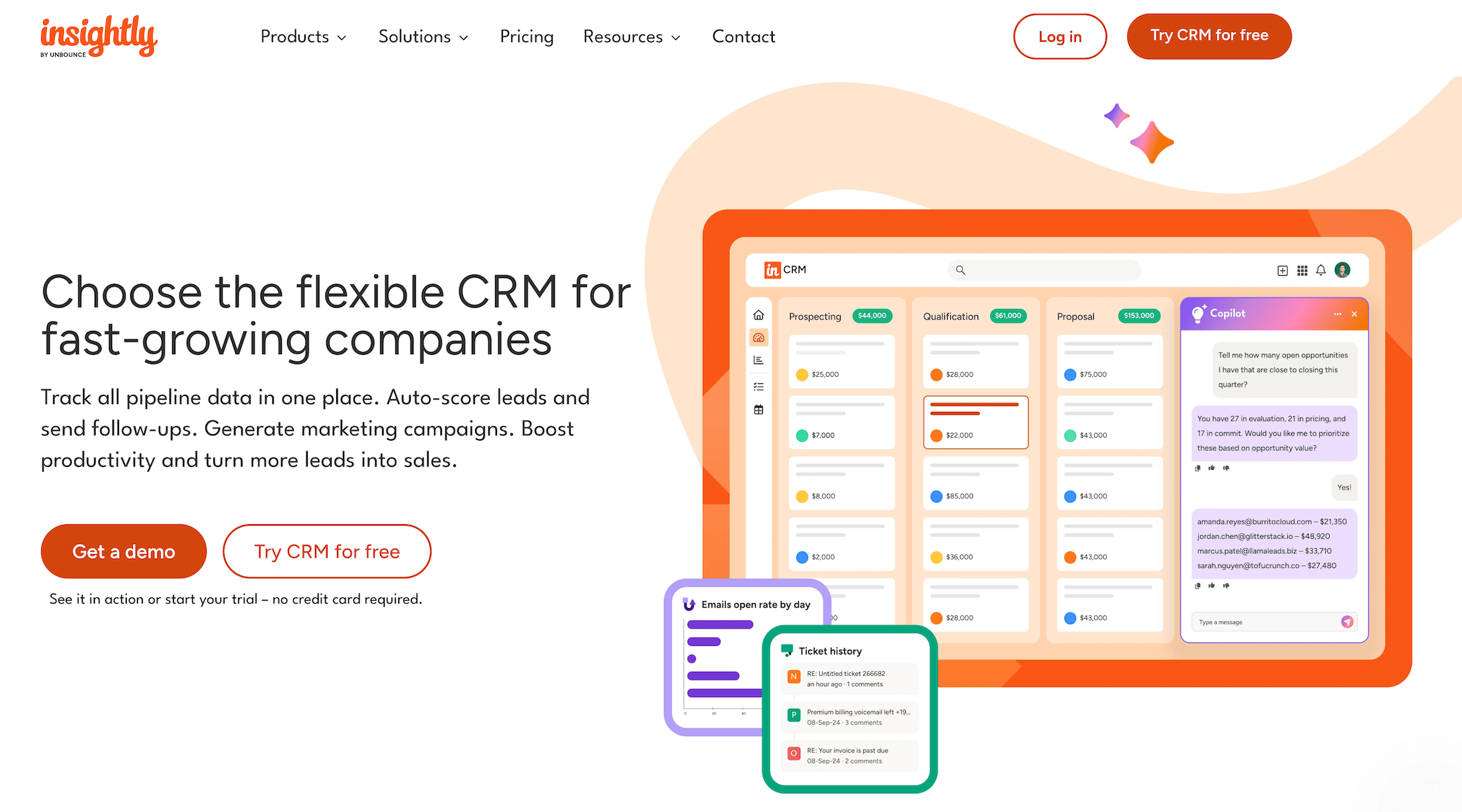
Insightly offers a suite of software products for managing all aspects of the client lifecycle, including CRM, marketing automation, and support & ticketing solutions. It also offers a dedicated workflow automation builder — AppConnect — to connect Integrately to all the apps you use to run your business.
Insightly’s CRM stands out for its high level of customization. You can tailor it to your agency’s unique workflows and personalize the look and feel with custom:
-
Fields: While Insightly comes with standard fields, such as name, phone number, and email address, you can create additional fields for storing data — for example, billing ID numbers or contract renewal dates. These fields can also be organized under custom field groups.
-
Objects: These allow you to store, organize, and track data that doesn’t fit with Insightly’s standard fields (e.g., Opportunities or Deals). For example, you could create custom objects called “Freelancers” and “Production Vendors” that store all current, former, or pending contractors/organizations. You can also add custom fields to these objectives.
-
Page Layouts: You can personalize user views by role so each team member only sees the data and features most relevant to their role. These custom layouts ensure data privacy and help teams stay focused by avoiding clutter.
-
Dashboards: While Insightly does offer several out-of-the-box reports, you can also create custom dashboards to track specific metrics and specify the data visualization method(s).
Insightly also offers handy tools to help you out when engaging opportunities. Your team can create a complete catalogue of offerings (services or products) and add relevant details to each one (descriptions, custom specs, etc.) so all sales reps can easily reference this information.
Then, your team can align each offering with specific opportunities using Insightly’s Price Books. You can also create and price quotes directly from opportunity cards, simplifying workflows and helping negotiations proceed smoothly.
Overall, Insightly is widely praised for its extensive customization options and its integrated CRM and project management suite.
However, many users are critical of the way its packages are structured and priced. Advanced reporting features are locked behind higher-tier plans, requiring buyers to pay more to access enterprise-level functionality. As a result, some users feel that competing enterprise solutions with more affordable entry-level plans offer better overall value.
Read more Insightly reviews here.
Platform Features
- Sales pipeline
- Lead management and tracking
- Lead nurturing
- Validation rules for CRM entries
- Create records of offerings
- Configure and price quotes directly from opportunity records
- Convert opportunities to projects after close
- Customizable dashboards
- Custom fields and page layouts
- Project management
- Task management
- Pipelines to organize project tasks and track status
- Activity sets for generating repetitive tasks and events in one step
- Customizable project dashboards for tracking KPIs and deliverables
Pricing
Insightly CRM offers three standard packages:
-
Plus ($29/user/month, billed annually): Includes basic lead, contact, and project management tools.
-
Professional ($49/user/month, billed annually): Unlocks more advanced CRM features, including lead assignment and routing and outbound email scheduling. It also offers higher limits for records, file storage, custom fields, and mass emails.
-
Enterprise ($99/user/month, billed annually): The top-tier plan unlocks advanced tools, including products, pricebooks, and quotes.
Plus and Professional plans come with a free 14-day trial.
NetHunt
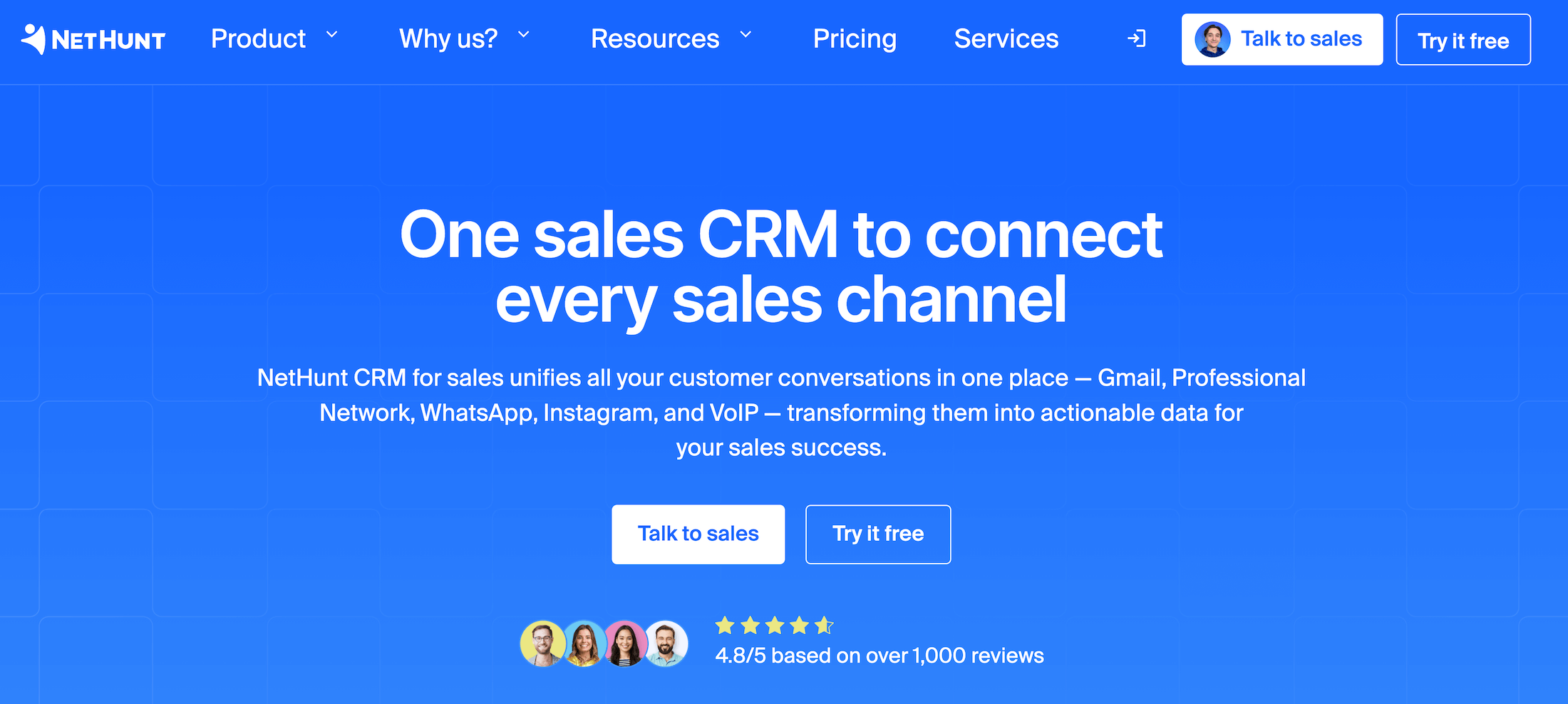
NetHunt is the only CRM on our list that doesn’t function as a standalone platform. Instead, it connects to Google Workspace and lives inside apps like Gmail. This makes it easy to adopt and set up if your team uses Google Workspace — all your data is already there, and everyone gets to work in a system they’re already familiar with.
Once NetHunt’s up and running in your Google Workspace, you can also integrate it with all the other systems that you use for conversations with prospects — including WhatsApp, LinkedIn, Instagram, and VoIP. This allows you to track all communications directly in the CRM, while data from these engagements flows into NetHunt’s reporting suite.
NetHunt’s full suite includes lead management, pipeline management, email automation, and sales reporting tools. You can customize pipelines, create multichannel drip campaigns, and send bulk emails.
The platform also includes a dedicated automation builder to eliminate manual work. For example, you can automatically capture leads from different sources — web forms and webhooks — add them to the pipeline, and assign them to managers.
NetHunt is worth considering if you’re looking for a CRM that works natively in Google Workspace and is easy to get started with. Also, NetHunt doesn’t impose any limits — e.g., for contacts, deals, pipelines, or email sends — across its plans, which makes it particularly appealing to growing agencies.
However, NetHunt shares a similar drawback to Salesmate: it struggles with scalability. Several users mention glitches and workflows breaking down as the number of records increases and their workflows become more complex. For example, one user notes: “If you send emails with the same subject to multiple clients, all those emails are assigned to every client who received that message, regardless of the actual recipient. This makes it hard to track conversations accurately.”
Find more NetHunt reviews here.
Platform Features
- Lead capture and data enrichment
- Contact management
- Sales pipeline management
- Team management
- Omnichannel communication
- Sales automation (with multi-channel sequences)
- Sales reporting
Pricing
NetHunt CRM offers four main packages:
-
Basic ($30/user/month): Essential CRM tools for small teams — leads & deals management, multiple pipelines, tasks, Google Workspace integration, and 1 messenger account.
-
Basic Plus ($42/user/month): Includes mass email campaigns & analytics, personalized emails, extra folders & views, 2 custom roles, personal messengers, and WhatsApp integration.
-
Business ($60/user/month): Unlocks multichannel sales automation, contact enrichment, multi-channel sequences, VoIP integrations, professional network integration, sales & team activity reports, and API access.
-
Business Plus ($84/user/month): Everything in Business plus extra automation workflows & actions, extra email campaigns, extra custom roles, removal of NetHunt branding on web forms, hourly Google Contacts sync, a dedicated account manager, and business consulting.
All four plans include a free 14-day trial. They also offer custom packages for larger teams with a customizable feature set.
Zoho CRM
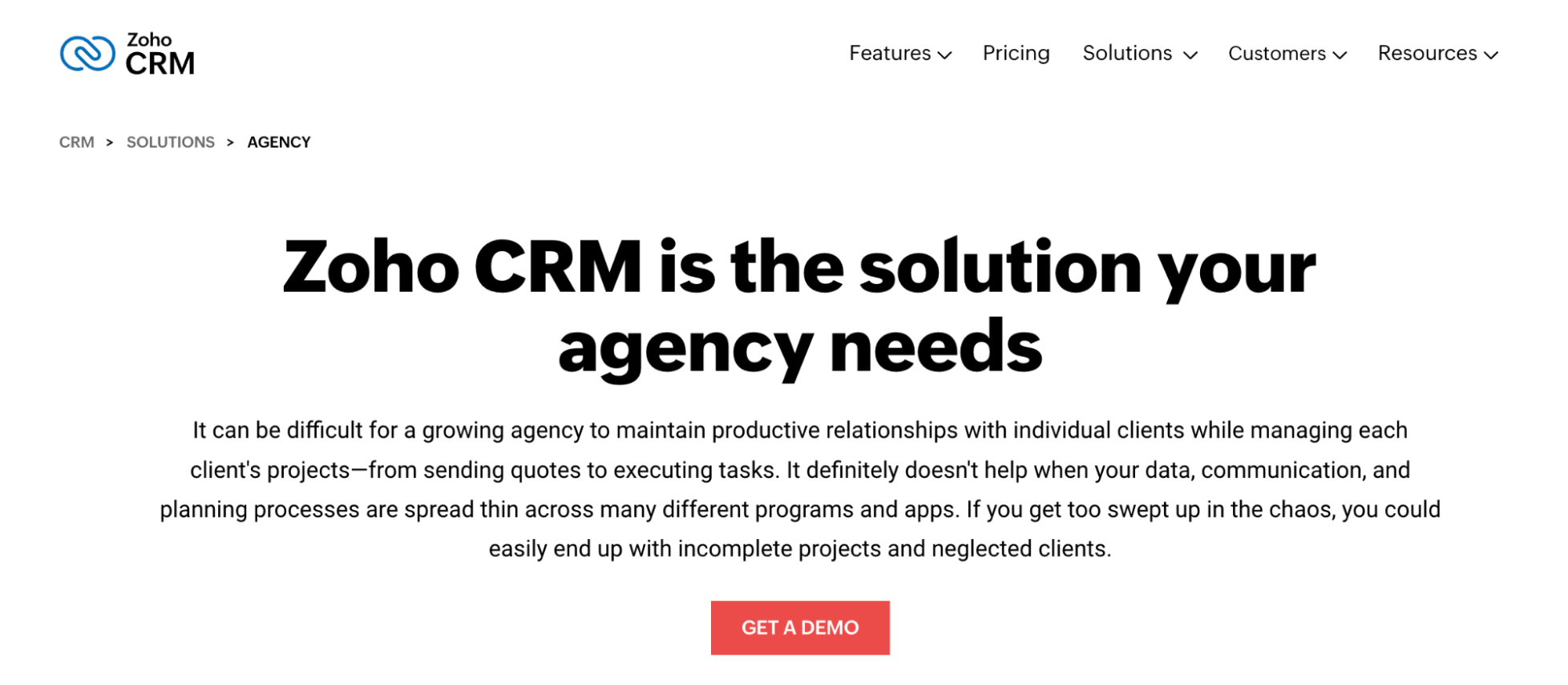
Zoho offers a comprehensive CRM solution that balances powerful features with affordability, making it particularly attractive for small to mid-sized agencies. As part of Zoho's broader suite of business applications, its CRM integrates seamlessly with other Zoho applications for marketing, finance, and agency operations. This makes it popular for agencies already using Zoho’s other systems.
Zoho CRM enables agencies to connect with prospects and customers in real-time, across multiple channels, including email, phone, live chat, and social media. Its SalesSignals feature alerts you when prospects are engaging with your content, allowing your sales teams to reach out promptly. Zoho’s multi-channel approach helps agencies maintain consistent client communication throughout the sales process, improving the chances of winning deals and new business.
The platform's marketing capabilities are also notably strong for the (affordable) price point. Zoho CRM offers extensive email marketing tools, including hundreds of responsive templates and personalization options, social media management across all major platforms, and custom surveys that help agencies better understand their audiences.
Agencies that want to improve reporting and data-driven decision-making appreciate Zoho's analytics dashboards. The system provides real-time reporting on sales performance, marketing campaigns, and team metrics. It uses RFM (Recency, Frequency, Monetary) modeling to segment customers, enabling more targeted marketing initiatives.
Zoho CRM's core features include:
- Contact and lead management
- Visual sales pipeline tracking
- Email marketing campaigns
- Social media management
- Custom reporting and dashboards
- Marketing automation tools
- Customer segmentation
- Mobile CRM app
- Web form integration
- Sales forecasting
- Workflow automation
- Multi-channel communication
As mentioned above, Zoho is popular among smaller, mid-sized, and growing agencies, thanks to its pricing structure. Zoho offers a free plan (supporting up to three users) with basic tools for managing contacts, leads, and sales processes, making it accessible to even the smallest of agencies.
Find more Zoho CRM reviews here.
Platform Features
- Complete contact and deal management
- Visual sales pipeline and opportunity tracking
- Email marketing with templates and automation
- Social media engagement and monitoring
- Customizable reports and dashboards
- Web forms for lead capture
- Task management and reminders
- Mobile CRM app for on-the-go access
- Canvas UI customization
- Blueprint process management
- Inventory management integration
- API access for custom integrations
Pricing
Zoho offers a free plan and four paid packages to support agencies at various stages.
As mentioned, the Free plan supports up to 3 users and includes essential tools like leads, documents, and mobile apps. Paid packages are as follows:
-
The Standard plan ($20/user/month): This includes leads, accounts, deals, basic automation, mass emailing, custom reports, sales forecasting, and email marketing.
-
The Professional plan ($35/user/month): Grants access to more advanced tools, such as SalesSignals, client scripts, email intelligence tools, inventory tools, Google Ads integrations, and more.
-
The Enterprise plan ($50/user/month): Includes everything in Professional plus Zia (Zoho’s AI assistant), territory management, journey orchestration, Sandbox, multi-user portals, and advanced analytics.
-
The Ultimate plan ($65/user/month): Unlocks extended AI capabilities, advanced customization, augmented analytics, data storytelling, and more.
Salesforce
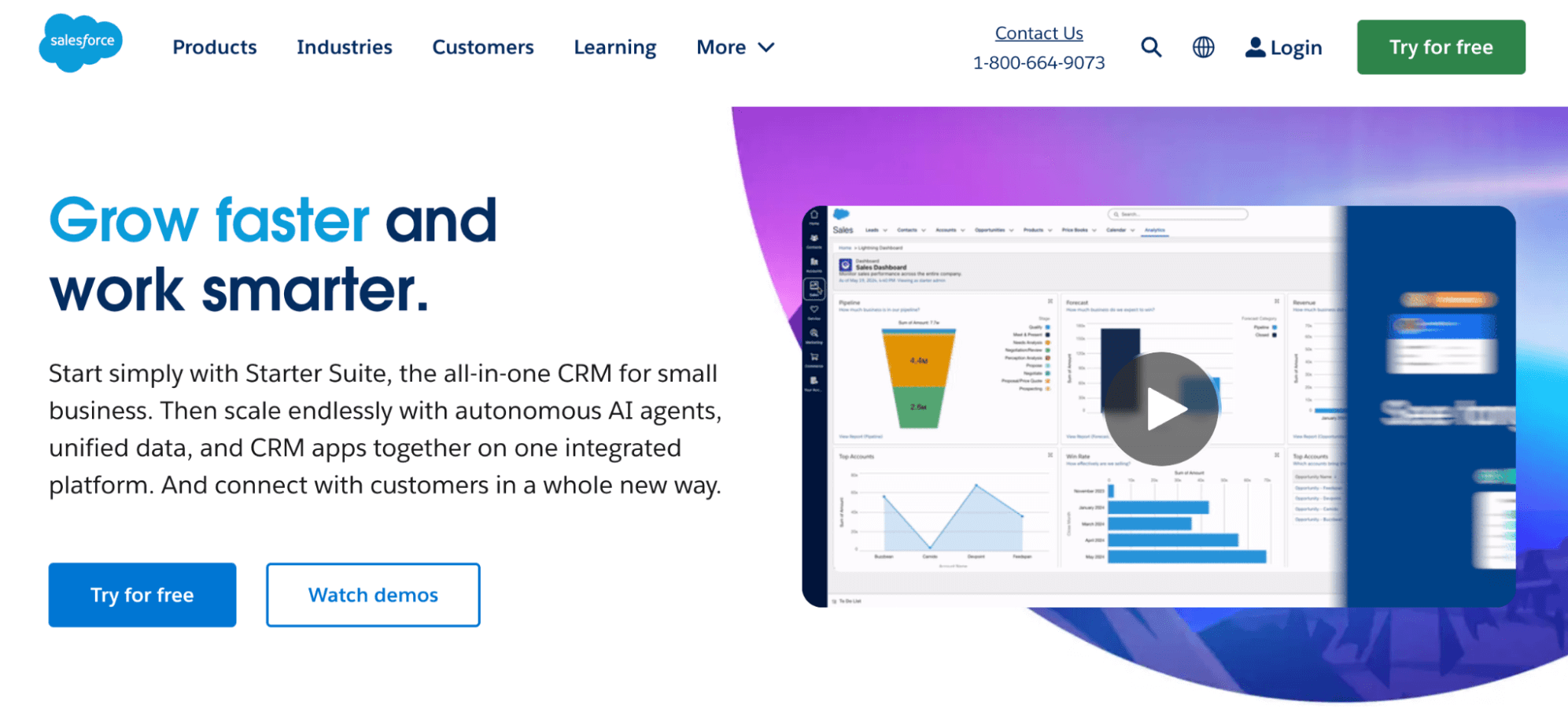
Salesforce is an industry giant that offers an enterprise-level platform with extensive customization capabilities. Though traditionally known for its Sales Cloud and CRM, Salesforce has expanded to provide comprehensive marketing tools through its Marketing Cloud.
Salesforce's Marketing Cloud includes email automation tools, automated workflows, social media marketing, digital advertising, mobile messaging, journey building, and data management. Its comprehensive approach enables agencies to create sophisticated cross-channel campaigns with consistent messaging and coordinated timing.
Salesforce’s advanced Sales Cloud, CRM, and Marketing Cloud combo makes it particularly appealing for larger agencies looking to dive deep into email marketing strategies and invest in powerful customer journey management.
However, what really sets Salesforce apart is its advanced customization capabilities. You can modify almost every aspect of the platform to fit your specific business needs — allowing agencies to create highly tailored solutions for different client industries and requirements.
Salesforce's core features include:
- Advanced contact and lead management
- Customizable sales processes and pipelines
- Sophisticated email marketing automation
- Customer journey building and mapping
- Campaign management and tracking
- Social media marketing tools
- Marketing analytics and ROI tracking
- Mobile messaging and SMS marketing
- AI-powered insights with Einstein
- Extensive third-party integrations via AppExchange
Find more Salesforce reviews here.
Platform Features
- Complete contact and lead management
- Sales opportunity tracking and forecasting
- Email marketing and campaign automation
- Einstein AI for predictive analytics
- Customizable dashboards and reporting
- Mobile app with offline capabilities
- Social media marketing and listening
- Digital advertising management
- Developer tools for custom applications
- Advanced security and permission controls
Pricing
Salesforce provides pricing by product, with tiered packages for its Sales Cloud, Marketing Cloud, and CRM. You can also combine these solutions with Salesforce’s many other business applications.
You can browse all solutions and packages here.
Benefits of CRM Software for Marketing Agencies
Manage Prospect & Client Communication
As your agency grows, keeping track of client communications becomes challenging. A good CRM centralizes all interactions — whether they're text messages, emails, or meeting notes.
This means everyone on your team can access complete client histories, provide consistent service, and deliver the personalized attention that turns clients into repeat customers and referral sources.
Improved Customer Insights
Good marketing is about connecting with your target audience on a personal level. To do this, you’ll need to immerse yourself in detailed customer data: What do they like? What do they engage with? What’s their humor? How do they talk?
CRM in digital marketing consolidates analytics data from multiple touchpoints, including forms, surveys, engagements, and customer service interactions. This way, you can have a good grasp of your community’s questions, pain points, and sentiments, with just a few clicks.
Drawing insights from analytics allows you to craft messages that actually resonate with your audience.
Clear Opportunities Management
Sales pipelines need structure to be effective. CRM software organizes your opportunities by stage, helping you prioritize follow-ups and track which opportunities need attention.
When everyone works in the same system, handoffs between sales and project teams become seamless. The project manager instantly accesses all the necessary context without lengthy play-by-plays or missing details.
Task & Project Management
Client relationships follow predictable patterns: discovery calls lead to proposals, negotiations, and project handoffs. What's not so predictable is managing these steps across dozens of prospects simultaneously.
CRMs bring order to this chaos by tracking tasks, deadlines, and responsibilities across your entire pipeline — ensuring nothing falls through the cracks, even as your agency juggles multiple opportunities.
Team Collaboration
When client information is scattered across emails and messaging apps, your team wastes valuable time just trying to get on the same page.
CRMs centralize all client details, so all agency teams can get up to speed without hunting for information or rehashing old discussions. This makes meetings, brainstorming, and decision-making more productive and effective.
Quick Reporting
Making smart business decisions requires real-time visibility into your agency's performance and profitability. CRMs provide instant snapshots of key metrics, from pipeline value to conversion rates and team workloads. These insights help you spot trends, address bottlenecks, and confidently plan your agency's next moves.
Frequently Asked Questions: Agency CRM Software
We’ve answered all the most common questions about agency CRM software below.
What is an agency CRM?
Unlike standard CRMs that focus mainly on sales pipelines, an agency CRM supports the entire client management lifecycle. This includes client intake and onboarding, project and task management, and financial tasks such as invoicing and reporting. Centralizing these workflows helps agencies streamline operations, improve collaboration, and deliver a more consistent customer experience.
What are the key CRM features useful for agencies?
At a minimum, any CRM tool should include:
-
Contact management tools to store details on all new leads, existing clients, and other contacts — including names, companies, emails, phone numbers, and more.
-
Sales pipeline management tools to track conversations, qualify leads, and convert them into opportunities. Then, sales leaders should be able to assign these opportunities to other team members and visually track the pipeline and deal stages.
-
Client intake tools to convert won opportunities seamlessly into projects and ensure project teams have all the information they need to kick things off.
-
Sales reports to analyze earned vs. lost opportunities, identify top performing reps, predict the projected revenue of opportunities in your pipeline, and more.
If you have more sophisticated marketing and sales needs, then you might also want to look for the following features:
-
Market segmentation to split audiences into different groups for personalized marketing.
-
Lead scoring to rank leads across pre-defined criteria that quantifies how likely they are to convert.
-
Data enrichment to enhance contact/customer records with insights from different sources.
-
Multichannel campaign management to track and manage marketing campaigns across different channels, such as social media, email, SMS, etc.
How can CRM software improve client relationships for agencies?
Traditional CRM software improves client relationships by centralizing all client interactions and history in one place, ensuring every team member has complete context for personalized service. Teams can track communication preferences, engagement patterns, and past conversations to deliver more relevant, timely follow-ups that demonstrate a genuine understanding of client needs.
Agency CRMs offer additional benefits to strengthen client relationships:
-
Teams can generate accurate estimates using historical and current data, thereby setting realistic expectations with clients.
-
Clients stay engaged throughout the project’s lifecycle — they can leave feedback to shape final deliverables and monitor timelines.
-
Clients can easily access and review proposals, contracts, and final deliverables from dedicated portals.
How to choose the best agency CRM
As noted above, the best agency CRM should connect sales opportunities directly to project execution within a single system. This means the system should include tools to:
- Capture leads from different sources and power qualification
- Convert leads to opportunities and develop them
- Visualize your entire sales pipeline and track deal stages
- Assign opportunities to reps
- Convert earned opportunities to projects
- Manage the entire project lifecycle
- Report on sales and financial performance
Beyond the platform’s features, it’s also important to evaluate its:
-
Ease of use. Consider who will regularly use the system and how easily they can learn the ropes. Also, check if the software provider offers training (like Workamajig). Brands that provide onboarding and training help mitigate initial learning curves and ensure all team members can adjust to the platform without hiccups.
-
Customer support. Even the most reliable software experiences occasional issues, and you'll inevitably have questions during implementation and use. Ensuring your chosen CRM provider offers responsive assistance can prevent costly downtime and frustration.
Check the troubleshooting materials they offer, their knowledge base, and customer support channels, and read customer reviews of post-purchase support experiences.
Getting Started with Workamajig
Whether you're interested in an all-in-one agency management system or a dedicated, marketing-focused CRM, Workamajig has you covered. Our flexible, native CRM seamlessly connects your sales pipeline to project delivery — while integrating with specialized platforms like HubSpot, Zoho, and Salesforce to support advanced marketing efforts.
Request a free demo with our team to see how Workamajig can transform your agency's operations and drive sustainable growth.
Related reads: