

Marketing operations software typically falls into three broad categories:
-
Systems used to manage day-to-day work — including people, processes, and finances.
-
Software used to deploy and run campaigns — also known as marketing campaign management and automation solutions.
-
Tools for monitoring and reporting on campaign and channel performance — i.e., business intelligence and marketing analytics systems.
Platforms that fall under the first category should allow you to manage:
-
Projects and campaigns: Plan the details, send estimates, monitor progress, track project hours, and stay the course.
-
Resources: Schedule staff, track utilization, hire freelancers, and prepare your agency for upcoming work.
-
Finances: Create project or campaign budgets, monitor expenses as projects progress, report on profitability, and manage (client and vendor) invoices.
-
Clients: Work new leads into opportunities and manage existing relationships to retain a loyal client base.
-
Communication: Easily manage internal and external communications, including file reviews.
-
Collaboration with all stakeholders: Ensure managers, project teams, clients, and vendors can work together seamlessly in real time.
A system that offers all of this under one roof handles the bulk of your marketing operations needs, since you can manage people, internal processes, and finances in one place. It also complements the second category of tools by ensuring all the relevant marketing collateral is developed, ready, and approved when it’s time to take campaigns live.
The right marketing campaign management and automation platform should support:
-
Running campaigns across your preferred channels — such as email, SMS, and social media. They’ll usually offer tools like landing page builders, email & SMS automation, and a unified social inbox.
-
Marketing and workflow automation — ranging from simple email automation flows to advanced customer journey orchestration, dynamic content, and dynamic advertising.
-
Lead management — including tools to score leads, nurture them, and push qualified ones to the CRM.
-
Segmentation and personalization — including demographic, event-based, and behavior-based segmentation, plus tools to target audiences with personalized content.
-
Campaign performance tracking — including channel performance tracking, conversion tracking, and tools to demonstrate ROI.
The right business intelligence and campaign reporting tools should offer:
-
Data capture from all marketing channels and sources — ensure it supports integrations with your systems, either natively, via API, or via third-party tools.
-
Real-time monitoring and anomaly detection — to track campaign financials, performance, and key metrics (e.g., traffic, CPC). The system should alert you to any unexpected changes so you can intervene early.
-
Data management tools — to automate the manual work involved in maintaining business data, such as validation rules, data enrichment, deduplication, etc.
-
Out-of-the-box and custom dashboards — for organizing, displaying, and visualizing data in different ways.
We’ve divided this guide into three parts and cover each category of tools to help you match the right system to your needs, including:
-
Marketing operations management software that you can use to manage people, processes, and finances, including Workamajig, Clients & Profits, Advantage, RoboHead, Teamwork, Productive, Bonsai, Monday, Airtable, and Uptempo.
-
Marketing campaign management & automation software, including HubSpot, Brevo, Marketo, Salesforce, and Sprout Social.
-
Business intelligence and reporting tools, including Syncari, Integrate, and AgencyAnalytics.
Our list kicks off with our marketing operations solution, Workamajig, which supports creative workflow best practices, improves organization, and empowers teams to operate more strategically and boost profitability.
To see Workamajig in action after reading, request a personalized demo with our team.
Marketing Operations Software for Managing Daily Workflows
1. Workamajig
Operations Management for Marketing Teams & Creative Agencies
Workamajig is a comprehensive operations management hub that lets you manage all areas of daily operations under one roof — combining project intake, project planning and monitoring, staff scheduling, time tracking, team and client collaboration tools, accounting, and financial reporting.
We work with creative teams and agencies of all sizes — from small shops to large enterprises — and can tailor our platform’s features to support your processes. We provide personal onboarding to walk you through each module, show you the ins and outs of Workamajig, and simplify adoption.
Despite our platform’s extensive feature set, most marketing departments can be fully up and running in ~90 days, thanks to a dedicated account manager who helps you every step of the way.
After switching to Workamajig, teams report:
-
More organized project and campaign management — managers can quickly check project status, see which marketing projects require attention, and avoid delays or unexpected costs. They can also connect multiple projects to centralize billing, collaboration, and reporting.
-
Improved resource allocation — it’s easier to assign the right people to tasks, plan work into the future, and keep workloads balanced.
-
Enhanced productivity — project teams, freelancers, and clients can collaborate throughout the project workflow and view the full history and details.
-
Better controls and strategic planning — all project components are managed in the same system so teams can oversee tasks, people, and budgets, ensuring nothing slips through the cracks.
-
Increased profitability — because teams can more strategically plan marketing projects, allocate resources, manage budgets, collaborate, and keep projects on course, they can ensure project ROI and improve overall profitability.
In the following sections, we’ll review our platform’s core features and how they work. But if you’d like a more in-depth walkthrough, we offer all new clients a personalized demo so they can see how our software can support their workflows and team members. (Request your demo here.)
Workamajig CRM Suite
Workamajig includes a native, full-featured CRM that your sales team can use to manage leads all the way through to close.
Our system also offers several tools to improve marketing-sales coordination and streamline data management and reporting for MOps teams. As you capture and qualify MQLs from different sources, Workamajig makes it easy to push them into the CRM, with tools to:
-
Capture website inquiries as leads — all you need to do is connect Workamajig to your website’s contact form.
-
Pull leads in from other systems (such as HubSpot, Salesforce, or PipeDrive) — via APIs or Zapier.
-
Import from .csv files — for example, you can upload attendee lists or leads engaged from your email marketing solution.
Then, you can tag MQLs in Workamajig’s CRM by their source to track how different channels and campaigns contribute to the pipeline.
![Workamajig: Sales Dashboard and Opportunities [GIF]](https://www.workamajig.com/hs-fs/hubfs/Workamajig%20Sales%20Dashboard%20and%20Opportunities%20%5BGIF%5D.gif?width=1920&height=1050&name=Workamajig%20Sales%20Dashboard%20and%20Opportunities%20%5BGIF%5D.gif)
Our system also includes handy tools that are popular among agencies for streamlining coordination between their internal teams, including:
-
Intuitive, Kanban-style dashboards for visualizing the sales pipeline and the progress of each deal. While sales teams primarily use these dashboards, project teams can also view forecasted close dates for upcoming deals, along with details such as specs, shared files, and conversations, to plan ahead.
-
An automated estimating tool. Sales reps can either build estimates independently and share them with prospects or loop in a project manager for help.
-
A feature to convert won opportunities into projects or campaigns. This option automatically transfers all the saved details (conversations, specs, shared files, etc.) from the opportunity and streamlines the client intake process. This way, project teams can hit the ground running without chasing reps or AEs for every detail.
You can read about Workamajig’s full suite of CRM capabilities and sales reports here.
Project Management Suite
The project management suite includes:
- Project intake
- Project planning
- Project monitoring — including time and budget tracking
Project Intake
Workamajig includes project intake tools to support both in-house teams and agencies.
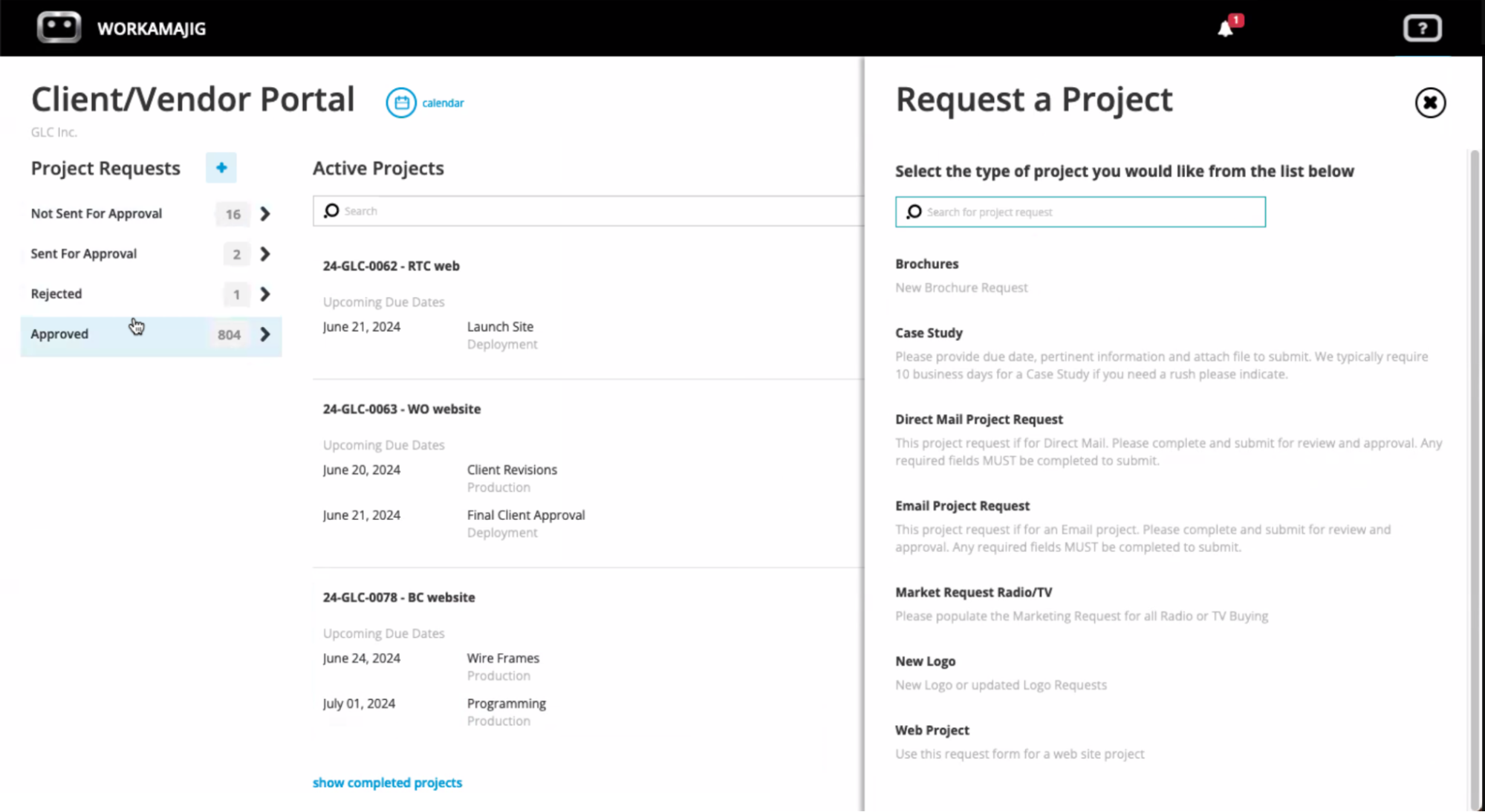
As discussed above, you can convert earned opportunities to new projects, but you can also streamline intake with our project request forms.
In-house teams use these forms to gather requests from other departments, and agencies often use them to manage long-term clients. They streamline the intake process by ensuring that all relevant information is captured and routed to project managers, who can review and decide whether to approve the project.
Our system also includes project templates to kick off projects. You can build templates with all project details to automate future project planning: create tasks, subtasks, and dependencies; specify time allotments per task; assign required resources; and set timelines.
Templates standardize the project planning process, so managers need only find the appropriate template and finalize the details before pushing projects to the schedule.
Project Planning
Since Workamajig’s project intake tools ensure all the relevant information is passed on to project teams, you can kick off new projects quickly instead of building plans from scratch. You just need to double-check the details, make any necessary tweaks, finalize everything, and then start assigning resources.
Our PM software offers four tools:
-
Task management: Use these to edit and finalize project details, including milestones, subtasks, dependencies, resources, and time allocations.
-
Resource planning: Match tasks to the right skill sets and ensure you’re making the best use of everyone’s time.
-
Vendor management: Source the right production vendors, contractors, and freelancers when a project requires outside help. Our system also integrates with various media planning tools, like Strata/FreeWheel, Mediaocean, Bionic, and GaleForce Media, so you can plan media buys, include those details in project plans, and ensure those costs are accounted for.
-
Automated estimating tool. This is the same tool that sales reps can use to build estimates. It pulls in relevant historical and current data — labor costs, vendor quotes, service costs, contingencies, overhead, and other costs (say you’re running CPC campaigns for clients) — to help you plan project budgets accordingly.
When planning project resources, you can add users to task cards or use the staff scheduling dashboard to manage workloads.
![Workamajig Schedule Dashboard: Start at the project schedule, Allocate hours & set start dates for individual tasks & revisions [GIF]](https://www.workamajig.com/hs-fs/hubfs/Workamajig%20Schedule%20Dashboard%20%5BGIF%5D.gif?width=1725&height=852&name=Workamajig%20Schedule%20Dashboard%20%5BGIF%5D.gif)
Our staff scheduling dashboard shows you a list of teammates with:
- Their total bandwidth
- The number of hours they’re currently scheduled (with a breakdown by day)
- The number of hours remaining
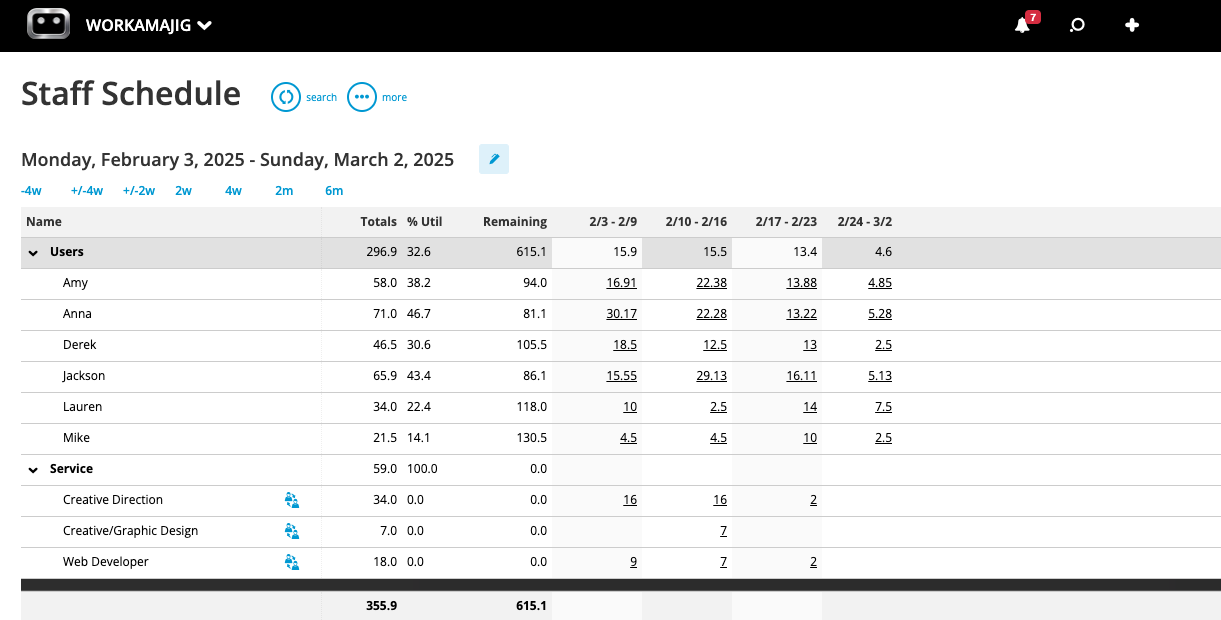
This lets you quickly visualize workloads to see whether you’re assigning too much to one person vs. another; it also helps you plan future work to keep team members’ schedules consistent.
The bottom of this dashboard also includes a list of unassigned tasks (by service or category) so you can catch anything you’ve missed and ensure all project activities are covered.
If a project requires a skill set that your team lacks in-house, or if they just need an extra set of hands, you can also use Workamajig’s vendor management and vendor portals to source freelancers and manage those relationships.
Our vendor management tool allows you to request quotes, review bids, and assign work. Then, you can create dedicated portals for each vendor. Teams can communicate with vendors through these portals and save all conversations.
After completing work, vendors can send invoices, which billing teams can then reconcile with work orders and issue payments. We’ll talk more about the accounting suite and vendor invoice management later.
Project Monitoring
Once projects are in progress, you can monitor their status in the central projects dashboard.
Our system supports Waterfall and Agile workflows to accommodate lengthier feedback processes and manage projects through completion. Workamajig’s workflow automation tags team members when tasks are ready to start or require feedback to keep projects moving.
Users like our project monitoring dashboard because it allows them to color-code projects and phases and easily see their progress.
![Workamajig dashboard: Projects and Project Status [GIF]](https://www.workamajig.com/hs-fs/hubfs/Workamajig%20-%20Projects%20and%20Project%20Status%20%5BGIF%5D.gif?width=1714&height=853&name=Workamajig%20-%20Projects%20and%20Project%20Status%20%5BGIF%5D.gif)
Our system also sends notifications about projects or campaigns that risk exceeding projected timelines or budgets.
In the GIF above, several columns are highlighted in yellow. These indicate that projects are moving more slowly or that costs are higher than anticipated — giving you time to hop in, diagnose issues, and correct course.
For example, if a project’s budget heads into yellow territory, you can investigate and intervene early. Is the budget at risk of overrun because tasks are taking significantly longer than expected? Is it because a vendor invoice was much higher than their original quote?
Depending on what you find, you can take appropriate actions to correct course, such as shifting schedules (e.g., assigning work to a lower-cost resource) or reducing the budgeted hours for a different task.
Projects that have exceeded timelines or budgets are highlighted in red. For example, the SF website project above shows the Project Timeline and % Complete highlighted in red, indicating that this campaign ran over its deadline.
Our system will display a new projected end date so you can communicate it to clients without guesswork.
Campaigns — Manage Project Portfolios
Campaigns is a Workamajig feature that connects multiple projects so you can manage them under a single portfolio. It brings all the projects’ tasks, assignments, schedules, and expenses under one umbrella — offering the following advantages:
-
Centralized task management & goal setting: You can define goals at the campaign level and track all campaign-related assignments in one place.
-
Unified budget tracking: You can build a campaign budget using estimates from each linked project or from the services they’ve committed to deliver.
-
Billing & reporting: Instead of billing each linked project individually, your billing team can generate a single invoice against the campaign’s allocated budget.
Kicking off a new campaign in Workamajig is similar to the project intake process — you can manage intake from the CRM, get started with a campaign template, or build a campaign out from scratch by filling in some standard information (name, objective, client, start and end dates, etc.).
You can link existing projects to the campaign or create new ones under the portfolio (using the project intake and planning methods mentioned before).
After all the projects are linked and the campaign goals live, you can track all the project details — tasks, schedules, conversations, campaign burn, etc. — from the centralized dashboard. From here, you can also define deliverables, hold conversations, and even create a campaign-level file repository.

You can also categorize projects in your portfolio into custom segments to simplify reporting by sorting tasks, schedules, and budgets accordingly. For example, some teams create segments by quarter, while others break them down by service type.
Up next, we’ll show you how to build out campaign estimates, track budgets, and set schedules.
Campaign Budgets & Monitoring
As we mentioned above, you can either (a) set a fixed budget for the entire campaign, or (b) build out a budget using all the estimates from each linked project.
With option (a), you build a campaign budget by service — i.e., using labor costs and the number of hours you expect to deliver per service. This is more popular for agencies than in-house teams and is preferred over option (b) when:
-
Teams lack project-specific details — either their estimates aren’t reliable, or they haven’t yet finalized all the projects for the campaign (some may be built out later to align with client commitments).
-
Teams want to manage reporting differently — this approach lets them track budgets by service rather than by project.
For this option, you’d select the “By Service Only” estimate type when creating a new campaign estimate:
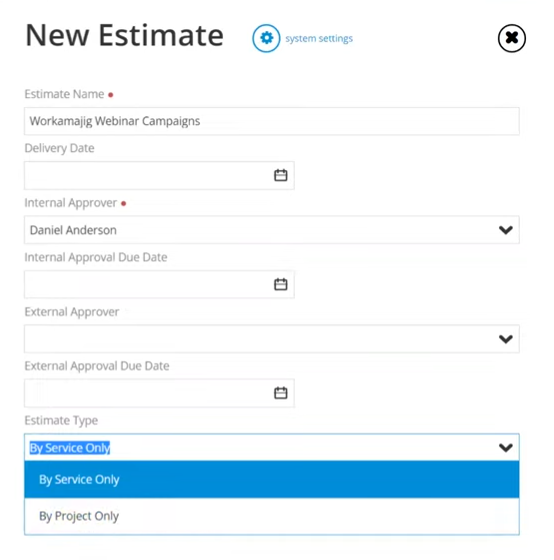
Next, you’ll see an overview of all the services you offer with the hourly rates on the right-hand side. Any campaign segments you’ve created will be displayed under “Labor Breakout.”
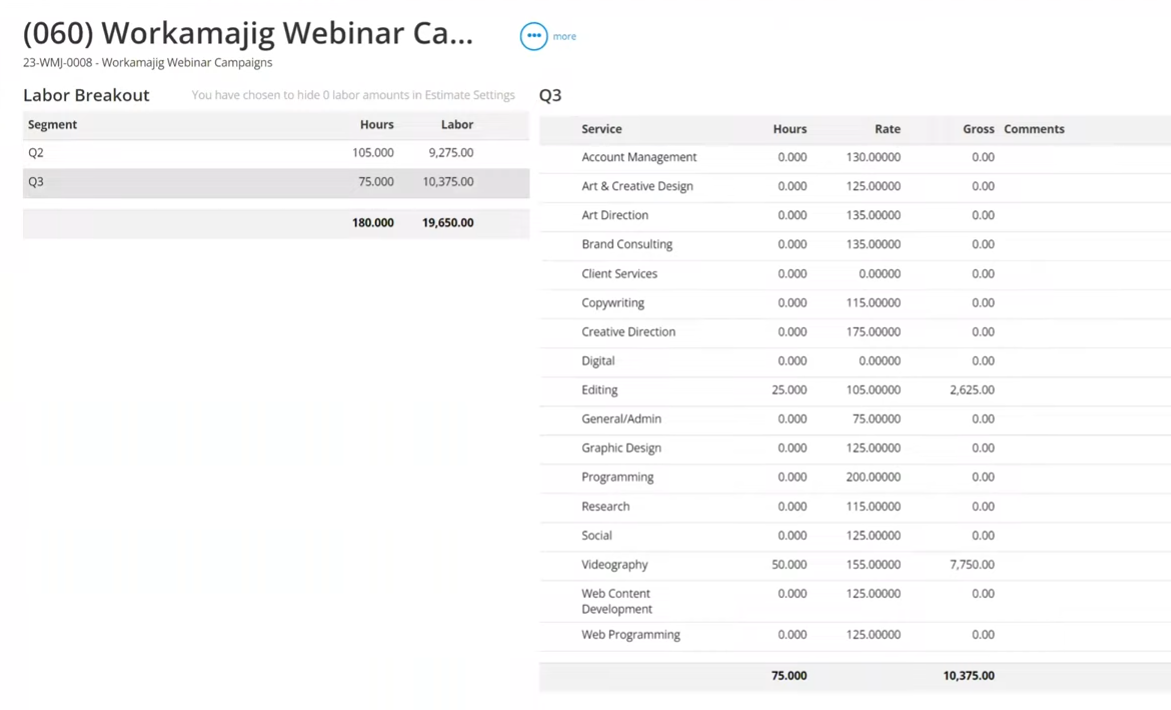
Now, you can specify the hours for each service based on the agreed campaign deliverables and objectives. For example, you might allocate 50 hours for research, 100 hours for design work, 200 hours for copywriting, 100 hours for web programming, and so on.
As you add these hours, Workamajig factors the labor calculations into the campaign-level budgets. The labor breakout view provides additional clarity, showing how the estimate is broken down by segment, such as by quarter.
PMs usually go with option (b) when they have accurate estimates for each project. In this case, all they need to do is select “new estimate” in the campaign dashboard and choose the “by project only” estimate type:
Then, PMs can pull estimates from all the linked projects in the campaign (see below), while Workamajig builds out the central campaign budget.
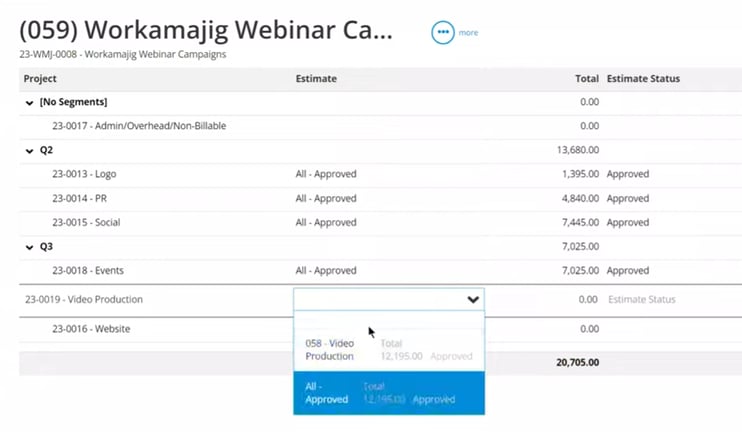
The result is an accurate budget that reflects the real work happening across all projects.
Campaign Schedules
Workamajig’s campaign scheduling dashboard simplifies progress monitoring with a visual Gantt chart view that shows how every linked project connects to the bigger campaign picture.
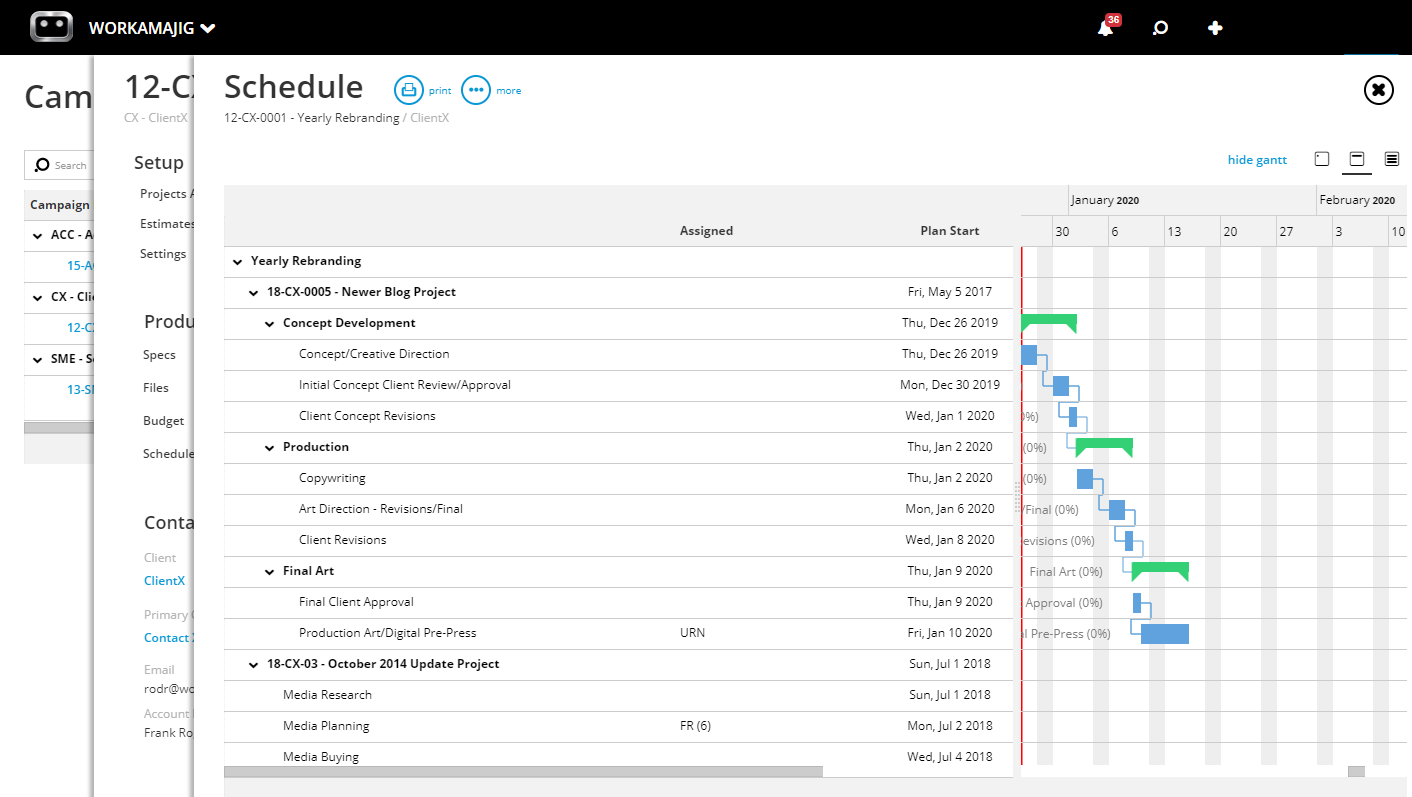
From here, you can:
-
Click a project’s name (or number) to view its details.
-
Edit tasks from any project throughout the campaign, without having to navigate over to individual project schedules.
Read more: Best Campaign Management Software for Agencies & Creatives
Time Tracking
Workamajig includes native time tracking to support real-time updates to our project monitoring dashboard.
![Workamajig - Today - Creatives - Tasks - New Time Entry for Projects [GIF]](https://www.workamajig.com/hs-fs/hubfs/Workamajig%20-%20Today%20-%20Creatives%20-%20Tasks%20-%20New%20Time%20Entry%20for%20Projects%20%5BGIF%5D.gif?width=650&height=690&name=Workamajig%20-%20Today%20-%20Creatives%20-%20Tasks%20-%20New%20Time%20Entry%20for%20Projects%20%5BGIF%5D.gif)
Here’s how it works:
-
Team members record time directly on task cards (either manually or using a timer). They can also connect their work calendars to pull in meeting hours.
-
Managers can view project hours per task from centralized timesheets. They can approve and edit time entries, compare budgeted, allocated, and actual hours, and use this data for future project planning.
-
All employee hours are tied to the project’s rates, so our system updates project budgets as employees complete tasks.
Then, this dashboard can readjust timelines (forward or backward) as tasks are marked complete. It's like a car GPS that can shave or add time to the ETA, depending on whether you take a shortcut or get stuck in traffic.
Learn more: How to Track Creative Project Management Hours
Team & Client Collaboration
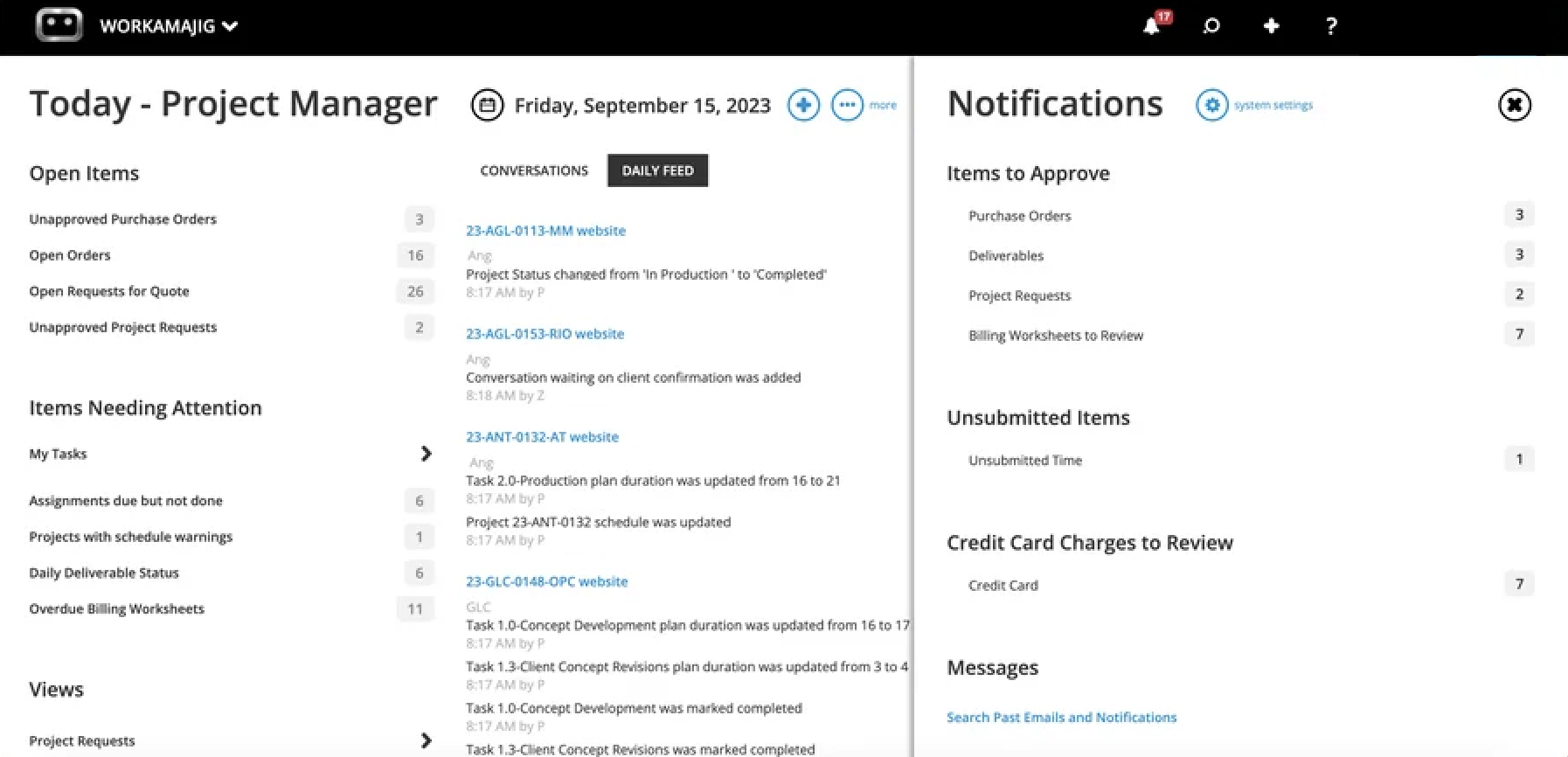
Workamajig shows everyone — project managers and team members alike — exactly what to work on and when with the Today Dashboard.
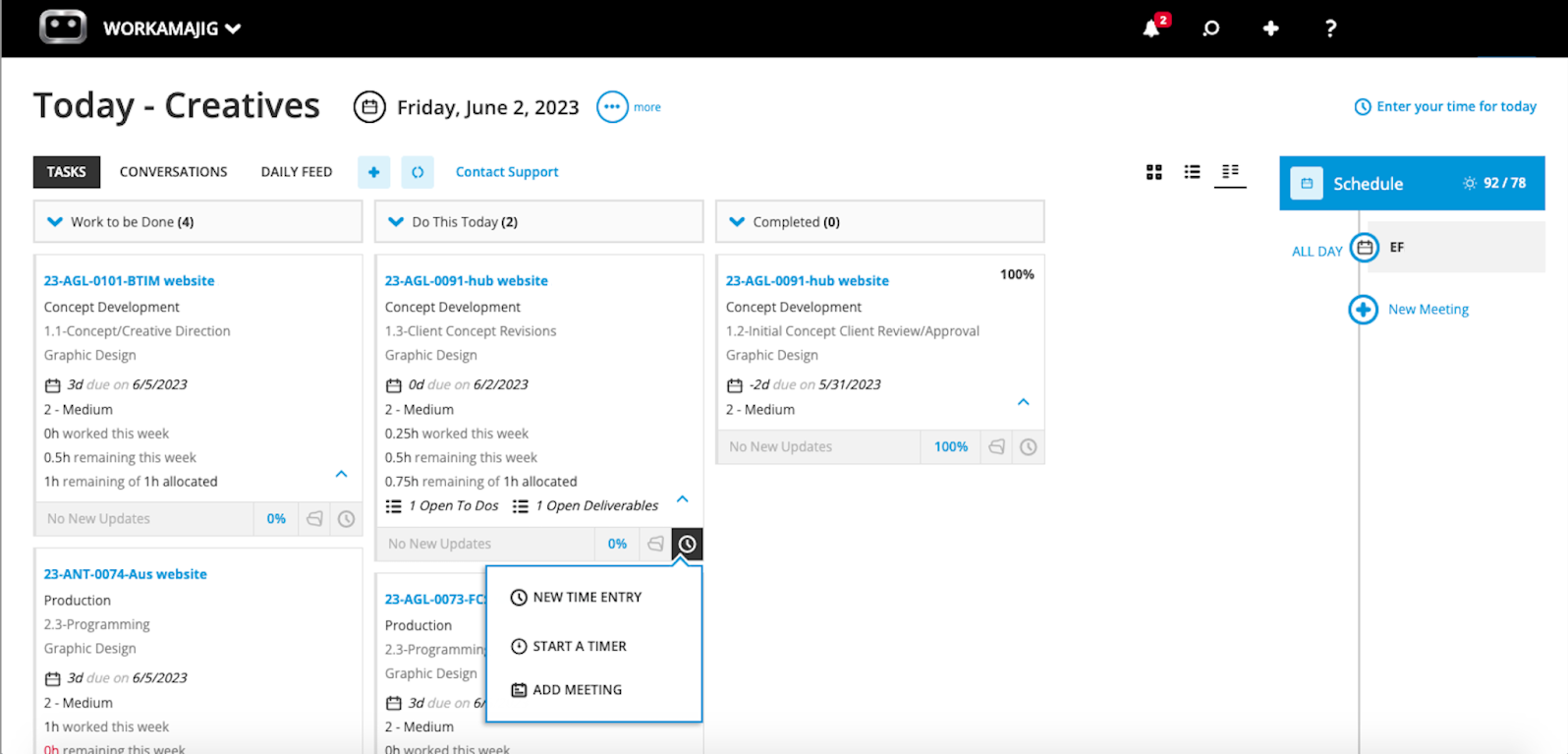
It outlines all tasks, time allocations, and due dates for the day and the week ahead, so team members know their schedules and how to prioritize their work. This is not only convenient for users, but it also helps avoid bottlenecks in creative workflows.
Managers will also see an activity feed to keep up with projects and administrative tasks, including project requests, purchase orders, and invoices.
Next, Workamajig includes collaboration tools at the task card level, so you don’t have to handle feedback conversations or store project content outside the platform. The entire history can be tracked through the task card so that all stakeholders are up to speed.
For starters, managers can provide details in task cards so those contributing to projects know the full scope. Other team members can tag managers in comments if they have questions before or during the workflow.
Then users can upload content as they work for reviews and feedback. Users can also organize marketing collateral and brand assets into different folders to keep task cards clean.
Workamajig includes internal proofing tools that allow others to annotate files and designers to see the requested revisions. Our system tracks each file’s version history as designers edit and upload new versions.
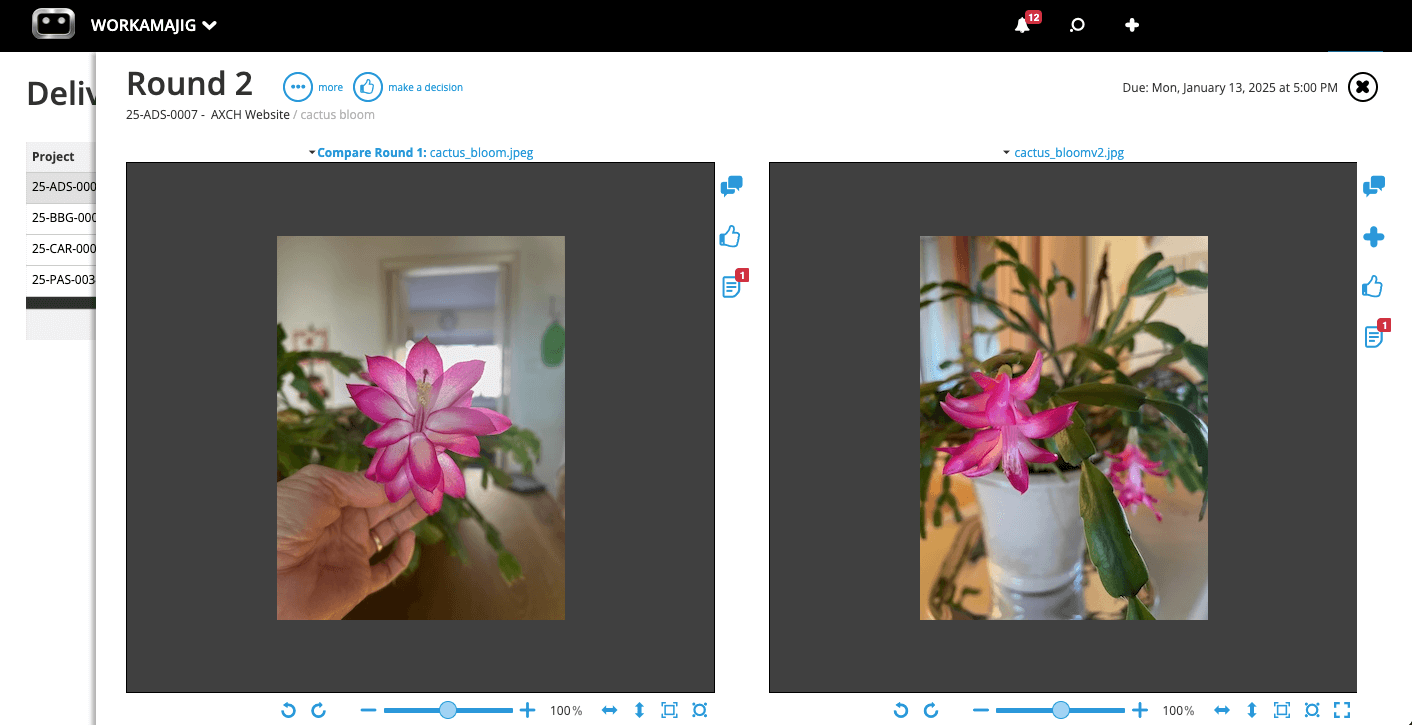
Clients, managers, and anyone involved in the project can join feedback discussions to speed up this process. Then, clients or requesters can access the final deliverables within Workamajig.
Client Portals
Like the vendor portals discussed above, you can create dedicated client portals to manage each relationship separately.
In-house teams may use these to collaborate with different departments within their organizations, while agencies use them to manage clients.
These portals allow users to:
- Request projects
- Track project progress
- Join feedback discussions and collaborate with project teams
- Monitor project budgets and view final invoices
- Send secure online payments for work
You can create unlimited vendor and client portals at no extra cost.
Workamajig Accounting Suite
As a comprehensive operations management tool, Workamajig includes a full accounting software (to replace solutions like Xero, QuickBooks, NetSuite, etc.). This allows teams to track budgets and costs within the project workflow, manage invoices and payments, and report on project and agency profitability.
Workamajig’s complete stack of accounting tools supports:
-
Multiple project billing methods — including fixed-fee, time & materials, retainer, advanced, prebilling, work-in-progress (WIP), and media. Workamajig automatically applies the project’s billing method when generating a billing worksheet.
-
Mass billing — save time by using master billing worksheets to generate batch invoices or create a single invoice for multiple projects.
-
Retainer management — set up simple retainers (i.e., recurring billing) or conveniently manage more complex, hours-based agreements.
-
Global teams — manage multi-currency and multi-entity accounting, with foreign currency exchange rate tracking and transaction processing. Our accounting system is also compliant with GDPR, GAAP, and HMRC.
-
Online payments — collect client payments through our integrations with Payflow Pro/Authorize.net and pay vendors by connecting Workamajig to Edenred Pay (formerly CSI) and AvidXchange (formerly FastPay).
-
Vendor invoice management — as we mentioned when discussing vendor portals, vendors can share invoices through Workamajig so you can reconcile them with work orders or POs and send payment.
-
Project-level expense tracking — our system automatically pulls in all project-related charges (such as labor and vendor costs) as you build project plans and as projects progress. It also integrates with Plaid (to connect credit card accounts and pull in project-related charges), media-buying tools, tax-compliance solutions, and other systems to consolidate all project costs for invoicing and reporting.
-
Receipt management — upload and store all receipts for project-related expenses in Workamajig to organize them for later reference and use them to reconcile invoices.
-
Expense management and reimbursements — users can create and send expense reports (including via mobile) and tag out-of-pocket charges to request reimbursements. Managers can review and approve these requests.
In the following sections, we’ll take you through:
-
Workamajig’s Today Accounting Dashboard — a one-stop shop for managing all accounting workflows and keeping track of urgent tasks.
-
How Workamajig supports the entire project billing process — generating a billing worksheet, finalizing details, securing approvals, creating an invoice, sending it to clients, and accepting payments.
-
Managing vendor invoices — including generating and scheduling invoices, reconciliation, and making online payments.
-
Workamajig’s Financial Reports & Agency Insights — to evaluate performance, productivity, and profitability.
Read more: 5 Best Media Accounting Software
Today - Accounting Dashboard
The Today - Accounting Dashboard is a central hub for tracking all accounting-related items in one place, including open accounts, bank balances, and scheduled transactions.
In the top-right corner, the Items Needing Attention section immediately displays all items requiring review, approval, or other actions — such as unapproved transactions or open account reconciliations.
As you scroll down, you can see a breakdown of your account balances, categorized by account type (such as bank, AR, or AP).
Then, the views section provides an overview of various listing screens to help you find what you’re looking for — like vendor invoices, client invoices, and journal entries. You can navigate to the relevant screen to see all entries and take any desired actions.
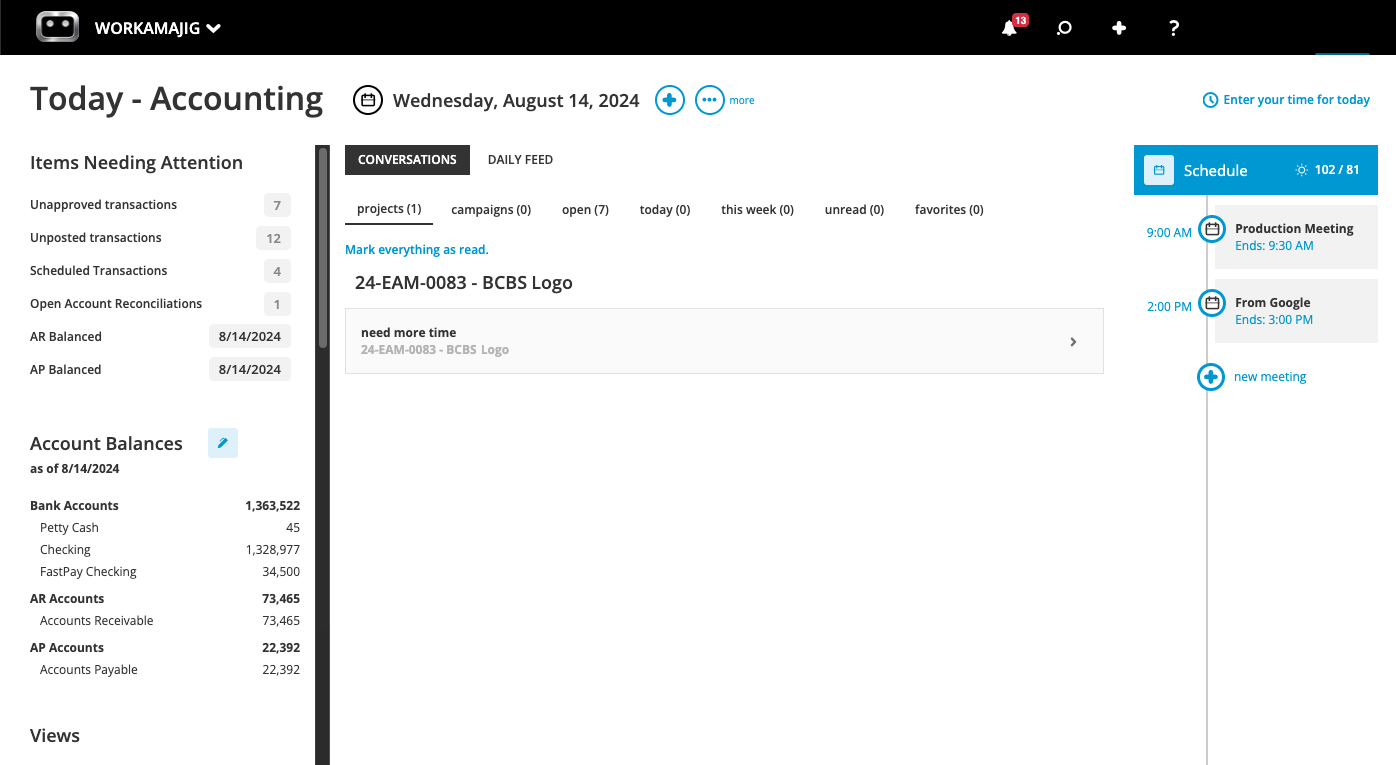
Then, users can stay on top of recent interactions and track task progress by viewing their Daily Feed (which you can adjust the date range for). They can also take quick actions directly from the Today Dashboard by clicking the + icon – such as creating a new journal entry, client invoice, receipt, vendor invoice, payment, credit card charge, account reconciliation, to-do, conversation, meeting, or time entry.
As mentioned above, Workamajig integrates with credit card accounts (via Plaid) to view their status and consolidate project-related charges (for example, you may pay for client CPC campaigns or social media promotions with a business credit card).
Our credit card integrations also allow users to analyze agency or department spending, run expense reports, and manage reimbursements.
Billing & Invoicing in Workamajig
When it’s time to generate an invoice, Workamajig saves billing teams from the hassles of tracking down every expense and confirming they’re correct with an account executive or project manager. Here’s how it works:
-
Billing teams can generate a billing worksheet for the cycle. The worksheet can be generated based on transactions or as a percentage of the project’s budget.
-
As mentioned, our system tracks all expenses — labor, vendor costs, etc. — at the project level, so the worksheet includes all expenses, transactions, and any prior billings.
-
The sheet is automatically routed to an account executive or project manager for review. They can check the project’s details and make any final changes — such as marketing items up or down, transferring costs, or writing off items.
-
Once everything’s verified and accurate, they can submit the finalized worksheets for approval, and Workamajig automatically routes them back to the billing team.
Billing teams can easily access all billing worksheets using the search feature in their personalized Today – Billing Dashboard.
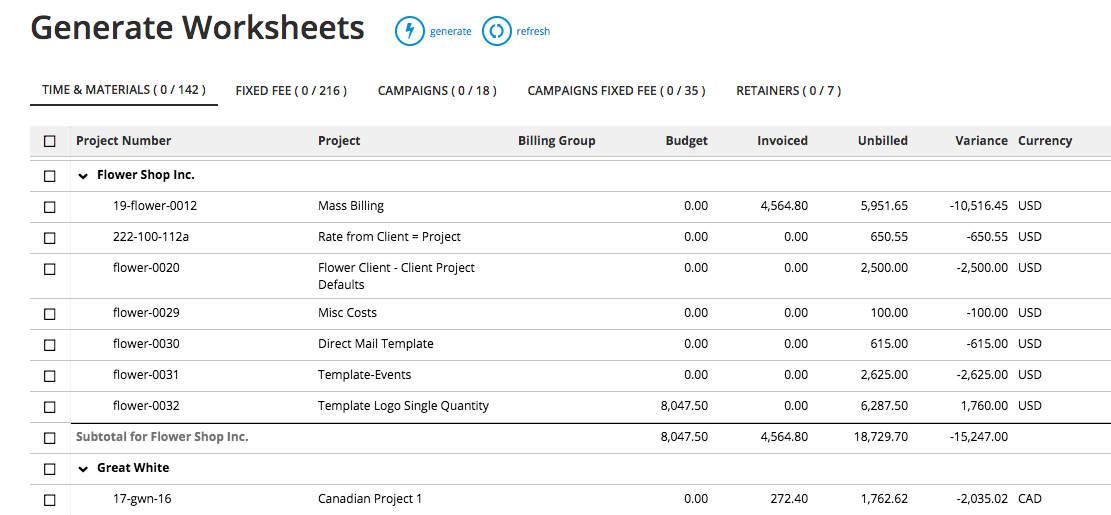
They can use our filters and apply any other customizations:
-
Drill down into the billing details of a specific project or service.
-
Make any final tweaks, such as editing line items.
-
Select the billing worksheets to generate an invoice for. They can save time by generating invoices en masse with our convenient “select all” button.
After converting worksheets to invoices, billing teams can send them to clients.
Vendor Invoice Management
Earlier, we mentioned how teams can request quotes and review bids from Workamajig’s vendor portals. Our vendor invoice management tools allow users to further:
-
Reconcile invoices with purchase orders, receipts, and work orders when it’s time to pay vendors. Our system lets users store copies of vendor invoices for this purpose.
-
Compare quotes, POs, and final invoices to assess vendor reliability over time. If they find recurring discrepancies in dealings with specific vendors, it’s important to look into the root cause.
When a vendor invoice is entered in Workamajig, our system automatically retrieves any open POs associated with the specified vendor. Then, billing users can select the right POs to attribute to each invoice, while our system automatically updates the project’s financials (expenses, budget, and profitability) accordingly.
From here, Workamajig helps users accurately close purchase orders and manage any discrepancies. Billing teams can:
-
Adjust the figures directly in our system to ensure an exact match and that the invoice reads correctly for payment.
-
Leave the purchase order open if the shortage or overage will be reflected in a later invoice.
-
Handle an overage by either: (1) allocating it to the billing portion of the project, ensuring it’s captured in client billing, or (2) writing it off so it isn’t passed along.
After finalizing invoices, users can conveniently send vendor payments via the integrations we mentioned above.
Financial Reports & Agency Insights
Workamajig also includes a native reporting dashboard with an array of reports to measure profitability and productivity. You can also create custom reports to monitor specific project metrics.
First, you can look at profitability by project. We include a breakdown of all costs after the project wraps, so you can conduct this analysis. We also include Profit & Loss reports (at the client, project, and campaign levels) so you can see where you’re earning the most revenue.
Workamajig also includes:
- General Ledger (GL) reports to monitor GL activity and cash flow
- Cash projections and revenue forecasting to see how scheduled projects can impact profitability
- Project budget drill-downs to see exactly where money is going on specific work
- Billable summary reports to compare billable vs. non-billable hours
- Hourly realization rates to help you evaluate productivity from a financial perspective
- Key metrics monitor to track the metrics that drive your business
You can save the reports that are most important to you and easily access them from your personalized dashboard.
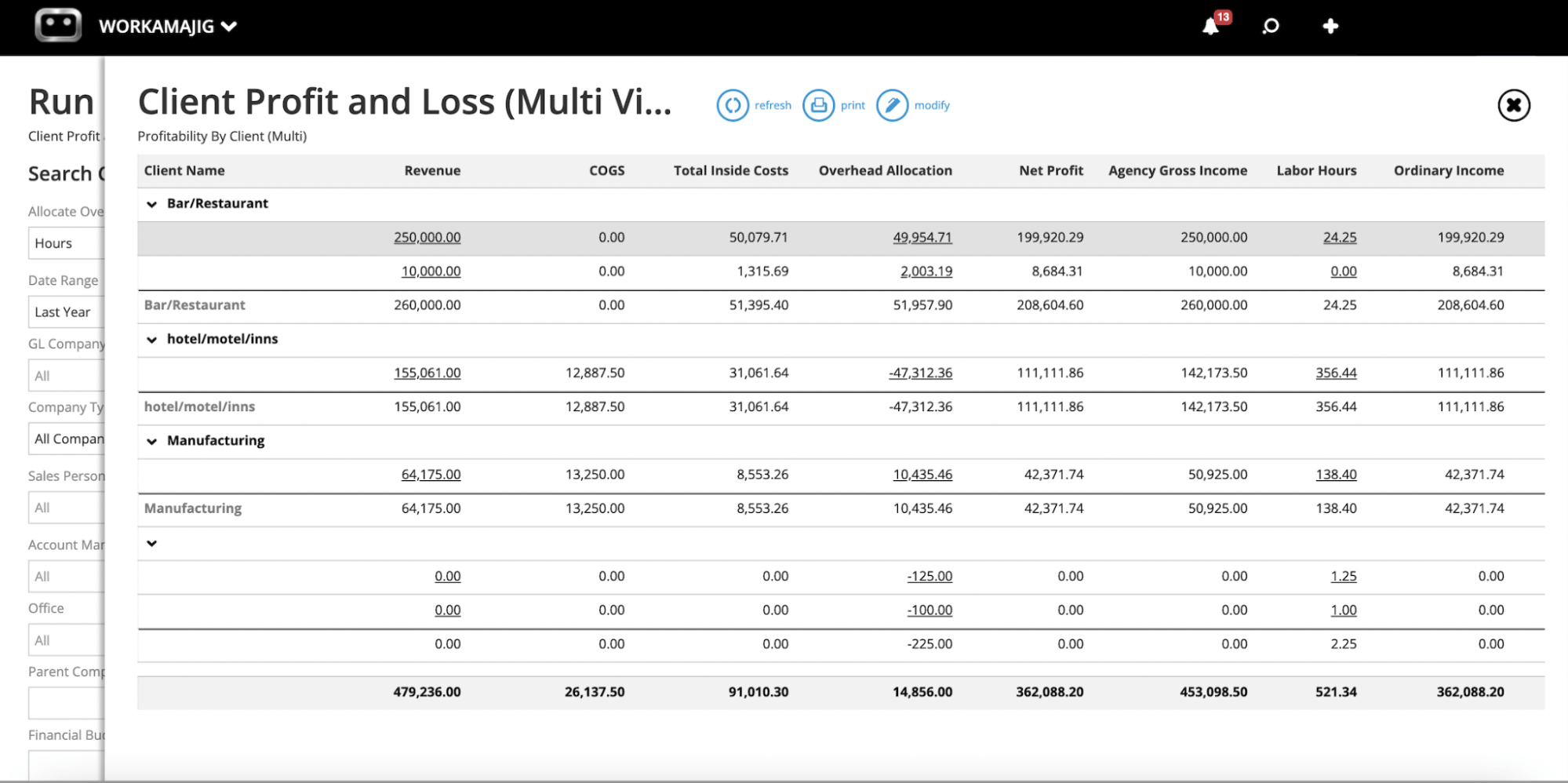
We also provide hourly reports to monitor resource utilization and understand where employees spend their work hours. You can view hours spent by client, project, or marketing campaign, or hours logged by department or employee.
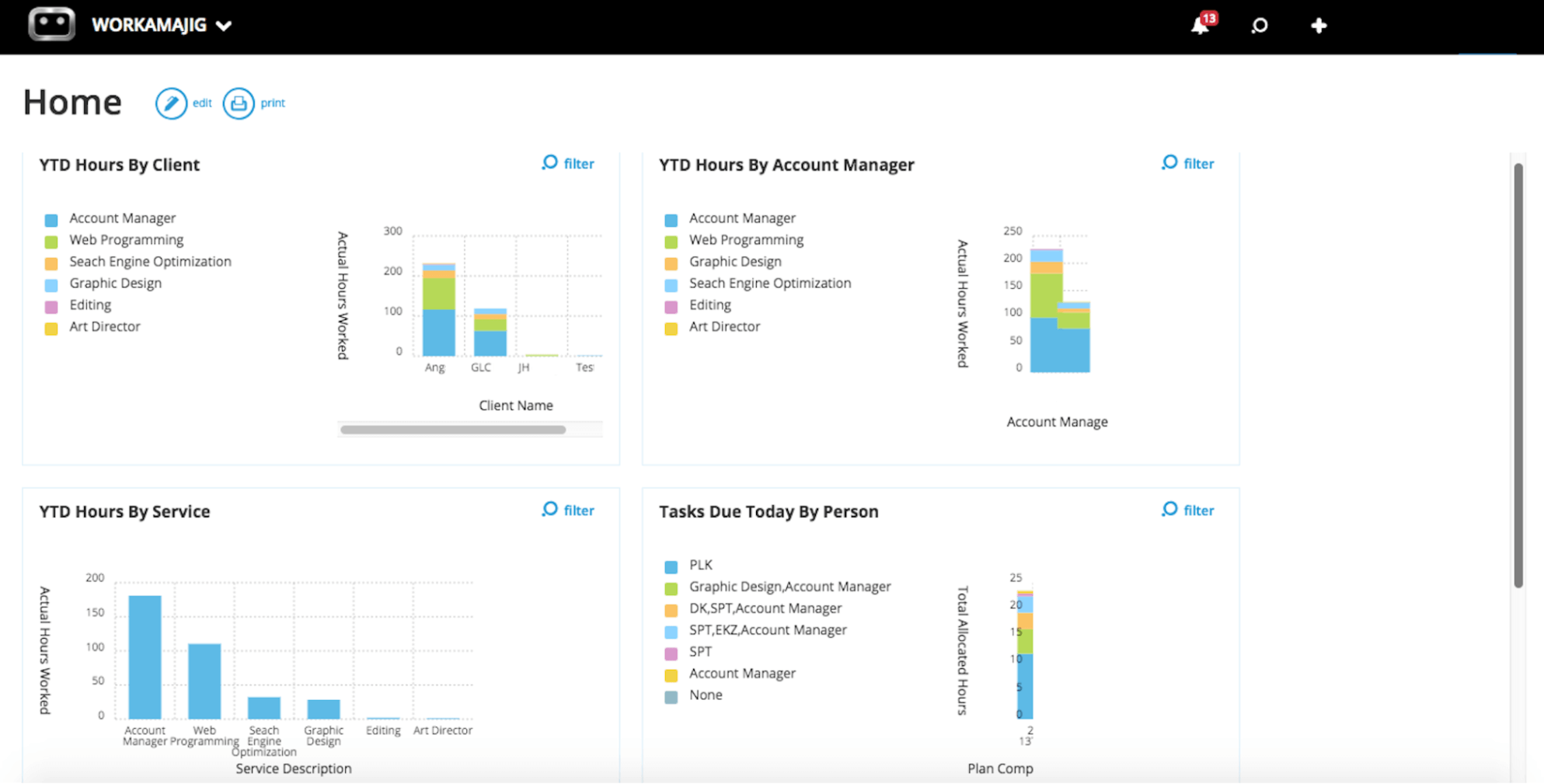
With financial and hourly reports at your fingertips, you have all the insights to guide decision-making in project planning, process optimization, and growing your bottom line.
Read more: Best Creative Project Management Tools with Financial Tracking
Packages, Pricing & Getting Started
We offer solutions for in-house teams and agencies, as well as custom enterprise packages.
Pricing is based on team size and per user.
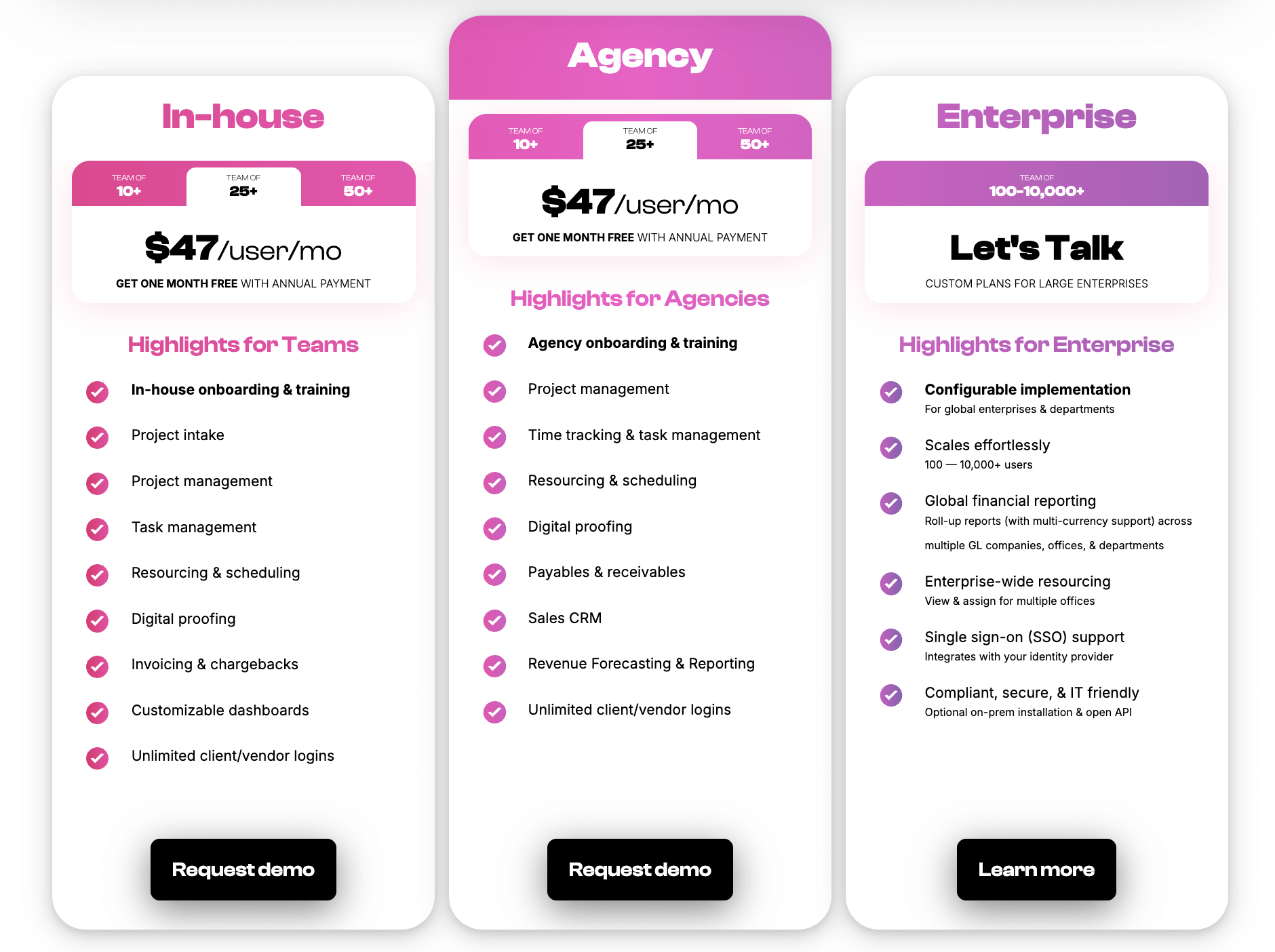
As discussed above, we offer guided onboarding and training for all clients to learn about their current processes, tailor our solution to specific workflows and requirements, and support user adoption.
Our team will ensure you’re up and running, and you’re assigned a dedicated account manager to help whenever you have questions or want to make adjustments to the platform.
Request a personalized demo of Workamajig to talk with a member of our team.
2. Clients & Profits
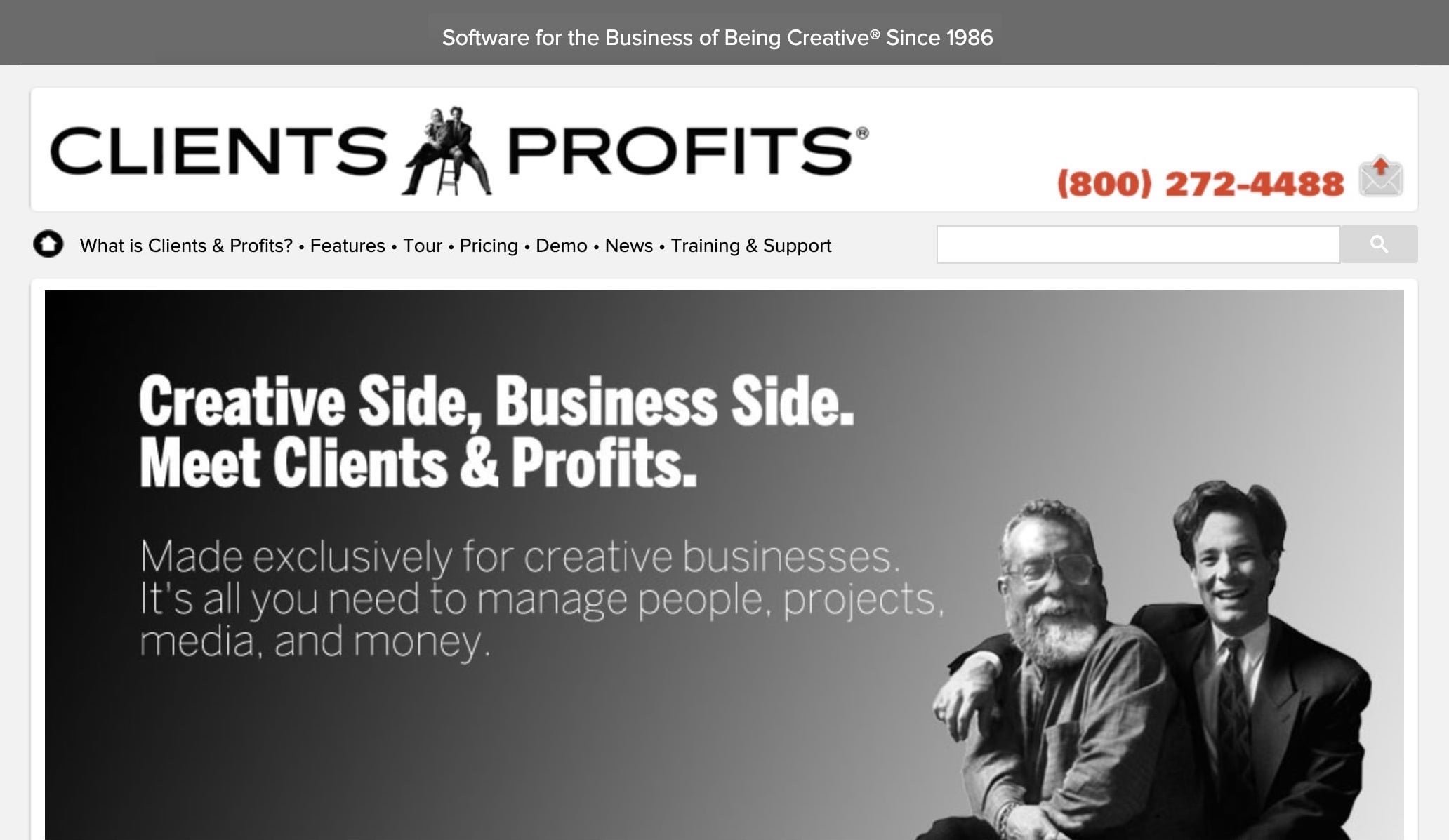
Clients & Profits is a popular agency management tool for marketers, marcom teams, advertising agencies, and designers. They’ve been in business since 1986 and have worked with numerous creative teams.
This option combines project, resource, accounting, and financial management, and includes a suite of media planning tools (with media-buying integrations) to support those workflows. They offer a tour of their software here.
Teams like working with Clients & Profits for the customer experience. They’ll train you on the software and offer consulting to guide marketing strategies, project planning, and process optimization — to support your overall marketing efforts.
The downside with Clients & Profits is that it’s a local application you download and install on your computer. (They offer desktop apps for Mac and Windows.) You can back up data to C&P’s cloud (the system performs automatic daily backups), but you’re still working on a desktop app.
Users also note that the app can be clunky, and the UI is a little dated. Some pass on this option because they prefer more modern, cloud-based marketing ops software. On the contrary, teams that require or prefer on-prem solutions choose Clients & Profits because it’s one of the only options in this category.
Find more Clients & Profits reviews here.
Notable Features
- Project intake management & project request forms
- Project and task management
- Resource management — with live scheduling for staff members
- Project monitoring
- Time tracking
- Collaborative feedback tools for project teams & clients
- Portfolio management
- Accounting software
- Automatic billing & invoicing
- Vendor invoice management
- Financial reporting
- Integrations with bank and credit card accounts & media planning systems
- Adobe XD plugin
- Workflow automation tools
Pricing
Clients & Profits offers solutions for design studios, advertising agencies, and marcoms. You choose the package that suits you and pay per user.
-
Creative ($25/user/month): Provides entry-level access for designers and creatives. This tier offers core project management capabilities, timecards and smart timers, calendars, online collaboration, jobs/estimates/change orders, and basic expense tracking.
-
AE/PM ($45/user/month): This tier is designed for account executives and project managers. Includes everything in Creative plus more robust project management and billing workflows, purchase orders, and additional management tools.
-
Power ($65 to $115/user/month): This tier is further broken down into three options:
-
Studio ($65/user): Offers all of C&P’s core and advanced capabilities, such as financial accounting, job costing, comprehensive reports, online approvals, and snapshot analysis.
-
Marcom ($85/user): Unlocks media planning, buying, billing, and online approvals.
-
Agency ($115/user): Includes everything in Marcom plus advances and retainer billing.
-
Read more: Clients & Profits Software: Reviews & Alternatives
3. Advantage
.png?width=2000&height=878&name=Advantage%20Simpli.fi%20homepage%20(2024).png)
Advantage offers operations management software for marketing, advertising, and media planning agencies.
Their operations management tool is unique from competitors, including native media buying via Simpli.fi — so you can dispatch insertion orders seamlessly and incorporate those in estimates and invoices. The software also provides project, resource, and financial management, as well as a complete accounting solution.
Teams still in need of a media-buying system may also like Advantage because it’s an all-in-one solution. On the other hand, teams with a media buying system may want to avoid Advantage, as it may not integrate with their existing tech stack.
Advantage is the most comprehensive solution on this list. Due to the nature of the software (and pricing), it typically appeals to enterprises or larger agencies.
It’s worth noting that Advantage is one of the more challenging systems to learn and use. They offer guided onboarding and account managers to help with that learning curve, but it can be difficult to bring on clients, freelancers, and remote teams who aren’t in person to ask questions or receive training on the system.
Read more Advantage reviews here.
Notable Features
- Project management
- Resource management
- Collaborative tools — internal proofing & reviews
- Media accounting software
- Billing & invoicing
- Estimates
- Budget monitoring
- Financial reporting
- Revenue forecasting
- Project management
- Resource management
- Collaborative tools like proofing & reviews
- Time tracking
- Media planning & buying — including broadcast buying, digital buying & media reporting
- Risk analysis & burn rate tracking
- Reporting dashboard (to analyze project performance, financials, staff hours, etc.)
Pricing
Advantage offers custom quotes per client.
Read more: Best Advantage Software Alternatives for Creative Teams
4. RoboHead
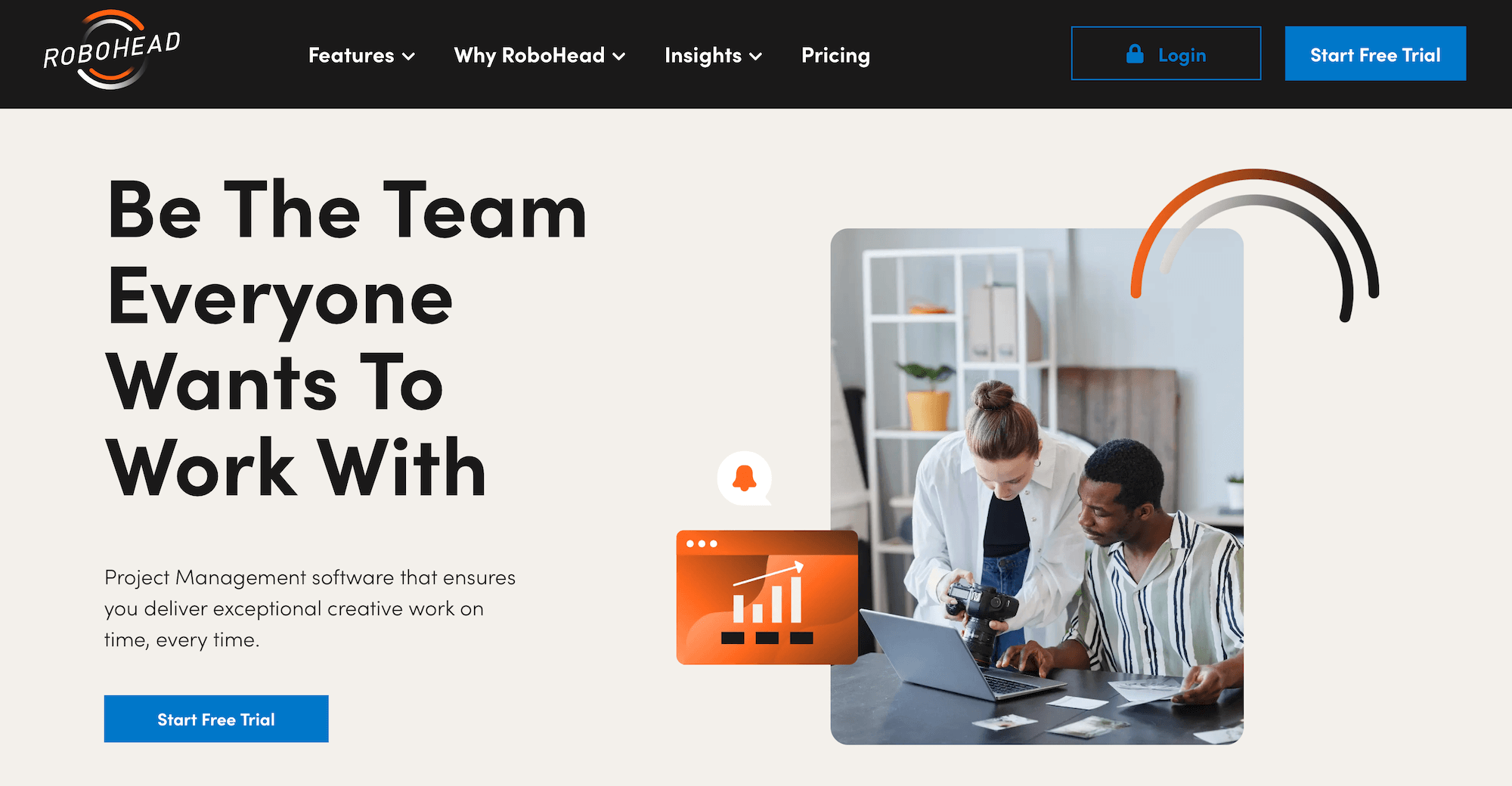
RoboHead is a project management platform for creatives’ and marketers’ workflows. It includes project intake management, project planning, team scheduling, time tracking, project portfolios, financial reporting, and invoicing. It notably doesn’t include full accounting software; you integrate RoboHead with your existing accounting tool to support financial reporting and invoicing.
In addition to accounting systems, RoboHead integrates with Adobe Creative Cloud as well as email and calendar services such as Gmail and Outlook. They also offer custom integrations via Zapier and the RoboHead API to connect RoboHead with media-buying systems, CRM software, or other marketing tools in your tech stack.
The RoboHead team can help you integrate systems and get set up, and they also offer custom development for more specialized requirements.
Teams like RoboHead for its ease of use, mobile accessibility, flexibility, and helpful customer support. (They also offer a 60-day money-back guarantee if you don’t like the platform.)
However, teams may encounter integration issues. The downside of using RoboHead is that you still have to pay for the other software you’re integrating, so it doesn’t help you reduce costs.
Check out more RoboHead reviews here.
Notable Features
-
Project request forms
-
Project planning with templates
-
Task management
-
Project management & monitoring
-
Team management with staff scheduling
-
Time tracking
-
Collaborative tools to support feedback discussions & revisioning
-
Portfolio management
-
Workflow automation tools
-
Financial reports
-
Integrations with various business applications, Zapier & RoboHead API
-
Adobe XD plugin
Pricing
RoboHead doesn’t disclose pricing on the website; customers must contact them for a quote.
Read more: Best RoboHead Alternatives for Creatives & Marketers
5. Teamwork
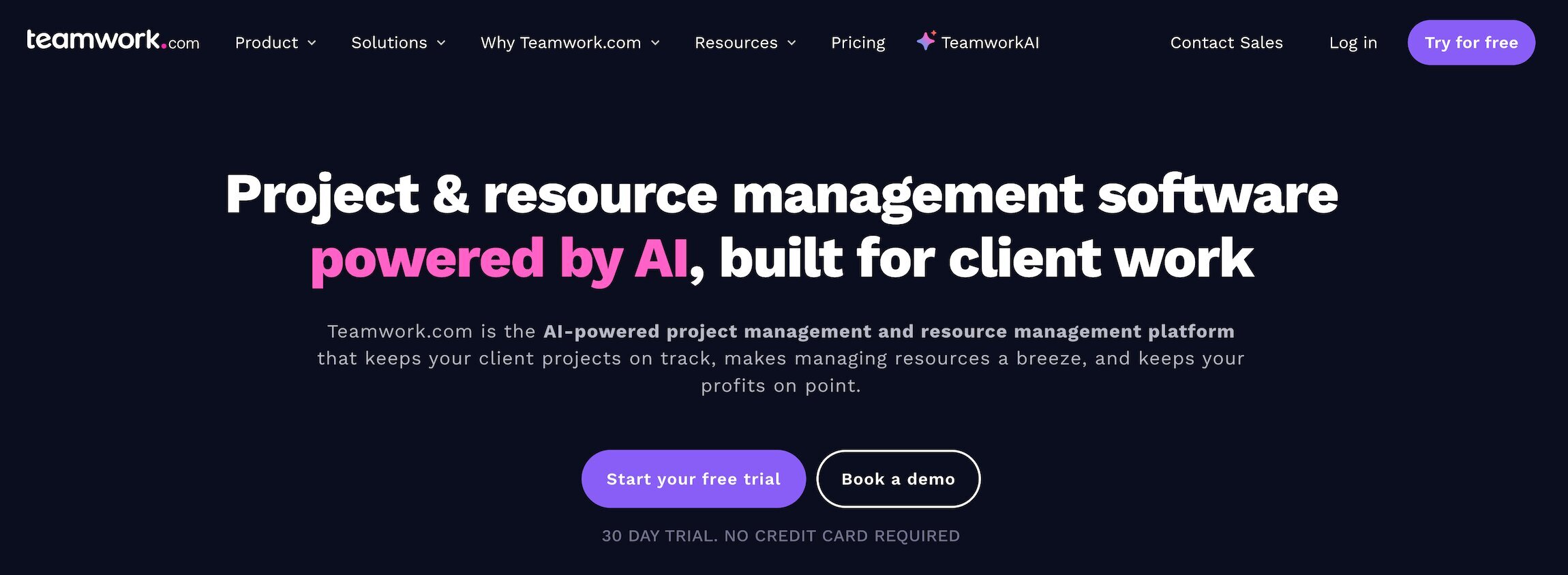
Teamwork is an app-powered marketing operations management solution — they work with teams of all sizes, including global media conglomerates like Netflix and Disney.
Teamwork’s platform includes project intake, project management, resource and workload management, time tracking, team collaboration, budget tracking and financial reporting, invoicing, and client management. Like RoboHead, it doesn’t include accounting or CRM software, but you can integrate these tools with Teamwork.
Users like Teamwork because it’s easy to use and affordable. They offer a free 30-day trial, a limited free plan, and budget-friendly upgrade packages.
Teamwork’s customer experience team assists with onboarding, connecting integrations, and configuring the platform to your requirements. However, onboarding services come at an extra cost and require time. (The same cons of RoboHead also apply here.)
Find more Teamwork reviews here.
Notable Features
-
Project intake forms & project planning
-
Project management
-
Project monitoring
-
Resource & workload management
-
Time tracking
-
Internal proofing & collaborative tools
-
Workflow automation tools
-
Client management
-
Expense management
-
Budget tracking
-
Invoicing
-
Reporting
-
Integrations & API
-
Mobile apps for iOS & Android
Pricing
Teamwork’s packages are as follows:
-
Free: A basic package that offers a preview of the system.
-
Deliver ($13.99/user/month): This plan unlocks more robust project management features like intake forms, templates, and status and health reports.
-
Grow ($25.99/user/month): This tier is recommended by Teamwork because it grants access to resource and workload management. It also offers budget, time, and financial tracking, and more powerful reporting.
The Grow plan best serves teams seeking a complete operations management solution.
Teamwork also offers custom enterprise plans for teams with more specialized requirements.
Read more: Best Teamwork Alternatives for Creatives & Agencies
6. Productive
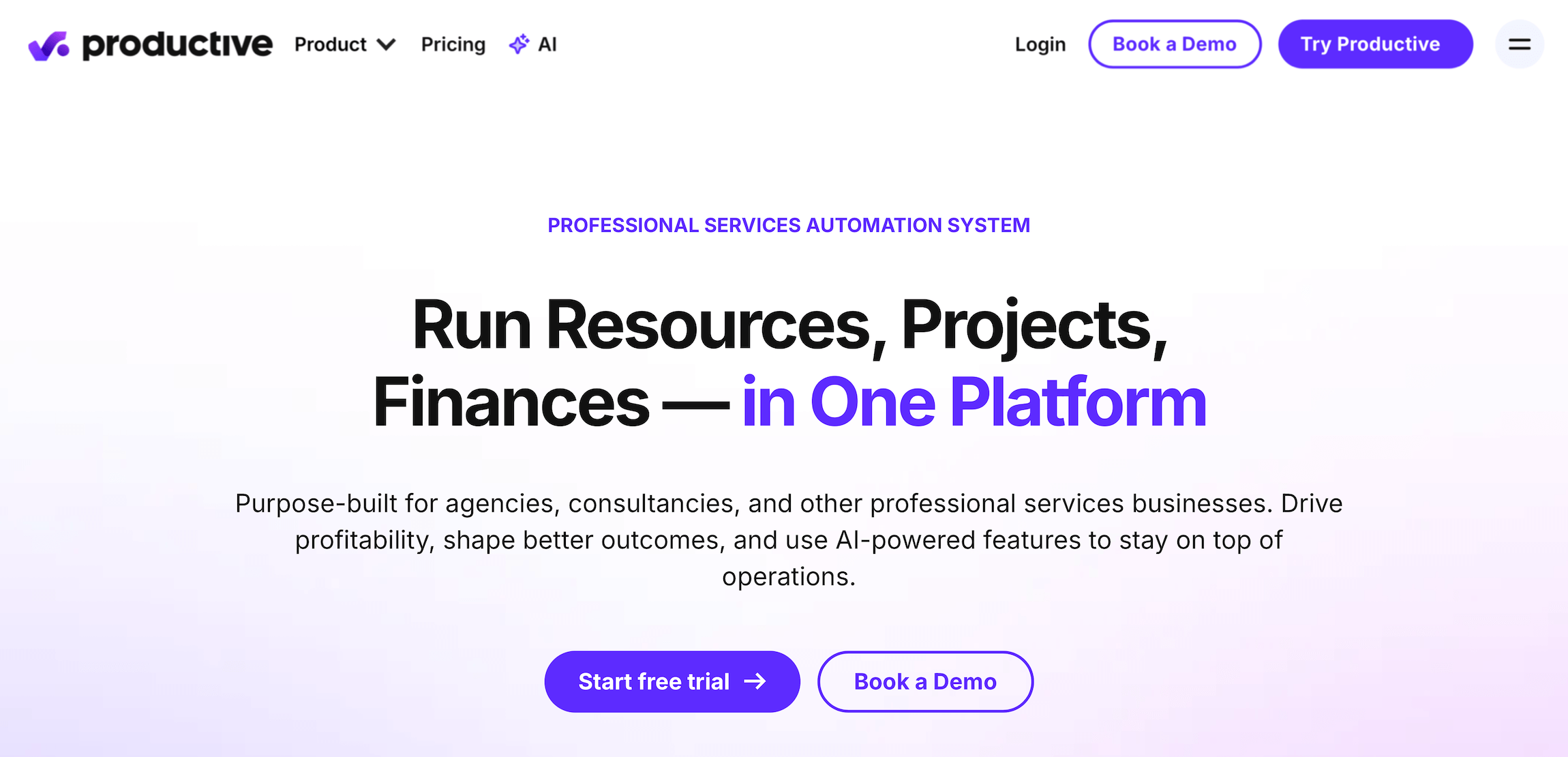
Productive is similar to Teamwork and RoboHead: it combines project intake, planning, resource management, time tracking, budget monitoring, financial reporting, and invoicing. While it also includes a CRM, it lacks full accounting software. Instead, Productive integrates with various accounting systems to facilitate those workflows and finalize invoicing.
Productive also offers tiered packages to support teams of different sizes and varying scalability needs. They work with both in-house marketing teams and agencies, but Productive is also a favorite among other creative businesses. Teams like Productive for its modern interface, navigation, and mobile apps.
Productive offers a range of out-of-the-box integrations and an open API, so teams can integrate any system into their tech stack and tailor Productive to their workflows.
Productive’s team can help with setup and answer questions as you get started. However, unlike the options above, Productive offers on-premises onboarding only for its Enterprise package, so keep that in mind.
Read more Productive reviews here.
Notable Features
-
Project intake & sales CRM
-
Project management
-
Resource management
-
Time tracking & timesheets
-
Documents (to create shared docs & enable team collaboration)
-
Financial management
-
Billing & invoicing
-
Budget & expense management
-
Real-time profitability tracking
-
Reporting
-
Integrations with QuickBooks, Xero, Sage, SAP, Justworks, ADP, Slack, HubSpot, Google, Microsoft & Jira
-
Open API
-
Mobile apps for iOS & Android
Pricing
Productive’s packages include:
-
Essential ($12/user/month): Offers basic platform access. Users can manage projects and budgets and use Productive’s time-tracking tool, but this plan lacks resource management. We don’t recommend this package.
-
Professional ($29/user/month): Provides more advanced features and access to resource management and accounting integrations. You may consider starting with this plan.
-
Ultimate ($40/user/month): Grants full platform access, but Productive only shares starting rates here, not definite pricing. You must contact their team for a quote.
-
Enterprise: Comes with a dedicated account manager. You must contact their team for a custom enterprise quote.
Read more: 8 Best Productive Alternatives for Agencies
7. Bonsai
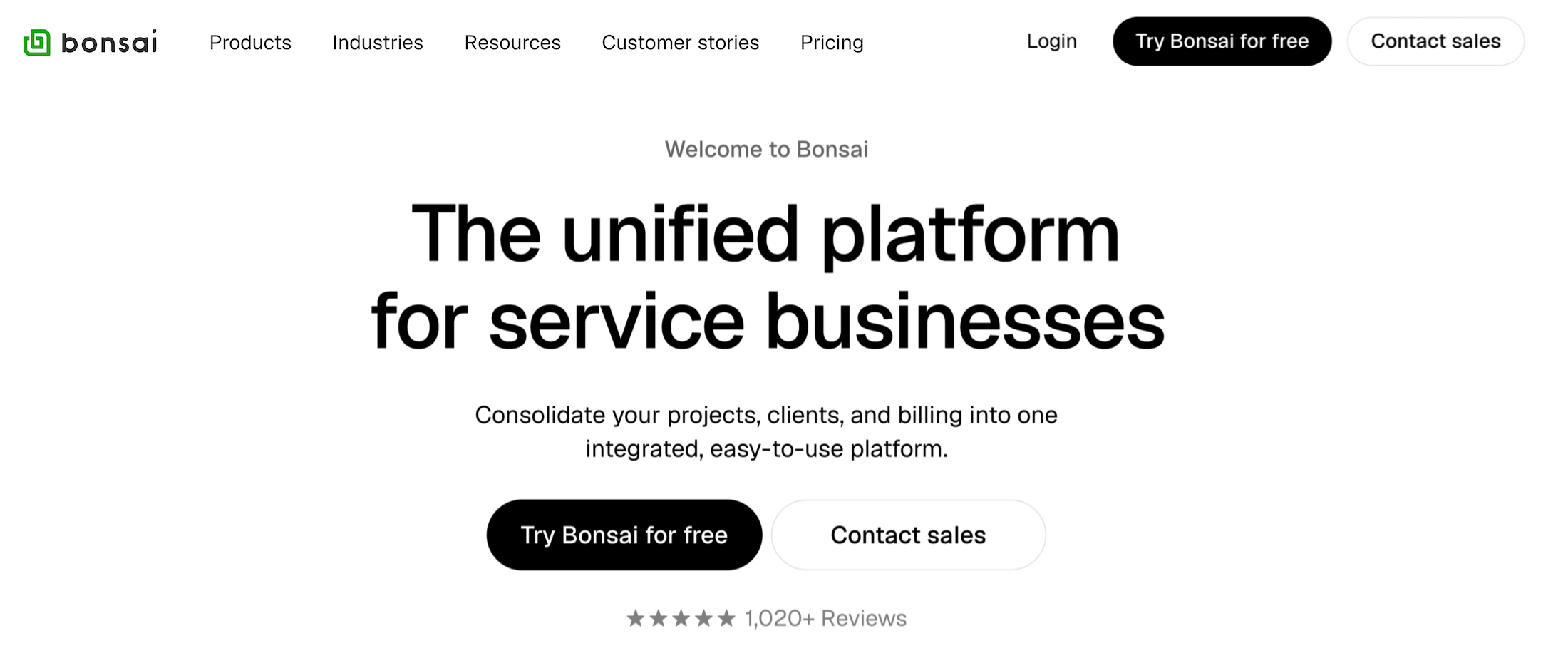
Bonsai is a lightweight agency management system that brings marketing operations together in one place, including project management, customer relationship management, financial management, bookkeeping, time tracking, and meeting scheduling.
Users love Bonsai’s minimalist design, clean typography, and simple, intuitive interface. The system’s client management and invoicing tools are standout features, including contract templates, client intake forms, electronic signatures, proposal management, deposit capture, and more. You can manage all client relationships through dedicated, branded portals that support direct messaging, secure file sharing, project progress tracking, and task collaboration.
Bonsai’s various modules also include handy tools that simplify everyday workflows and save operational teams time. For example, closed deals automatically convert into projects, with all the client details, including contracts, estimates, and invoices, transferring over. The vendor also offers its own tool for collecting payments via invoices — Bonsai Payments (alternatively, Bonsai also supports integrations with Stripe Payments and PayPal).
Although the platform offers several tools, some users note that Bonsai is tailored to the needs of freelancers and small businesses, so it may fall short for larger teams. For example, user reviews say:
-
It’s better suited to smaller teams. While the only major module Bonsai’s missing is a native accounting system, users note that other modules — e.g., PM and CRM — also lack specific tools and customizations. As one user notes:
“The ‘jack of all trades, master of none’ figure of speech applies to Bonsai's feature sets sometimes. It might be a thing that is missing or a feature that exists, but doesn't quite do what I want it to do for a particular need.”
The platform’s options for managing user access are also pretty limited. You’re mainly limited to a few fixed roles, as opposed to systems like Workamajig that allow you to heavily customize roles and permissions.
-
They’ve faced issues with overcharges and customer service. Many users who recently reviewed Bonsai have expressed dissatisfaction with their recent experiences on the platform and with customer service. A common thread of issues is payment processing — users report delays with Bonsai Payments and unexpected fees. Others say that the platform has become more buggy and clunky over time.
Check out more Bonsai reviews here.
Notable Features
- Contact and lead management
- Visual pipeline management
- Client intake
- Proposal tools and contract builders
- Client communication tools
- Project and task management
- Project budget tracking and forecasting
- Resource allocation
- Resource planning with capacity and margin tracking
- Time tracking
- Expense management
- Invoicing
- Meeting scheduling and calendar integrations
- Reporting
Pricing
Bonsai offers four standard packages:
-
Basic ($15/user/month): Comes with essential project and task management, CRM, time tracking, and unlimited clients.
-
Essentials ($25/user/month): Unlocks invoices & payments, expense & income tracking, proposals & contracts, forms & questionnaires, and client portals.
-
Premium ($39/user/month): Includes everything in the Essentials plan, plus project insights, workload management, custom fields, profit & productivity reports, and more.
-
Elite ($59/user/month): Unlocks custom permissions, custom data imports, timesheet locking, the option to add markup to expenses, and Xero integration. Requires a minimum of 3 users.
Read more: Bonsai Software Reviews & Alternatives: Buyer's Guide
8. Monday.com
Monday is a B2B software provider best known for its top-rated project management tool, though it also offers CRM, email campaign management, service management, and software development management systems. All these tools are sold separately, but they seamlessly integrate.
Teams that want to manage marketing operations might be interested in the following three products:
-
Monday Work Management: This is Monday’s highly customizable, feature-rich project management system, with hundreds of templates and extensive capabilities for task, resource, and portfolio management, plus risk assessment tools.
-
Monday CRM: While this system includes all the essential tools for managing leads from acquisition through to close, it doesn’t get as much love as Monday’s PM system. Users note limitations in its features and say you can’t extensively customize user permissions.
-
Monday Campaigns: This module makes Monday stand out from other systems in this category by allowing users to run email campaigns, track their performance, and transfer data natively across the CRM, PM, and campaign modules.
Choosing Monday for managing MOps means getting PM, CRM, and campaign management tools rolled into one — at the cost of no financial management tools and limited resource management features. Also, teams miss out on simplifying their tech stack and reducing costs because they have to subscribe to three separate plans and pay for an accounting system separately.
Find more Monday reviews here.
Notable Features
Monday Work Management
- Project templates
- Shareable forms
- Project management
- Task management
- Project monitoring
- Task management
- Project monitoring
- Custom fields
- Customizable notifications
- Portfolio management & dashboards
- Multiple views and customizable reports
Monday CRM
- Templates for lead, contact & deal management
- Unlimited boards and customizable pipelines
- Lead management
- Centralized communication hub — view meetings, calls, emails, and notes
- Deal management — including stage, owner, interactions, and more
- Activity management — log calls, emails, etc.
- Email tracking & automations
- Lead scoring
- Sales forecasting
- Sales analytics & advanced analytics
- Account management
- Collection tracking
Monday Campaigns
- Centralized campaign management
- Segmentation and personalization
- Automated email sequences
- Campaign analytics
- Professionally designed, out-of-the-box email templates
- Custom account email templates
- Dynamic content (based on contact data)
- Advanced automation workflows
- Dedicated IP
Pricing
Monday Work Management and CRM both have three standard paid plans, while Campaigns has only one. All three products offer custom packages for enterprises.
Monday Work Management’s plans include:
-
Free plan: Includes limited features and imposes limits of up to 2 users, 3 boards, 3 documents, and 8 column types.
-
Basic ($12/user/month): Includes unlimited viewers and items, plus 5GB of file storage. This plan lacks several essential features, including integrations, guest access, time tracking, and portfolio management.
-
Standard ($14/user/month): Unlocks 20GB of file storage and Timeline, Gantt, & Calendar views, guest access, integrations, and more.
-
Pro ($24/user/month): This tier offers all the essential tools that MOps teams need. It includes time tracking, board administrator roles, dependency and formula columns, and private boards/docs. It still lacks portfolio management features (they’re exclusive to Enterprise plans).
Monday CRM’s three standard packages are as follows:
-
Basic ($18/user/month): Offers up to 1000 active contacts & deals, one custom dashboard, and 20 quotes & invoices per month. This tier lacks lead and deal management, as well as many other essential features.
-
Standard ($25/user/month): Everything in Basic plus lead management, deal management, and centralized communication tools, with limits of 10k contacts and deals.
-
Pro ($41/user/month): Unlocks unlimited contacts & deals, 250 quotes & invoices per month, 50 custom dashboards, time tracking, mass emails, email sequences, and integrations with other CRMs.
Monday Campaigns currently offers two plans:
-
Pro (from $64/month for 2k contacts): Includes all essential features, including the campaign manager, marketing segments, campaign analytics, dynamic content, and templates.
-
Enterprise (custom price): Unlocks a dedicated IP address, advanced automation workflows, and an allowance of 15 emails per contact, per month.
Read more: Best Monday.com Alternatives for Agencies & Creatives
9. Airtable
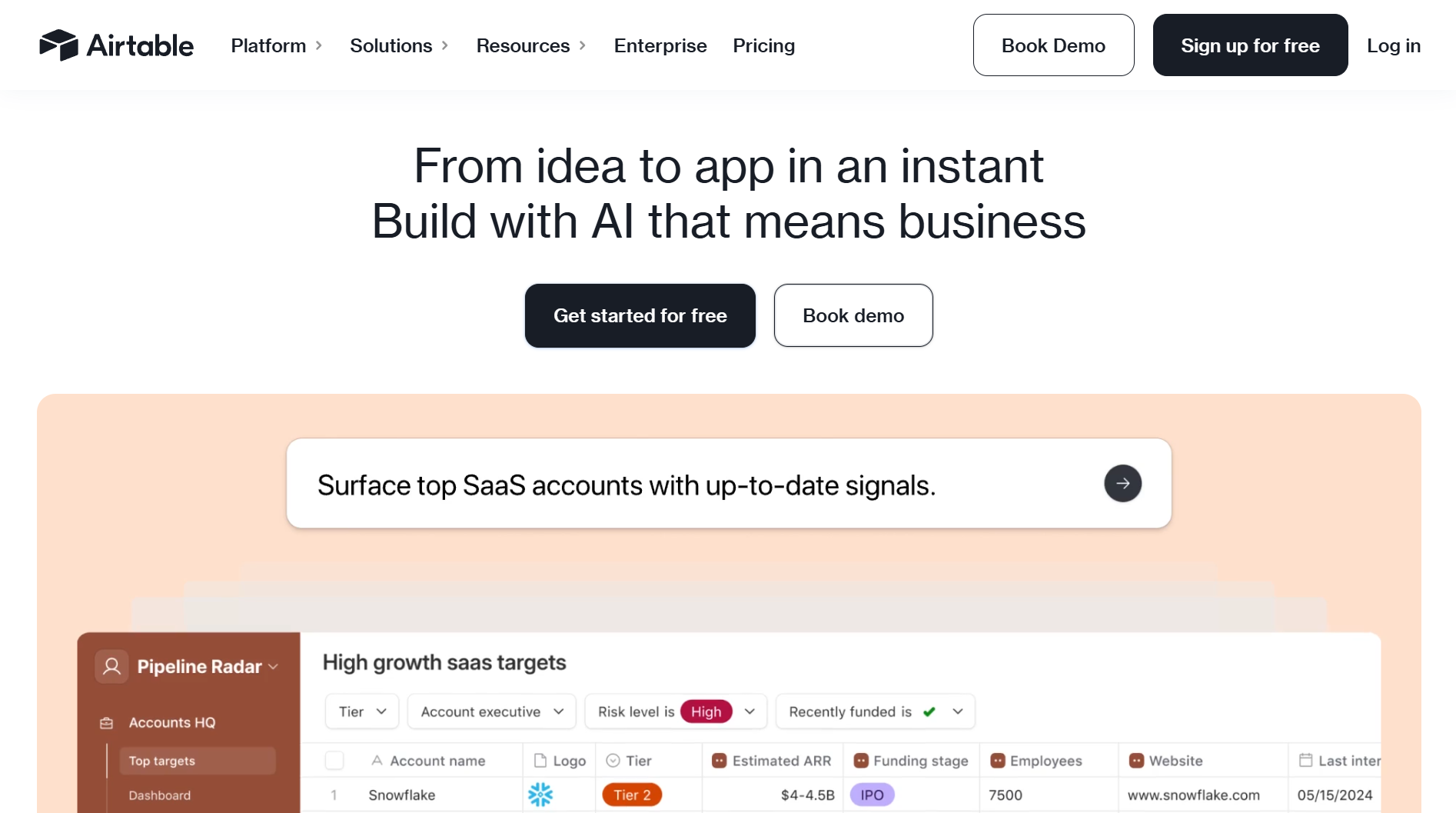
Airtable is often described as a project or work management tool, and while it can definitely be used that way, at its core, it's different from these conventional systems. Airtable is technically a cloud-based database management system that lets you store, organize, and manage information of any kind — such as employee directories, campaigns, service catalogues, product inventories, project expenses, and more.
In practice, this means that with the right customizations, Airtable can fulfill several MOps functions, including project, resource, people, and campaign management, as well as basic financial management (e.g., expense tracking and vendor management).
While traditional database management tools require coding (in SQL), Airtable is an entirely no-code solution. You can think of it as a system for managing interactive spreadsheets with superpowers.
Airtable’s fundamental building blocks let you customize the system to manage all essential workflows:
-
Bases — a central hub for storing project information.
-
Tables — these can be created within a base to manage different categories of data.
-
Records — a single entry representing one item (task, person, expense) in a table (like a row in a spreadsheet).
-
Fields — these define the type of data stored (text, number, attachment, etc.) and form the columns of the table.
-
Views — to display data in different ways, e.g., Grid or Kanban.
-
Interfaces — custom front-end views that can be designed with a drag-and-drop view. These help simplify the information available to different teams while preserving all essential data in the backend.
-
Automations — to set up triggers and automate workflows, e.g., an email being sent when a new record is added.
Airtable gets a lot of praise for its extensive customizations and automation workflows. However, its strengths also come with a downside: learning the platform can take a lot of time and commitment.
Read more Airtable reviews here.
Notable Features
- Bases (databases) for organizing campaign tasks, assets, and timelines
- Linked records to connect projects into a single multi‑project view
- Custom fields and views
- Asset management with customizable metadata
- Comments and feedback loops
- Task segmentation
- Automation workflows
- Collaboration tools
Pricing
Airtable offers a limited free plan to test the platform, with 1,000 records per base, 1 GB of attachment storage, basic automations, and history. It comes with two standard plans and offers custom enterprise packages upon request:
-
Team ($24/seat/month): Includes up to 50k records/base, 20 GB attachments/base, 25k automations/month, 1-year revision history, Gantt and timeline views, more permissions, and customizations.
-
Business ($54/seat/month): Offers up to 125k records/base, 100 GB attachments, 100k automations/month, 2-year revision history, advanced sync, admin controls, an app sandbox, SSO, and more.
The Enterprise Scale plans unlock higher limits (up to ~500k records/base), 3+ year revision history, org-level admin, robust security features, and premium support.
10. Uptempo
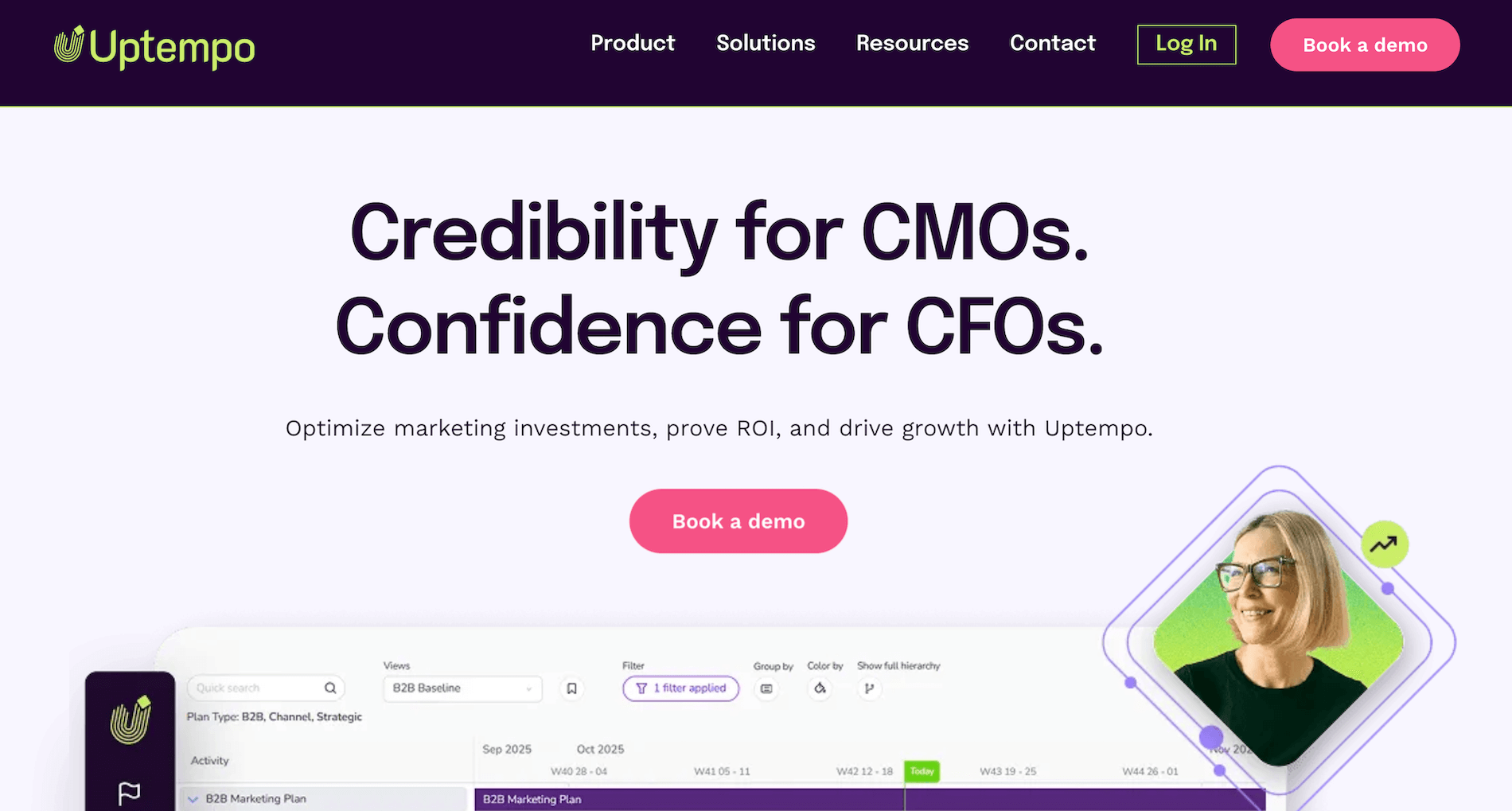
Uptempo is a robust enterprise marketing operations platform that brings together marketing budgets, plans, and performance into one system and unifies all related data. The platform provides granular insights into how marketing dollars are utilized — so teams can tie spend to their plans, spot successful and underperforming channels/campaigns, and redirect spend to increase business impact.
To get the most out of Uptempo, teams must integrate the system with their entire tech stack — including their ERP, EPM, BI & data warehousing tools, media & analytics platforms, work management software, and CRM. Once everything is set up, teams can use Uptempo to:
-
Inform their strategies — by empowering marketing leaders to tie plans and top-down investments to tangible results.
-
Align all stakeholders around marketing plans — with OKRs, budgets, and activities in one place.
-
Uncover opportunities to boost marketing impact — with test scenarios, insights into real-time performance, and tools to spot waste and redirect spend.
Many users praise Uptempo for helping them accurately measure the efficiency and impact of all their marketing activities. However, several users mention that the system has a steep learning curve with a complex implementation process. While Uptempo doesn’t publicly disclose its pricing, users cite high costs that put the system out of reach for teams with smaller budgets.
Check out more Uptempo reviews here.
Notable Features
- Unified marketing operations platform
- Continuous marketing planning
- Budgeting & spend management
- Marketing ROI & performance measurement
- Workflow & project management for marketing teams
- Resource & capacity planning
- Scenario & what-if planning — model different investment and performance outcomes
- Campaign & activity calendars
- Digital asset & brand management
- Collaboration & approval workflows
- Integration with finance, analytics & martech stack
- Real-time dashboards & executive reporting
- Enterprise governance & visibility
- Procurement & purchasing support
Pricing
Uptempo offers custom plans and quotes upon request.
Marketing Campaign Management & Automation Software
These tools let you manage multichannel campaigns, automatically engage prospects at key touchpoints, design funnels, track the pipeline, and more.
1. HubSpot

While HubSpot made its debut as an inbound marketing software platform (supporting SEO, social media, and blogging/content management), it has since introduced several other products, including HubSpot CRM, Marketing Hub, Sales Hub, Service Hub, Commerce Hub, and Data Hub.
Depending on your MOps needs, you might mix and match some of these solutions to support your workflows. The most popular system for MOps is the Marketing Hub — a powerful marketing automation software for generating leads via email and social media campaigns. It includes tools to identify website visitors, create audience segments, capture leads through forms, personalize website experiences, send emails, and manage social media engagement from a unified inbox.
Marketing Hub also includes robust native reporting and analytics to track campaign performance across channels and attribute revenue to specific marketing efforts.
HubSpot’s Data Hub can also be useful for MOps teams looking to combine data from different sources, clean it up, and surface deeper insights. It comes with tools that monitor data quality and help teams improve it — e.g., by deleting duplicates — and lets users set up custom rules to enforce consistent data management practices. HubSpot has a dedicated use case library for Data Hub that illustrates the different ways that teams use the system.
Users praise HubSpot as an intuitive, feature-rich alternative to more enterprise-grade systems, such as Salesforce Marketing Cloud, though it’s not as customizable or scalable as these systems. HubSpot caters more to small and medium-sized businesses, though it also serves a segment of enterprise customers.
Find more HubSpot Marketing Hub reviews here.
Notable Features
- Email marketing tools: Design, personalize, and automate email campaigns
- Landing page builder: Drag‑and‑drop editor for campaign‑specific pages
- Social media management: Schedule and monitor posts across platforms
- Marketing automation: Workflows, drip campaigns, and behavioral triggers
- Lead nurturing: Personalized sequences and automated follow‑ups
- CRM integration: Connect marketing campaigns directly to sales pipelines
- Ad management: Integrate with Google Ads, Facebook Ads, and LinkedIn Ads
- Reporting dashboards: Track KPIs like conversions, ROI, and campaign attribution
- Custom reports: Tailor analytics to specific goals and client needs
- Revenue attribution: Connect marketing activity to pipeline and closed deals
Pricing
HubSpot Marketing Hub offers a free plan that includes lead capture forms, email automation, and live chat. It has three paid tiers:
-
Starter ($20/month/seat): Users can set up CTAs, display multiple currencies, and remove HubSpot’s branding.
-
Professional ($890/month, 3 seats included): This tier unlocks content personalization, search optimization, and custom agent features.
-
Enterprise ($3,600/month, 5 seats included): This plan unlocks revenue tracking, A/B testing, customer journey mapping, and more.
2. Brevo (formerly Sendinblue)
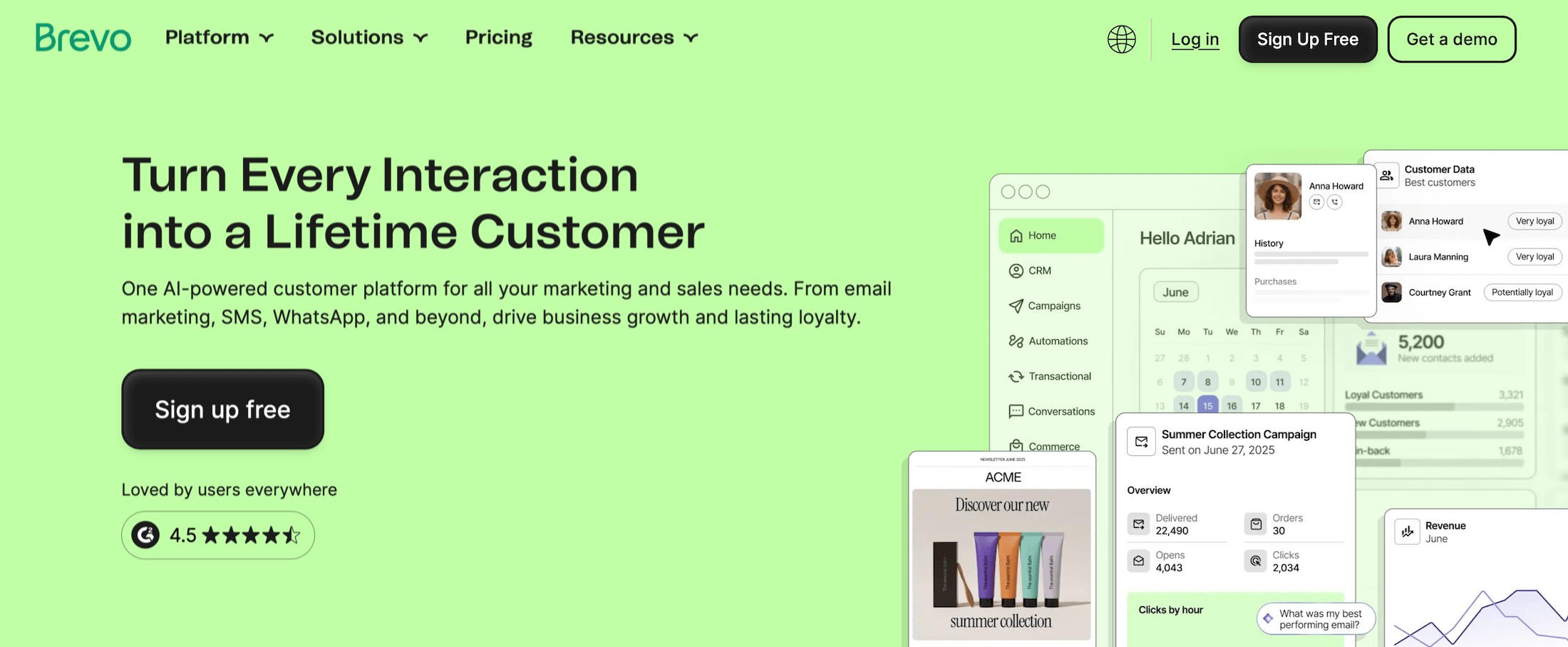
Brevo is a lightweight marketing automation and customer engagement platform that’s popular among small- to medium-sized businesses. It offers good value to teams with large contact lists thanks to its scalable, affordable plans.
The platform offers email automation, CRM, SMS marketing, and live chat tools, all rolled into one, and supports transactional emails. If you’re looking for an affordable, easy-to-use system to run personalized campaigns across these channels, then Brevo is worth considering.
It offers:
-
End-to-end campaign management: Plan, launch, automate, and analyze multichannel campaigns from a single platform. Design emails with a drag-and-drop builder, orchestrate cross-channel journeys (email, SMS, WhatsApp, push), manage contacts and deals in the CRM, and track performance with real-time analytics.
-
Personalization: Use dynamic content, product recommendations, and behavior-based messaging to deliver 1:1 experiences at scale. Brevo’s AI writing assistant and data-driven personalization let you tailor subject lines, copy, visuals, offers, and send times using contact attributes, transactional data, and event triggers.
-
Web and event tracking: Capture rich behavioral data through website tracking, transactional events, and custom actions. Use these insights to orchestrate the customer journey with abandoned-cart flows, post-purchase journeys, lead-nurture sequences, and lifecycle campaigns that are based on what users actually do.
-
AI segmentation: Brevo’s Segment AI analyzes historical performance and customer behavior to create segments based on your desired outcomes. Combine filters such as campaign engagement, website behavior, purchase history, demographics, firmographics, lifecycle stage, and custom events.
-
Loyalty program management: Create point systems, exclusive offers, and tiered incentives, then promote them through automated, personalized campaigns.
-
Reporting dashboards: Track campaign metrics, including open rates, CTR, deliverability, and conversion rates.
Brevo is a popular choice for small- to medium-sized businesses — it receives overwhelming praise for its ease of use, powerful cross-channel marketing tools, and reliable customer support.
However, its reporting and analytics capabilities are much more basic than systems like HubSpot, Salesforce, and Marketo. And Brevo lacks the more advanced marketing automation capabilities that you’d find in Salesforce and Marketo, so it’s not the best choice for enterprises with more complex needs.
Notable Features
- Email marketing: Design, personalize, and automate campaigns
- SMS marketing: Send promotional or transactional texts globally
- Marketing automation: Workflows, triggers, and drip campaigns
- Transactional email management: For order confirmations, receipts, etc.
- Live chat: To engage visitors in real time
- Segmentation: Target audiences based on behavior or demographics
- CRM lite: Manage contacts and track interactions
- Reporting dashboards: Monitor campaign KPIs like opens, clicks, and conversions
Pricing
Brevo has four standard packages and separate add-ons for its sales tools. Pricing for each tier depends on the selected monthly email volume — not the number of contacts. Brevo’s plans include:
-
Free: This tier lets you take the platform out for a spin and supports small teams. It includes a limit of 300 emails per day and up to 100k contacts. The plan includes one user seat and basic email/SMS automation and reporting features.
-
Starter (from $9/month): Includes tiers for 5k–100k emails/month and removes the daily send cap. It also unlocks AI content tools, forms, advanced segmentation, and more. Users must pay extra to remove Brevo’s branding or access the Sales Essentials suite of tools.
-
Standard (from $18/month): Includes tiers for up to 1 million emails/month. Users get access to more seats (via add-ons), unlimited automation contacts, A/B testing, landing pages, AI-powered send times, better reporting, and more.
-
Professional (from $499/month): This plan includes tiers for 150k–10M emails per month and supports up to 10 users. It unlocks advanced personalization, AI recommendations, analytics studio, more landing pages, WhatsApp, and premium support.
Brevo also offers custom enterprise plans with unlimited users, custom email volumes, advanced data/warehouse features, SSO, SLA, dedicated CSM, etc. The vendor provides custom quotes upon request.
Brevo’s Sales Essentials and Sales Advanced suites are available as paid add-ons.
3. Marketo
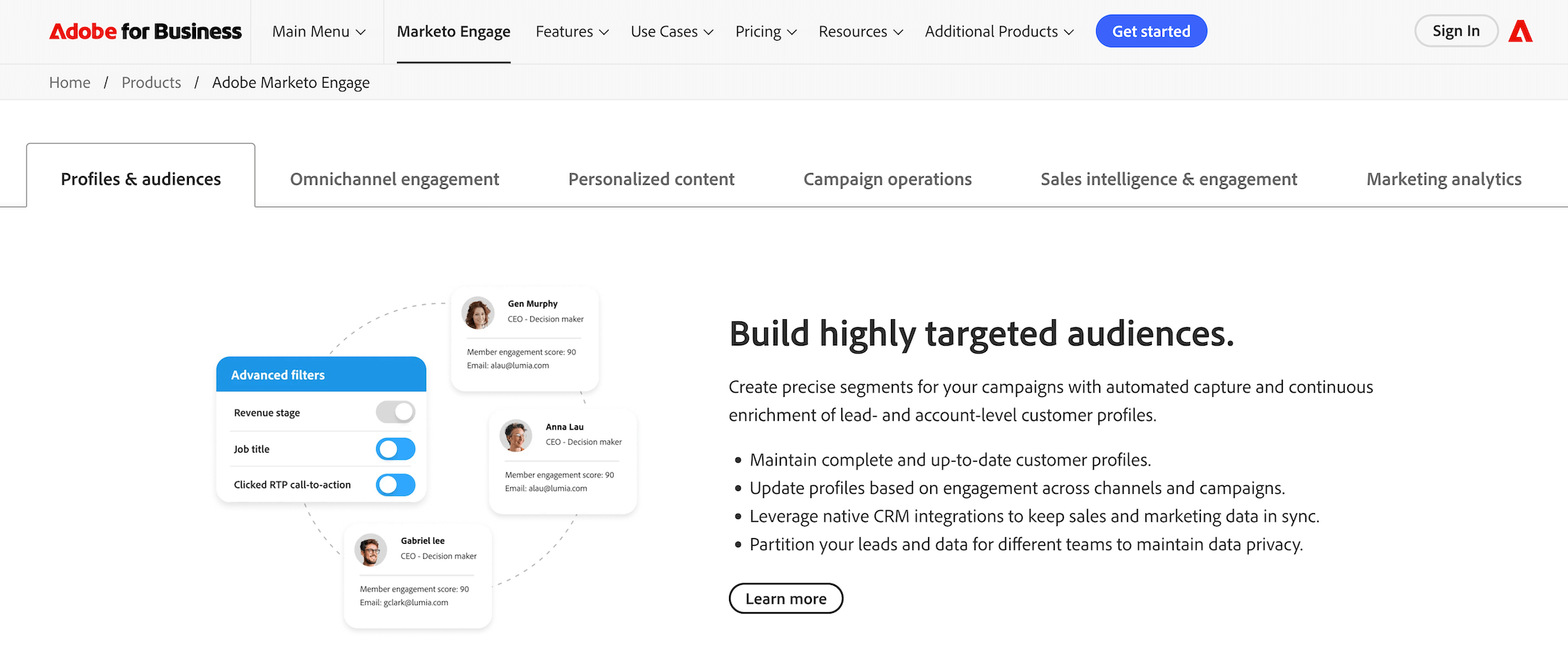
Adobe Marketo Engage (formerly known as Marketo) is a robust marketing automation and engagement platform that Adobe acquired in 2018. It’s mainly used by B2B (and some B2C) companies to manage, automate, and measure marketing campaigns across multiple channels.
Its core features include:
-
Profiles & audiences: Users can create and maintain person- and account-level profiles and continuously enrich them with data from Marketo campaigns or third-party sources. They can also build highly targeted audiences using filters or tap into Marketo’s AI-powered predictive audiences tool.
-
Bi-directional sync with popular CRM systems: Marketo continuously updates its data with insights from your CRM and pushes relevant data (e.g., campaign engagement) into the system.
-
Omnichannel engagement: The system offers tools to run online and offline campaigns across channels, including email & SMS automation, event promotion and engagement capabilities, a native webinar system, dynamic conversational chat software, and a landing page builder. Its various integrations also support personalized display advertising and social marketing.
-
Campaign operations: MOps teams can use this suite to streamline operations and workflows. They can set up actions triggered by scheduling or dynamically, design personalized, automated nurturing campaigns, and easily duplicate and relaunch previously successful campaigns.
-
Sales intelligence and engagement tools: Use advanced lead scoring to identify best-fit prospects and reach out with the right offering. Buyer engagement data flows seamlessly into the CRM so sales teams can pick things up quickly and personalize customer conversations.
-
Marketing analytics: Marketo’s out-of-the-box and custom dashboards empower teams to track campaign performance across all channels and understand the impact of every touchpoint on their bottom line.
Marketo is widely considered to be one of the most powerful marketing automation solutions. Its segmentation, lead scoring, revenue attribution, and AI features, in particular, receive a lot of praise, and users note that these tools support deeper customization than alternative solutions.
The most common complaints about Marketo usually concern its UI/UX, steep learning curve, and expensive packages. Users report that the interface is clunky and unintuitive, and that it can take several months to use the system comfortably.
It’s worth noting that Adobe has gradually rolled out updates to Marketo’s features and interface, including a revamped email editor, a more powerful revenue explorer, and duplicate detection, which have made the platform somewhat easier to use.
Check out more Marketo reviews here.
Notable Features
- Marketing automation & lead management: Automate lead capture, scoring, nurturing, and lifecycle progression across complex B2B and B2C buying journeys
- Cross-channel campaign orchestration: Execute coordinated programs across email, web, mobile, events, digital ads, and social from a single platform
- Advanced audience segmentation: Build highly targeted segments using behavioral, firmographic, and engagement data
- Personalization & dynamic content: Deliver individualized experiences based on real-time signals and profile data
- AI-powered optimization: Use predictive insights for lead scoring, content, and campaign performance improvements
- Account-based marketing (ABM): Orchestrate buying-group engagement and align marketing and sales around key accounts
- Revenue attribution & analytics: Measure marketing impact with multi-touch attribution and out-of-the-box dashboards
- Smart Campaigns & workflow automation: Clone, scale, and automate complex programs with reusable logic and triggers
- CRM integrations (native Salesforce & others): Bi-directional sync for shared data, faster follow-up, and sales alignment
- Real-time behavioral tracking: Monitor engagement across digital touchpoints for timely activation
- Event & webinar marketing: Manage registrations, attendance, and post-event nurture in one system
- Landing pages & forms: Build conversion assets with built-in testing and personalization
- Extensible integration ecosystem: Open architecture to connect a best-of-breed martech stack
- Global scalability & governance: Role-based permissions, workspaces, and partitioning for large teams and regions
Pricing
Adobe Marketo Engage uses database-size-based, quote-driven pricing with four main packages — although exact pricing isn’t publicly listed.
-
Growth: Includes core marketing automation, email marketing, lead management, segmentation, and standard reporting. Designed for smaller databases and foundational programs.
-
Select: Adds ABM capabilities, advanced automation, deeper CRM sync, and predictive scoring for more mature demand generation teams.
-
Prime: Includes advanced journey orchestration, real-time personalization, revenue modeling, and more robust analytics.
-
Ultimate: Enterprise scale with deep integrations, large database support, advanced governance, and SLA-backed services.
4. Salesforce
Although Salesforce is best known for its CRM, the company has a broad suite of platforms for customer service, marketing, sales, commerce, analytics, and more. It also acquired Slack back in 2021.
Salesforce’s Marketing Cloud is designed for marketing campaign management and automation. The enterprise-grade system offers:
-
Email marketing tools: Build responsive emails in Email Studio using drag-and-drop editors and dynamic content blocks that automatically update based on customer data, behavior, location, or preferences. It supports advanced personalization, AI-powered send-time optimization, automated triggers (such as welcome emails, cart abandonment, re-engagement), and high-volume sending with deliverability management, IP warming, and inbox preview/testing.
-
Lead management tools: Marketing Cloud integrates fully with Salesforce CRM, enabling businesses to push leads from their marketing campaigns into the CRM. MC features robust lead scoring features and drip campaigns for nurturing.
-
Omnichannel campaign management: Plan, execute, and manage campaigns across email, mobile (SMS, push notifications), web, advertising, and messaging channels from a single interface. Teams can plan campaigns in a way that connects customer interactions — for example, someone who doesn’t open an email can automatically receive an SMS reminder or see a personalized ad on social media.
-
Social media management: Through Social Studio and social integrations, Marketing Cloud enables teams to publish, schedule, monitor, and analyze social media content across multiple platforms from one place. Teams can track brand mentions, keywords, and trends to gauge customer sentiment. They can also engage in real-time conversations, track social performance, and deliver personalized social advertising and engagement campaigns.
-
Customer segmentation and journey mapping: Using Salesforce’s unified customer data model, marketers can create granular audience segments based on factors such as demographics, purchase history, engagement behavior, channel preferences, and predictive AI scores. They can also tailor customer journeys and automated actions to each segment.
-
A/B testing: Marketing Cloud supports sophisticated testing across emails, content variations, subject lines, send times, audience segments, and even entire journey paths. Marketers can define test criteria, automatically send winning versions to the remaining audience, and use AI to identify which elements drive higher engagement or conversions.
-
Analytics and reporting: The platform provides detailed dashboards and customizable reports that track performance across channels, campaigns, journeys, and customer segments. Marketers can measure KPIs such as engagement, conversion rates, revenue attribution, customer lifetime value, and ROI.
While Salesforce Marketing Cloud is a robust solution overall, there are a few things to keep in mind:
-
It’s pricier than typical mid-market marketing automation solutions.
-
It’s less feature-rich than Marketo.
-
Users say the platform is clunky to use and that implementing it takes several months. Also, users mention having to bring in specialists any time they need to make changes.
-
Users also note that, since Marketing Cloud is an acquired tool in Salesforce’s stack, its integration isn’t particularly seamless with the rest of the Salesforce suite (e.g., CRM).
Find more Salesforce reviews here.
Notable Features
-
Cross-channel journey orchestration: Design and automate customer journeys across email, mobile, advertising, web, social, and in-app channels from a single journey canvas
-
Email & SMS marketing: Create, personalize, test, and optimize email campaigns with dynamic content, automation, and AI-driven send-time optimization
-
Mobile messaging: Engage customers with SMS, MMS, push notifications, and in-app messaging for real-time, moment-based interactions
-
Advanced segmentation: Create audience segments based on demographic, behavioral, transactional, and engagement data
-
Advertising campaigns: Build and engage audiences across various advertising platforms to acquire, retarget, and re-engage customers
-
Real-time personalization: Create triggers based on real-time customer behavior and profiles to send automated, individualized content and product recommendations across channels
-
Einstein AI: Use AI for predictive scoring, optimizing engagement frequencies, content personalization, and obtaining performance insights to improve campaign outcomes
-
Customer data unification (Data Cloud): Bring data together from different sources to create a comprehensive ICP profile
-
Lead capture & B2B marketing automation (via native integration to Salesforce CRM): Manage leads, scoring, nurturing, and sales handoff
-
Account-based engagement: Target and engage buying groups and key accounts with coordinated sales and marketing programs
-
Dynamic content & personalization rules: Tailor messages using attributes, behavioral triggers, and contextual data
-
Automation & reusable workflows: Automate campaigns and operational processes with triggered sends, scheduled activities, and event-based interactions
-
Content management: Centrally manage, reuse, and dynamically assemble content across campaigns and channels
-
Marketing analytics & performance insights: Measure campaign effectiveness, customer engagement, and ROI with built-in dashboards and intelligence tools
-
Attribution & marketing intelligence: Connect marketing performance to business outcomes with cross-channel analytics and data visualization (via Marketing Cloud Intelligence)
-
A/B and multivariate testing: Optimize content, journeys, and messaging through experimentation and performance comparison
-
Native Salesforce CRM integration: Share data across sales, service, and marketing for coordinated customer experiences and faster follow-up
-
Extensible APIs & ecosystem: Integrate with external systems, data sources, and partner applications through open APIs and prebuilt connectors
-
Privacy, consent & governance: Manage data, permissions, and compliance with enterprise-grade security and regulatory tools
-
Global scalability: Support multiple brands, business units, languages, and regions
Pricing
Salesforce provides pricing by product, with tiered packages for its Sales Cloud, Marketing Cloud, and CRM. You can also combine these solutions with Salesforce’s many other business applications. You can browse all solutions and packages here.
5. Sprout Social
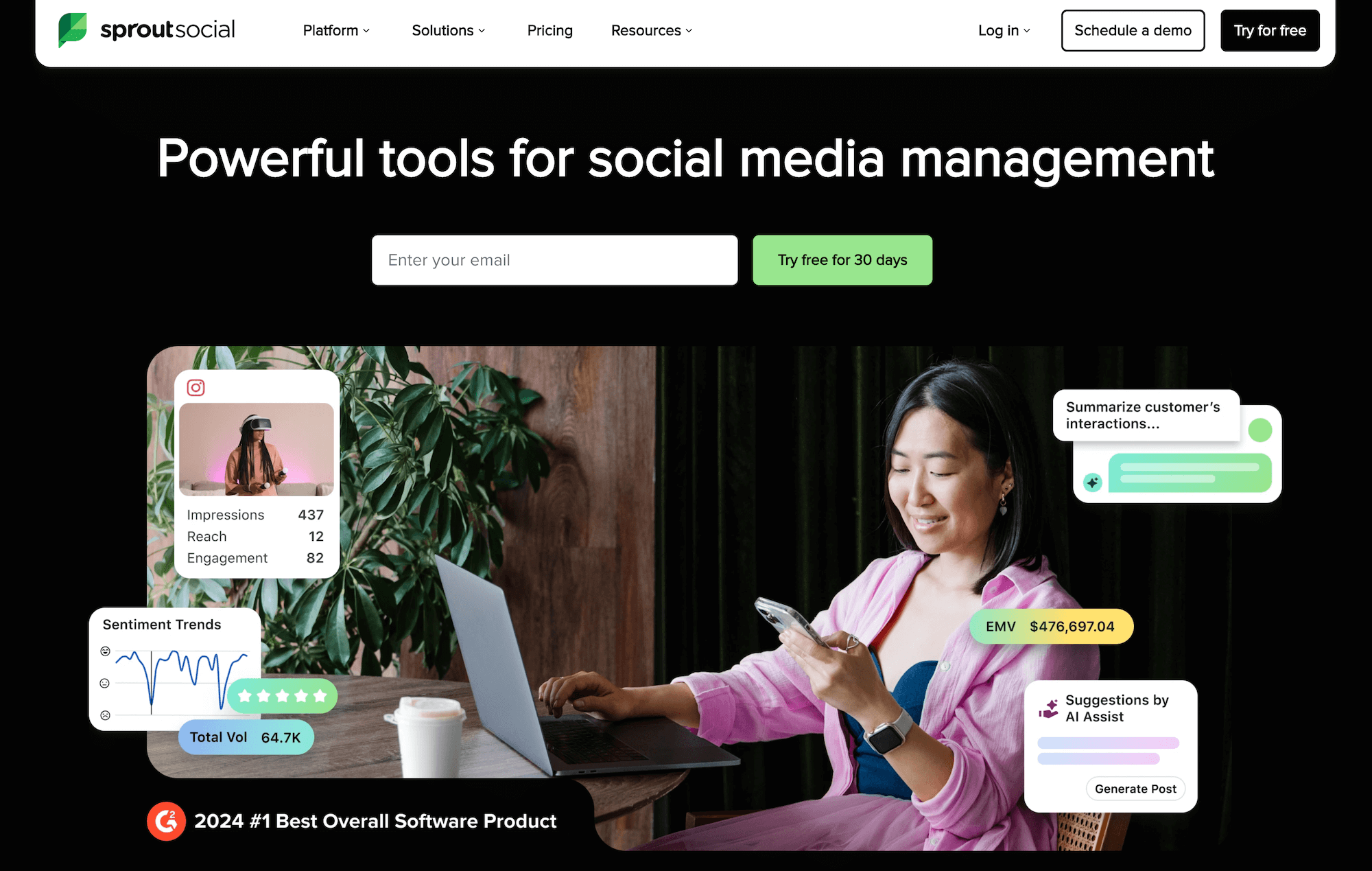
Sprout Social centralizes social media management by connecting to all your social profiles so your teams can publish, monitor, engage, and analyze from one place. It offers all the core features you’d expect — multimedia post scheduling, a content calendar, a smart social inbox, and team collaboration tools — and then more sophisticated capabilities that make it really shine. These features include:
-
Audience engagement reporting that measures response time, response rate, and customer interaction quality.
-
Social media monitoring for brand mentions, keywords, hashtags, and review sites in real time.
-
Social listening that discovers trends, customer opinions, industry insights, and market gaps from large conversation datasets.
-
Sentiment analysis to track how audiences feel about your brand, products, campaigns, or competitors.
-
AI tools to assist with content production, analyze social data, uncover actionable insights, and more.
-
Paid social promotion tools to boost high-performing posts directly from the platform.
-
Advanced analytics and powerful reporting tools to track engagement, audience growth, and more, consolidate metrics into unified reports, measure ROI with interactive charts, and analyze audience demographics.
SproutSocial’s influencer marketing platform is one of its most loved features by users. It allows them to search for and shortlist creators by topic and audience relevance, and vet them by evaluating brand fit, past partnerships, and content performance. Then they can track influencer campaigns over time to assess results and ROI.
While users praise Sprout Social’s robust social media management and marketing features, its expensive plans put it out of reach of teams with limited budgets.
Read more Sprout Social reviews here.
Notable Features
-
Social media scheduling & publishing: Manage posts across multiple platforms
-
Advanced analytics: Track engagement, paid performance, competitor performance, and more
-
Data visualization: Visualize performance with interactive charts and graphs
-
Custom reporting: Tailor dashboards to specific KPIs
-
Social listening: Monitor brand mentions and sentiment, capture audience reactions to marketing campaigns, track industry trends, and more
-
Customer engagement inbox: Manage conversations across networks
-
Team collaboration: Assign tasks and manage workflows
-
Influencer marketing: Use AI to discover best-fit influencers and manage outreach, contracting, and all campaign elements in one place
-
Employee advocacy tools: Empower your workforce to become brand ambassadors
-
Integrations: Connect with CRMs, help desks, and marketing tools
You can check out its full suite of features in this live product tour.
Pricing
Sprout Social offers three standard packages with per-user pricing, but users have to pay separately for its Social Listening, Employee Advocacy, and Influencer Marketing add-ons. All standard plans come with a free 30-day trial.
Its plans include:
-
Standard (from $199/seat/month): Includes up to 5 social profiles, a unified inbox, content calendars, publishing tools, and basic reporting.
-
Professional (from $299/seat/month): Unlocks unlimited social profiles, advanced analytics, competitor reporting, and higher-end collaboration tools.
-
Advanced (from $399 per seat/month): Includes all of the features in Professional plus advanced automation, sentiment features, more sophisticated reporting, and helpdesk integrations.
Sprout Social also offers enterprise plans with custom pricing. These packages include everything in the Advanced tier, plus white-glove onboarding, enterprise support, and negotiated contract terms.
Business Intelligence & Campaign Reporting Software
Use these systems to build a single source of truth for evaluating marketing performance, measuring ROI, and uncovering opportunities to boost profitability.
1. Syncari
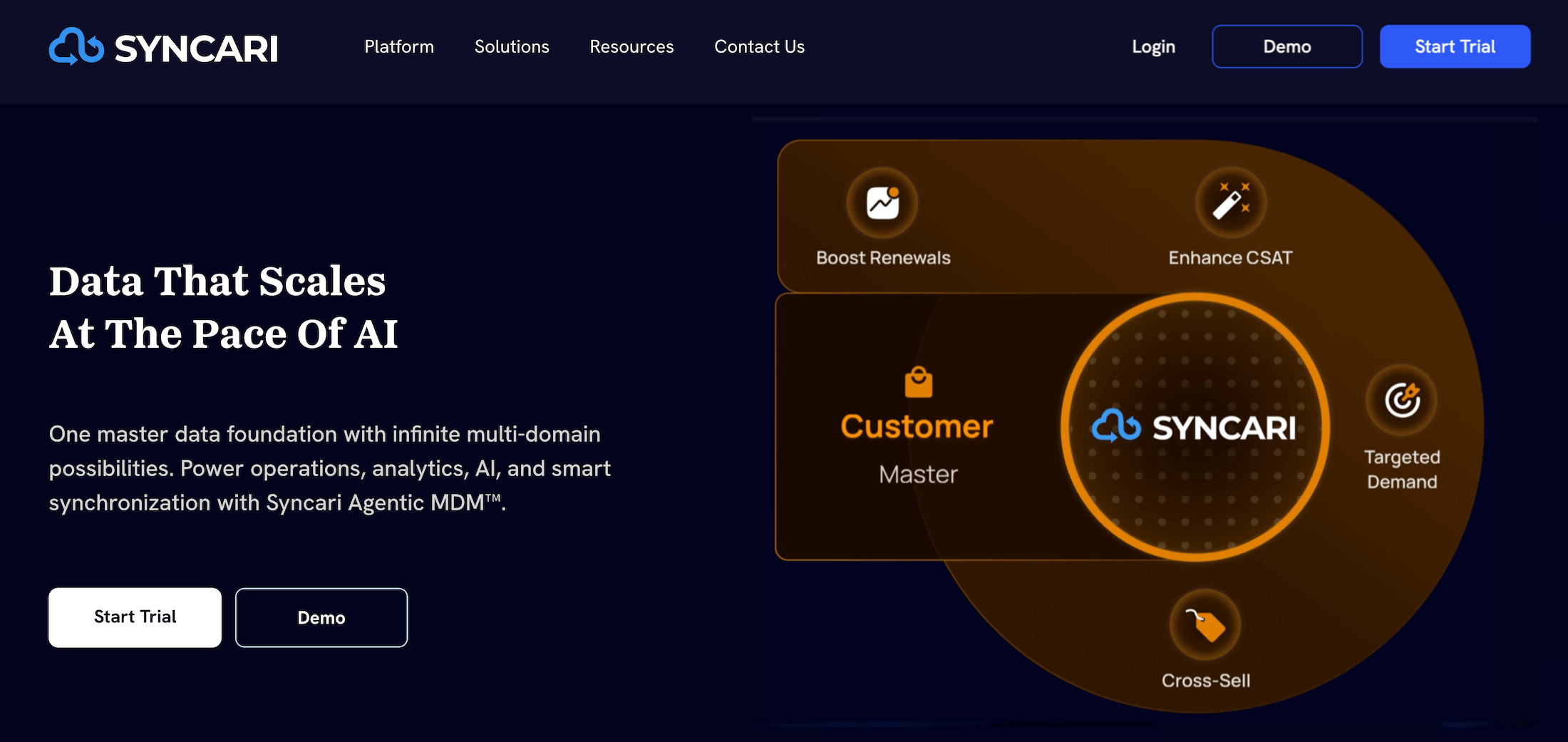
Syncari is a data automation and integration platform that connects to all business systems — CRM, Marketing Automation, product analytics tools, ERP, and data warehousing tools — and unifies your data.
The system ensures your data flows seamlessly and automates the manual work involved in managing large datasets — e.g., normalizing, merging, and deduplicating.
MOps teams use Syncari to measure and boost marketing’s contributions to pipeline and revenue, by:
-
Build a complete customer review to get a clearer picture of your ICP and the context of their interactions with your business.
-
Creating tailored customer experiences — match marketing activities to buyer touchpoints across product, finance, and customer success.
After connecting all your systems, you can set up automated workflows in Syncari to manage and develop leads across the entire lifecycle. For example, you can:
-
Set up automations to enrich incoming leads and take necessary actions to simplify data management before routing them through your workflows.
-
Use real-time, customizable dashboards to measure pipeline contribution, campaign ROI, and customer journey touchpoints.
Syncari also supports automated account-based marketing with tools and lead deduplication based on specified criteria, such as email fields or account geography. Then you can enforce scoring criteria to determine which entries stay and which go.
Check out more Syncari reviews here.
Notable Features
-
Multi-directional data sync: Real-time synchronization keeps records consistent across all connected systems and prevents data drift
-
Unified data hub: Resolve and consolidate entities (accounts, contacts, products, etc.) across platforms
-
Dynamic data modeling: Build flexible data models or use prebuilt schemas for common revenue and operational objects
-
Entity resolution & deduplication: Deterministic merge policies to unify records and manage duplicates automatically
-
Continuous data governance: No-code policies for data authority, access control, lineage tracking, and compliance monitoring
-
Data quality automation: Standardize, validate, remediate, and normalize incoming data based on configurable rules
-
Programmable MDM (functions & actions): Transform, enrich, and automate data workflows with custom logic and AI services (SyncAI)
-
Event-driven workflows: Trigger operational processes using real-time signals from unified master data
-
Schema-aware connectors (Synapses): Deep integrations that understand source system structure and handle schema changes automatically
-
Metadata catalog & observability: Tag, search, version, and monitor data with anomaly alerts and full change logs
-
Unified analytics & BI access: Build dashboards on mastered data or expose it directly to existing BI and AI tools via SQL/APIs
-
Operational automation use cases: Support lead routing, customer onboarding, revenue reconciliation, churn detection, and upsell signals
-
Elastic architecture: Automatically adapts to source system changes without breaking downstream processes
Pricing
Syncari offers one plan that includes all of the platform’s core capabilities. Pricing is custom.
2. Integrate
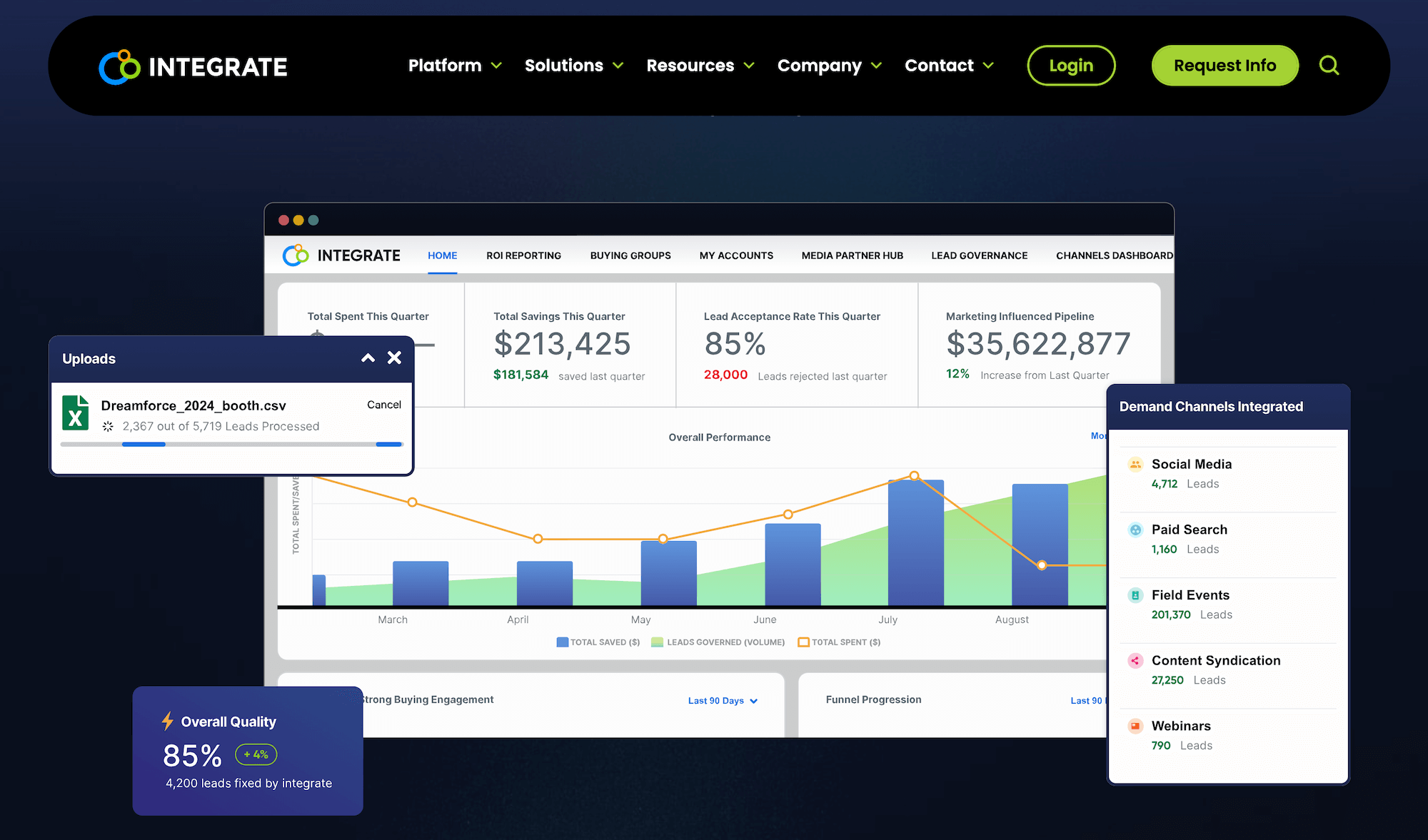
While Syncari is a broad business intelligence and data management system, Integrate is focused specifically on B2B lead management and data governance. The system empowers MOps teams to streamline lead acquisition, validation, and routing across channels.
The platform aims to help marketing teams filter out bad leads and win hours back by automating data management. Its product suite is categorized into three main areas:
-
Connect: Integrate offers several tools to unify lead capture across all channels — including out-of-the-box integrations with systems like HubSpot, Marketo, and Salesforce, form integrations, event-based lead capture, file uploads, and a universal API to pull information in from any source or system.
-
Analyze: As leads come in, Integrate’s robust marketing analytics tools and AI-powered dashboards let you track performance by channel and personalize experiences for buying groups.
-
The Conversion Insights dashboard reveals opportunities to optimize marketing budgets (e.g., by investing more in high-performing yet underfunded segments), while the Channels dashboards let you compare metrics like spend vs. return or overall lead gen performance across different channels.
-
-
-
Meanwhile, the Lead Governance dashboard surfaces common reasons for lead rejection and the corresponding impact of rejected leads on ROI.
-
-
Govern: Integrate’s data governance tools can save you hours in data management while ensuring you don’t pay for the same lead twice. Field mapping and consent management tools let you set personalized parameters to qualify leads. Meanwhile, validation rules ensure that the contact information is accurate and corresponds to a real person.
Find more Integrate reviews here.
Notable Features
- Demand orchestration: Connect, manage, and activate demand across multiple channels from a single system
- Real-time lead validation: Verify and enrich leads to improve quality
- Advanced lead routing: Automatically route leads to the right systems, partners, or sales teams based on custom logic
- Data governance & compliance: Manage consent, privacy, and regulatory requirements (GDPR, CCPA, etc.)
- Multi-channel demand capture: Ingest leads from forms, events, webinars, content syndication, paid media, and more
- Data enrichment: Layer on firmographic, demographic, and behavioral data to improve targeting and segmentation
- Account-based marketing (ABM) support: Orchestrate account journeys and sync data with ABM platforms
- Full-funnel visibility: Track performance from lead capture through revenue attribution
- Partner lead management: Control, validate, and distribute leads from demand partners
- Marketing & sales system integrations: Native integrations with CRMs, MAPs, webinar platforms, and data providers
- Automated workflows: Build logic-driven flows for lead processing, normalization, and delivery
- Data normalization: Standardize incoming data to maintain consistent records across systems
- Scalable API framework: Push and pull data programmatically across your martech stack
Pricing
Integrate doesn’t publicly list its plans or pricing — users have to contact them directly for more information. They provide custom quotes on request, depending on factors such as data volumes, data sources, and orchestration complexity.
3. AgencyAnalytics
AgencyAnalytics is a powerful analytics and reporting tool that helps MOps teams automate campaign monitoring, improve forecasting, and evaluate the performance of all their marketing channels and campaigns.
The platform offers preset and custom dashboards, as well as custom databases and pipelines, so you can tailor the solution to your company’s unique workflows. It also features an intuitive drag-and-drop report builder and data visualization tools (which include out-of-the-box templates to get you started).
AgencyAnalytics offers over 80 native integrations (SEO, PPC, social, email, etc.) to consolidate data from across all channels and touchpoints. Then, you can use various tools to monitor different aspects of your channels or campaigns, such as:
-
Budget tracking and pacing: Set up campaign budgets to monitor spend in real time and keep campaigns within financial limits.
-
Goal tracking: Set campaign goals around core KPIs and metrics — e.g., leads generated, CTR — and visually track progress toward them. This tool ensures accountability and keeps teams focused on real outcomes.
-
Anomaly detection: The system automatically flags unexpected changes in campaign metrics (e.g., sudden traffic drops or CPC spikes) so teams can intervene early, preventing wasted spend and rectifying performance issues.
-
Forecasting: Predict how future campaigns are likely to perform based on historical trends. Then, you can plan budgets, allocate resources, and set expectations accordingly.
-
AI Analysis: These tools surface trends, detect anomalies, and benchmark performance data for comparisons.
By consolidating campaign data from across all sources and platforms, AgencyAnalytics helps teams make sense of their performance data and uncover opportunities to reduce waste and boost their bottom line.
Although AgencyAnalytics is a robust, reliable solution overall, some users report issues with data management when they have many systems connected — e.g., information doesn’t always flow seamlessly, some datasets aren’t properly updated, etc. Additionally, since the platform mainly serves large teams and enterprises, its pricing is on the higher end.
Read more AgencyAnalytics Reviews here.
Notable Features
- Automated reporting: Schedule and send client‑ready reports automatically
- White‑label branding: Add logos, colors, and domains for a polished client experience
- Drag‑and‑drop editor: Build custom dashboards and reports quickly
- Report & dashboard templates: Professionally designed layouts for fast setup
- SEO tools: Keyword rank tracking, backlink monitoring, and site audits
- PPC reporting: Integrate Google Ads, Facebook Ads, and other paid channels
- Social media analytics: Track engagement across major platforms
- Email marketing platform integrations: Monitor campaign performance from tools like Mailchimp
- Multi‑channel dashboards: Consolidate SEO, PPC, social, and email data in one view
- Presentation mode: Share reports live in full‑screen format
- Client access portals: Let clients log in to view KPIs directly
- Custom KPIs & segments: Tailor reporting to each client’s goals
- Smart reports: Surface key insights and trends automatically
- Third‑party integrations: Connect with 70+ marketing platforms
Pricing
AgencyAnalytics offers three standard plans, billed monthly or annually, each with a free 14-day trial. Each plan supports a limited number of clients by default — users have to pay extra for additional client seats:
-
Freelancer ($59/month): Supports up to five clients ($20/month per additional client) and includes unlimited dashboards and reports, client access portals, report scheduling, and over 80 data integrations.
-
Agency ($179/month): Supports up to 10 clients ($20/month per additional client) and unlocks custom metrics, alerts, and goals, AI tools, task management, unlimited staff users, and complete white-label branding.
-
Agency Pro ($349/month): Supports up to 15 clients ($20/month per additional client) and includes everything in the Agency plan, plus benchmarks, forecasting, anomaly detection, bulk operations (like scheduling), metric insights, and API access.
The platform also includes enterprise packages with custom pricing, client volumes, and data limits; a dedicated success manager; concierge implementation; priority support; ongoing training; database connectors (e.g., BigQuery, Redshift, MySQL); MFA & SSO enforcement; and other enterprise-grade controls.
Users can also purchase the following add-ons:
-
Rank Tracker: To track rankings for SEO campaigns (priced per block of keywords) on both mobile and desktop.
-
Database Connectors & Concierge Implementation: All Enterprise customers get this service by default, while users on some other plans can purchase it separately.
Getting Started with Workamajig
A complete marketing operations tech stack typically includes systems from all three categories of tools we’ve covered above. These systems collectively allow MOps teams to streamline all daily workflows, manage campaigns, unify essential data, and link marketing activities to ROI.
Workamajig’s marketing operations software is specifically designed to manage all your daily work — including projects, resources, finances, client relationships, and the development of campaign materials. Our unified system allows teams to manage everything that comes before launching marketing campaigns — developing the materials, managing schedules, coordinating with various stakeholders, sourcing freelancers, etc. — and provides granular insights into productivity, profitability, and performance.
Request a personalized demo today to see how Workamajig can support your MOps workflows.
Related reads: